
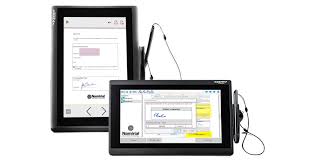
How to Contact Namirial For Spid And Other Digital Services
As a digital citizen, it’s essential to have access to various online services, including the Public System of Digital Identity (SPID). However, when issues arise, knowing how to contact Namirial for support can be daunting. In this article, we’ll guide you through the process of contacting Namirial for SPID and other digital services.
The Importance of Spid
The Public System of Digital Identity (SPID) is a digital identity system that allows citizens to access various online services with a single username and password. Having an SPID account provides you with a secure way to identify yourself online, making it easier to access services such as the National Health Service (SSN), tax returns, and other public services.
How to Contact Namirial For Spid
If you need assistance with your SPID account or have questions about using the service, there are several ways to contact Namirial. Here’s how:
Through Email
You can forward a request by email to Namirial using their dedicated form of contact. To do this:
- Access the official website of Namirial.
- Select the “SPID — Public System of Digital Identity” option from the menu.
- Indicate your data in the required fields, including your email address, name and surname, fiscal code, phone number, and specific the argument of your request (e.G., Resetting credentials or revoking digital identity).
- Click on the “Forward” button to send your message.
You’ll receive an answer via email within 48 hours.
Through Telephone
If you prefer to contact Namirial by telephone, you can reserve a called aside with an operator by purchasing the pack “Telephone Assistance” for €9.90 + VAT. This service allows you to specify your preferred date and schedule for the call.
To acquire the service:
- Access the official website of Namirial.
- Click on the “Add to Trolley” button.
- Complete the command by inserting your required data or accessing your account if already registered.
- Follow the instructions to pay using a credit card, debit card, or PayPal.
Once you’ve paid, access your email inbox and click on the link contained in the email forwarded by Namirial. In the new page, specify your preferred date and schedule for the call and click on the “Reserve” button. You’ll receive an email with all the details of the appointment.
How to Contact Namirial For Pec
If you need assistance with your PEC (Electronic Certified) account or have questions about using the service, there are several ways to contact Namirial. Here’s how:
Through Email
You can forward a direct message by email to Namirial using their dedicated form of contact.
- Access your email inbox and click on the “Create a new message” button.
- Insert the address [email protected] (or [email protected] if you prefer to forward a PEC) in the addressee field.
- Specific the object of your email and insert your message, including your name, surname, and phone number.
- Click on the “Forward” button to send your message.
You’ll receive an answer via email within 48 hours.
Through The Official Website
Alternatively, you can contact Namirial using their official website:
- Access the official website of Namirial.
- Select the “PEC — Put Electronic Certified” option from the menu.
- Insert your required data in the fields provided, including your email address, name and surname, fiscal code, phone number, and specific the address PEC for which you’re requesting assistance.
- Select the argument of your interest (e.G., Upgrading a blank, closing a box, subentro titularity, or password).
- Insert the object of your request and your message in the provided fields.
- Click on the “Forward” button to send your message.
You’ll receive an answer via email within 48 hours.
Conclusion
In conclusion, contacting Namirial for SPID and other digital services is a straightforward process. Whether you prefer to contact them through email or use their official website, you can easily get assistance with any issues or questions you may have. Remember to always be cautious when sharing personal data online and to follow the instructions provided by Namirial to ensure your safety.
Additional Resources
For more information on how to contact Namirial or to learn about other digital services offered by them, please visit their official website at www.Namirial.Com.


