
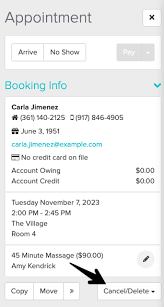
How to Cancel or Modify an Appointment on Compass
Are you having trouble canceling or modifying an appointment on the Compass platform? Don’t worry, we’ve got you covered! In this article, we’ll guide you through the steps to cancel or modify an appointment on Compass, so you can avoid any last-minute cancellations or changes.
Cancelling an Appointment on Compass
Canceling an appointment on Compass is a straightforward process. However, it requires contacting their customer service team directly. Here’s how:
- Call The Customer Service Number: The first step is to call the Compass customer service number at 800.77.44.33. This line is available from Monday to Friday between 09:00 And 19:00.
- Follow The Ivr Menu: Once you’ve called, follow the interactive voice response (IVR) menu to reach the section dedicated to appointments.
- Request Cancellation: Inform the customer service representative that you’d like to cancel an appointment. Provide your fiscal code, and they will confirm the cancellation.
Modifying an Appointment on Compass
If you need to modify an existing appointment rather than cancel it, you can do so using their online platform or through a phone call.
Online Modification
- Access Your Account: Log in to your Compass account and navigate to the section where you manage your appointments.
- Select Modify Appointment: Choose the “Modify appointment” option for the appointment you’d like to change.
- Change Details: Update the date, time, or any other details as needed.
- Confirm Changes: Review and confirm the changes to ensure everything is correct.
Phone Call Modification
Alternatively, you can contact Compass’s customer service team directly via a phone call. Follow the same process as canceling an appointment:
- Call The Customer Service Number: Dial 800.77.44.33 Between 09:00 And 19:00 From Monday to Friday.
- Follow The Ivr Menu: Navigate through the menu to reach the section for modifying appointments.
- Request Modification: Inform the representative that you’d like to modify an appointment, providing your fiscal code as needed.
Why Can’t I Cancel or Modify an Appointment Online?
Compass has implemented this process to ensure that sensitive information and changes are handled with care and attention by their customer service team. While it may seem inconvenient at first, contacting them directly allows for a more personalized experience and guarantees that your appointment is updated correctly.
Conclusion
Canceling or modifying an appointment on Compass requires direct contact with their customer service team. By following these steps, you can ensure that any changes are made accurately and efficiently. If you have further questions or concerns, feel free to reach out to us in the comments below!
Frequently Asked Questions (FAQs)
- Q: What is The Compass Customer Service Number?
A: The Compass customer service number is 800.77.44.33. - Q: Can I Modify an Appointment Online?
A: No, modifications must be made through a phone call to their customer service team or by contacting them directly. - Q: Why Can’t I Cancel an Appointment Online?
A: Compass has implemented this process to ensure sensitive information and changes are handled with care and attention by their customer service team. - Q: How do I Know if my Appointment Has Been Successfully Modified?
A: Once you’ve made the necessary changes, you will receive a confirmation email or notification from Compass. - Q: Can I Modify The Branch of an Appointment on Compass?
A: No, it is not possible to change the branch of an existing appointment. You must cancel and rebook for a new date and time.


