
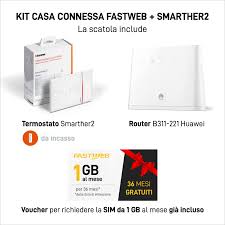
How to Actuate a Sim Fastweb: A Step-by-step Guide
Are you considering acquiring a SIM Fastweb for your smartphone, but are unsure about the process? Look no further! In this article, we will guide you through the steps of actuating a SIM Fastweb, from online registration to activation.
What is a Sim Fastweb?
A SIM Fastweb is a mobile phone SIM card that allows you to connect to the internet and make calls using the Fastweb network. It’s an ideal solution for those who want to enjoy fast and reliable internet connectivity on their smartphone or tablet.
Benefits of Using a Sim Fastweb
The benefits of using a SIM Fastweb are numerous:
- Fast Internet Speeds: With Fastweb, you can enjoy lightning-fast internet speeds, perfect for streaming videos, browsing the web, and more.
- Reliable Coverage: Fastweb has an extensive network coverage, ensuring that you stay connected wherever you go.
- Competitive Plans: Fastweb offers a range of affordable plans to suit your needs, with options for data-only, voice-only, or bundled packages.
How to Actuate a Sim Fastweb Online
To actuate a SIM Fastweb online, follow these simple steps:
- Verify Availability: Check if Fastweb services are available in your area using the online checker tool.
- Register Online: Fill out the registration form on the Fastweb website, providing required information such as your fiscal code, ID document, and phone number (if you’re porting from another operator).
- Choose Your Plan: Select the desired plan that suits your needs, considering factors like data allowance, voice minutes, and text messages.
- Activate The Sim: Receive the SIM card by mail, activate it online or in a physical store, and enjoy fast internet connectivity.
How to Actuate Internet on Your Sim Fastweb
To actuate internet on your SIM Fastweb:
- Check Mobile Net Settings: Ensure that mobile net is enabled on your device.
- Configure Apn Settings: Manually configure the APN (Access Point Name) settings if necessary, using the parameters provided in your welcome SMS or online guides.
- Enable Cellular Data: Make sure the cellular data toggle is turned ON.
How to Actuate a Hotspot With Your Sim Fastweb
Want to share your internet connection with other devices? You can actuate a hotspot on your SIM Fastweb without any additional configuration! Simply enable mobile net and connect other devices to your Wi-Fi network generated by your smartphone or tablet.
Frequently Asked Questions (FAQs)
Q: What is the cost of activating a SIM Fastweb?
A: Activation costs vary depending on the plan chosen, but most plans are around €10-€20.
Q: Can I port my number from another operator to Fastweb?
A: Yes, you can port your number to Fastweb by following the online registration process and providing required documentation.
Q: How do I check if Fastweb services are available in my area?
A: Use the online checker tool on the Fastweb website to verify availability.
Conclusion
Actuating a SIM Fastweb is a straightforward process that requires minimal technical expertise. By following these step-by-step guides, you can enjoy fast and reliable internet connectivity on your smartphone or tablet with the peace of mind that comes with using a reputable operator like Fastweb.
Additional Resources
For more information on SIM Fastweb plans, coverage, and services, visit the official Fastweb website.
What Are The Benefits of Using a Sim Fastweb?
The benefits of using a SIM Fastweb are numerous:
- Fast Internet Speeds: With Fastweb, you can enjoy lightning-fast internet speeds, perfect for streaming videos, browsing the web, and more.
- Reliable Coverage: Fastweb has an extensive network coverage, ensuring that you stay connected wherever you go.
- Competitive Plans: Fastweb offers a range of affordable plans to suit your needs, with options for data-only, voice-only, or bundled packages.
What is The Cost of Activating a Sim Fastweb?
Activation costs vary depending on the plan chosen, but most plans are around €10-€20. It’s essential to check the pricing and available plans before signing up.
Can I Port My Number From Another Operator to Fastweb?
Yes, you can port your number to Fastweb by following the online registration process and providing required documentation. This allows you to keep your existing phone number while switching to a new operator.
How Do I Check If Fastweb Services Are Available in My Area?
You can use the online checker tool on the Fastweb website to verify availability. Simply enter your location, and the tool will indicate whether Fastweb services are available in your area.
What is The Difference Between a Sim Card And an Esim?
A traditional SIM card is a physical card that you insert into your phone, while an eSIM (embedded SIM) is a digital version of the SIM card that’s built directly into your device. Both options allow you to connect to a cellular network, but eSIMs are more convenient since they don’t require a physical insertion process.
How Do I Configure Apn Settings on My Device?
To configure APN settings:
- Check Mobile Net Settings: Ensure that mobile net is enabled on your device.
- Configure Apn Settings: Manually configure the APN (Access Point Name) settings if necessary, using the parameters provided in your welcome SMS or online guides.
What Are The Benefits of Using a Hotspot With My Sim Fastweb?
The benefits of using a hotspot include:
- Convenience: Sharing your internet connection is as simple as enabling mobile net on your device.
- Flexibility: Connect multiple devices to your hotspot without needing separate internet plans.
Can I Use My Sim Fastweb For International Calls And Texts?
Yes, you can use your SIM Fastweb for international calls and texts. Fastweb offers various plans that include roaming minutes and text messages in select countries. Be sure to check the pricing and coverage details before making international calls or sending texts.
How Do I Contact Customer Support If I Have Questions or Issues?
If you have questions or issues with your SIM Fastweb, contact customer support directly through their website, social media channels, or by phone. They’ll be happy to assist you in resolving any problems and answering your queries.
What Are The Most Popular Plans Offered by Fastweb?
The most popular plans offered by Fastweb include:
- Fastweb Mobile: A budget-friendly plan with unlimited calls, texts, and 100 MB of internet data.
- Fastweb Mobile Full: An upgraded plan that includes unlimited calls, texts, and 200 MB of internet data.
- Fastweb Mobile Plus: The most comprehensive plan that offers unlimited calls, texts, and 500 MB of internet data.
Can I Get a Refund If I Cancel My Plan?
Refund policies vary depending on the plan chosen and the reason for cancellation. Be sure to check the terms and conditions of your plan before signing up.


