
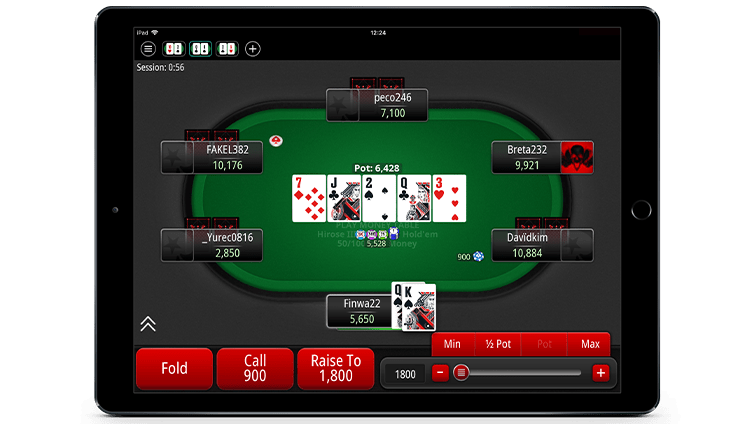
How to Download Pokerstars on Your Device
Are you a poker enthusiast looking to download PokerStars on your device? Look no further! This article will guide you through the process of downloading PokerStars on your computer, smartphone, or tablet.
What is Pokerstars?
PokerStars is an online poker platform that allows users to play various poker games with other players from around the world. With a user-friendly interface and a wide range of games, PokerStars has become one of the most popular online poker platforms globally.
Downloading Pokerstars on Your Computer
To download PokerStars on your computer, follow these steps:
Step 1: Initiate Your Browser
Open your web browser (e.G., Google Chrome or Mozilla Firefox) and navigate to the official PokerStars website (www.Pokerstars.Com).
Step 2: Click on The Download Button
Click on the download button on the PokerStars website. This will initiate the download process.
Step 3: Wait For The File to Download
Wait for the file to download completely. Depending on your internet speed, this may take a few minutes.
Step 4: Run The Installer
Once the download is complete, run the installer (PokerStarsInstallIT.Exe) and follow the prompts to install the software.
Step 5: Launch Pokerstars
After installation, launch PokerStars by clicking on the icon in your start menu or desktop shortcut.
Downloading Pokerstars on Your Smartphone or Tablet
To download PokerStars on your smartphone or tablet, follow these steps:
Step 1: Go to The App Store (iOS) or Google Play Store (Android)
Open the App Store (for iOS devices) or Google Play Store (for Android devices).
Step 2: Search For Pokerstars
Search for PokerStars in the search bar.
Step 3: Click on The Pokerstars App
Click on the PokerStars app to open its page.
Step 4: Download And Install The App
Download and install the PokerStars app by following the prompts.
Step 5: Launch Pokerstars
After installation, launch PokerStars by tapping on the icon in your home screen or dock.
Troubleshooting Tips
If you encounter any issues during the download process, refer to the troubleshooting tips below:
- Check if your device meets the minimum system requirements for running PokerStars.
- Ensure that you have a stable internet connection.
- Try restarting your device and then attempting the download again.
By following these steps, you’ll be able to successfully download and install PokerStars on your computer or mobile device. Happy gaming!
Frequently Asked Questions (FAQs)
-
Q: What is The Minimum System Requirement For Running Pokerstars?
A: The minimum system requirements for running PokerStars are a Windows 7 or macOS operating system, 2 GB RAM, and a graphics card that supports OpenGL 3.0.
-
Q: How do I Troubleshoot Common Issues During The Download Process?
A: Refer to the troubleshooting tips provided earlier in this article.
-
Q: Can I Play Pokerstars on my Tablet or Smartphone?
A: Yes, you can play PokerStars on your tablet or smartphone by downloading and installing the PokerStars app from the App Store (for iOS devices) or Google Play Store (for Android devices).
-
Q: Is it Possible to Download Pokerstars Directly From Their Website?
A: Yes, you can download PokerStars directly from their website by following the steps provided earlier in this article.
-
Q: What Are The System Requirements For Playing Pokerstars on my Computer or Mobile Device?
A: Refer to the system requirements section of the official PokerStars website for the most up-to-date information.
-
Q: Can I Play Pokerstars Using a Vpn?
A: Yes, you can play PokerStars using a VPN, but be aware that some countries have laws restricting online gambling. Always check local laws and regulations before engaging in any form of online gaming.
-
Q: How do I Update my Pokerstars Software?
A: To update your PokerStars software, navigate to the official PokerStars website and follow the prompts to download and install the latest version.
-
Q: Can I Use a Vpn While Playing Pokerstars?
A: Yes, you can use a VPN while playing PokerStars, but ensure that it is compatible with the platform and does not violate any terms of service.
By understanding these FAQs and following the steps outlined in this article, you’ll be able to successfully download and install PokerStars on your device. Happy gaming!


