
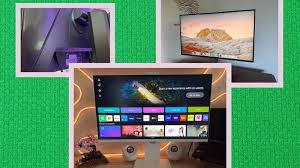
The Ultimate Guide to Choosing a Monitor For Graphic Design
As a graphic designer, choosing the right monitor can make all the difference in your work. With so many options available, it’s essential to consider several factors before making a decision. In this article, we’ll explore the key considerations for selecting a monitor that meets your needs.
Understanding The Different Types of Monitors
When it comes to graphic design, there are three main types of monitors: TN (Twisted Nematic), IPS (In-Plane Switching), and VA (Vertical Alignment). Each type has its own strengths and weaknesses.
- TN Monitors: These are the most affordable option but have limitations in terms of color accuracy and contrast.
- Ips Monitors: These offer excellent color accuracy, wide viewing angles, and good contrast. They’re ideal for graphic design work.
- VA Monitors: These provide better contrast than TN monitors but may not be as accurate in color representation.
The Importance of Resolution
Resolution is another critical factor to consider when choosing a monitor. The most common resolutions are:
- 1080P (1920 x 1080): Suitable for smaller monitors, this resolution offers good image quality.
- 1440P (2560 x 1440): This higher resolution provides better image clarity and is ideal for larger monitors.
- 4K (3840 x 2160): The highest resolution available, offering exceptional image quality.
Panel Type: A Crucial Consideration
The panel type directly affects the overall image quality. When choosing a monitor, consider the following:
- TN Panel: Offers fast response times but may not be ideal for color-critical work.
- Ips Panel: Provides excellent color accuracy and wide viewing angles, making it perfect for graphic design.
- VA Panel: Offers good contrast but may not be as accurate in color representation.
Connectivity Options
When selecting a monitor, consider the connectivity options:
- Hdmi: A high-definition multimedia interface that’s widely used.
- Displayport: A digital video interface that offers higher resolutions and refresh rates.
- Usb Ports: Convenient for connecting external devices.
Ergonomics: The Forgotten Factor
Don’t overlook the importance of ergonomics when choosing a monitor. Consider:
- Adjustable Height: Allows you to position the monitor at a comfortable height, reducing eye strain.
- Rotation And Tilt: Enables you to adjust the monitor’s angle for optimal viewing.
Conclusion
Choosing the right monitor for graphic design can be overwhelming with so many options available. By considering factors like panel type, resolution, connectivity options, and ergonomics, you’ll find a monitor that meets your needs. Remember to invest in a high-quality monitor that will provide excellent image quality and reduce eye strain.
Frequently Asked Questions
- What is the best monitor for graphic design?
The best monitor for graphic design depends on your specific needs, but IPS monitors with 1440p or 4K resolution are generally recommended. - How important is color accuracy in a monitor?
Color accuracy is crucial for graphic design work. Look for monitors with excellent color representation and wide viewing angles. - What is the difference between TN and IPS panels?
TN panels offer fast response times but may not be ideal for color-critical work, while IPS panels provide excellent color accuracy and wide viewing angles. - Can I use a monitor with a lower resolution for graphic design?
While it’s possible to use a lower-resolution monitor for graphic design, higher resolutions like 1440p or 4K are recommended for optimal image quality. - How do I choose the right connectivity options for my monitor?
Consider your needs and the devices you’ll be connecting to the monitor. HDMI and DisplayPort are popular options, while USB ports provide convenience for external connections.
Recommendations
Based on our research and expertise, we recommend:
- LG 27GR75Q Ultragear Gaming Monitor: A high-quality IPS monitor with a 1440p resolution and excellent color accuracy.
- Samsung Odyssey G5 Curvo Monitor: A VA monitor with a 32-inch curved screen and 4K resolution, offering exceptional image quality.
- Philips 221V8 Gaming Monitor: A TN monitor with a 22-inch screen and good color representation, suitable for smaller workspaces.
Conclusion
Choosing the right monitor for graphic design requires careful consideration of several factors. By understanding the different types of monitors, panel types, resolutions, connectivity options, and ergonomics, you’ll find a monitor that meets your needs.


