
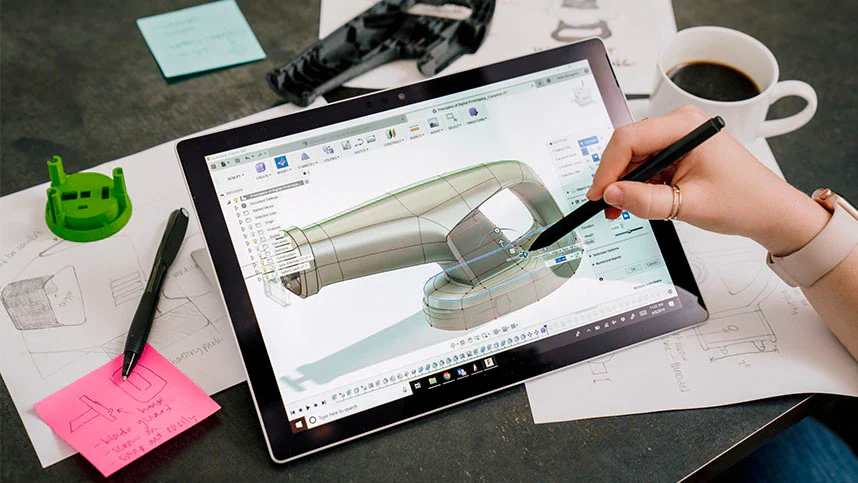
Designing in 3D: A Comprehensive Guide
Are you an aspiring artist or designer looking to create stunning three-dimensional designs? Look no further! In this article, we will explore the world of 3D design, covering the best software programs for creating, modeling, and animating in 3D.
What is 3D Design?
Three-dimensional design involves creating visualizations and models in a three-dimensional space. This type of design is used in various industries such as architecture, engineering, product design, and animation. With the advancement of technology, 3D design has become more accessible and affordable for individuals to create stunning visuals.
Software Programs For 3D Design
Here are some of the best software programs for 3D design:
Blender: The Ultimate Free Software
- Free Downloadable Version Available
- Compatible with Windows, macOS, and Linux
- Excellent modeling, animation, and rendering capabilities
Blender is a free and open-source software that has become the go-to choice for many designers. It offers a wide range of tools and features, making it an ideal choice for beginners and experienced designers alike.
Sketchup: A User-friendly Software
- Free Version Available
- Compatible with Windows and macOS
- Easy-to-use interface with a vast library of plugins
SketchUp is another popular software program that offers an intuitive user experience. It’s ideal for designers who want to create 3D models quickly and efficiently.
Other Software Programs
In addition to Blender and SketchUp, there are other software programs available for 3D design:
- Freecad: A free CAD software with parametric modeling capabilities
- Openscad: A free and open-source software for creating 3D models using a scripting language
- Sweet Home 3D: A free software for designing home layouts and furniture
Designing in 3D Online
If you don’t want to download any software on your computer, there are online platforms that allow you to design in 3D:
Tinkercad: A Free Online Platform
- Free Version Available
- Compatible with most web browsers
- Excellent modeling and rendering capabilities
Tinkercad is a free online platform that allows you to design and model in 3D. It’s an excellent choice for beginners who want to explore the world of 3D design without investing in any software.
Sketchup Free: A Web-based Version
- Free Version Available
- Compatible with most web browsers
- Excellent modeling and rendering capabilities
SketchUp Free is a web-based version of the popular software program. It offers an intuitive user experience and allows you to design and model in 3D without downloading any software.
Conclusion
Designing in 3D has never been easier or more accessible. With the range of software programs available, from free and open-source options like Blender and FreeCAD to paid versions like SketchUp and Maya, there’s something for everyone. Whether you’re a beginner or an experienced designer, these software programs will help you create stunning visuals in 3D.
Frequently Asked Questions
Here are some frequently asked questions about designing in 3D:
- Q: What is the best software program for designing in 3D?
A: The best software program depends on your needs and preferences. If you’re a beginner, Blender or SketchUp might be an excellent choice. - Q: Can I design in 3D online without downloading any software?
A: Yes, there are online platforms like Tinkercad and SketchUp Free that allow you to design and model in 3D without downloading any software. - Q: What is the cost of these software programs?
A: The cost varies depending on the software program. Some are free, while others require a subscription or one-time payment.
Conclusion
Designing in 3D has become an essential skill for various industries and individuals. With the range of software programs available, you can choose the one that suits your needs and preferences. Whether you’re a beginner or an experienced designer, these software programs will help you create stunning visuals in 3D.


