
How to See Who Has Contacted You on Tinder: A Step-by-step Guide
Are you tired of swiping through profiles on Tinder, only to wonder who has liked your own profile? Look no further! In this article, we’ll guide you through the process of seeing who has contacted you on Tinder, whether you’re using the app on your Android or iOS device, or accessing it from a PC.
Understanding Tinder’s Limitations
Before we dive into the nitty-gritty, it’s essential to understand that Tinder has some limitations when it comes to seeing who has liked your profile. The app only shows you the profiles of users who have matched with you, meaning their like was reciprocated. If someone has liked your profile but hasn’t been matched yet, their profile won’t be visible to you.
Seeing Who Has Contacted You on Tinder (Android/iOS)
To see who has contacted you on Tinder using your Android or iOS device:
- Open The Tinder App: Launch the Tinder app on your mobile device.
- Access Your Account: Log in to your Tinder account using your email and password.
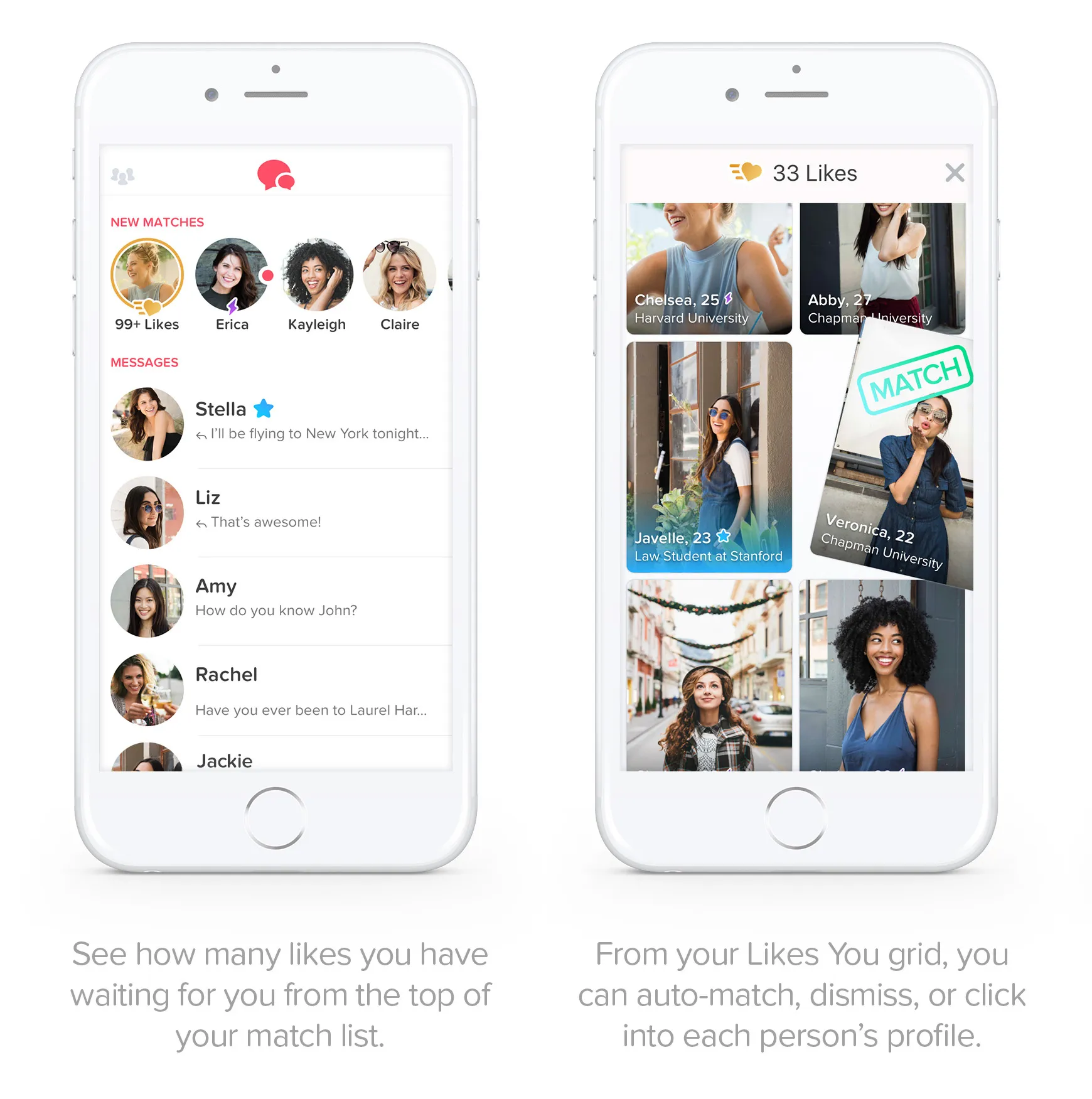
- Navigate to Matches: Tap on the icon of two comic strips at the bottom to access the private messages section.
- View Matched Profiles: Scroll through the profiles in the Match: Tab to see all the users who have liked your profile.
Tips For Browsing Through Matched Profiles
- To view more details about a matched user, tap on their miniature and then on their name.
- This will take you to their chat screen, where you can view their photos and read their bio.
Accessing Tinder From Your PC
If you prefer using Tinder from your computer:
- Visit The Official Website: Log in to your Tinder account on the official website (www.Tinder.Com).
- Navigate to Matches: Click on the “Match” tab at the top of the screen.
- View Matched Profiles: Scroll through the profiles in the Match: Section to see all the users who have liked your profile.
Premium Features For Seeing Who Has Contacted You
If you’re interested in seeing who has contacted you without having matched with them, you’ll need to upgrade to Tinder Gold or Platinum. These premium features allow you to view the profiles of users who have liked your profile before a match is made.
- Tinder Gold: Costs €25.99 Per month and offers the ability to see who has swiped right on you.
- Tinder Platinum: Costs €30.99 Per month and provides additional features, including the ability to see who has liked your profile.
Frequently Asked Questions (FAQs)
- How do I know who has contacted me on Tinder?
- You can view the profiles of users who have matched with you in the Match: Tab.
- Can I see who has contacted me without matching with them?
- No, this is only possible with a premium subscription to Tinder Gold or Platinum.
- How do I access Tinder from my PC?
- Visit the official website at www.Tinder.Com and log in to your account.
Conclusion
In conclusion, seeing who has contacted you on Tinder is a straightforward process once you understand the app’s limitations. Whether you’re using the app on your mobile device or accessing it from a PC, we’ve provided step-by-step instructions to help you navigate through the profiles of users who have liked your profile.


