
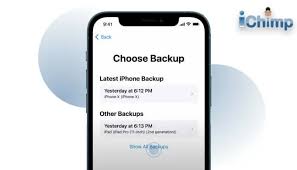
How to See Last Backup Iphone: A Step-by-step Guide
Are you wondering how to see last backup iPhone? Look no further! In this article, we’ll guide you through the process of checking your iPhone’s last backup on various platforms, including iOS, PC, Mac, and online.
Why Check Last Backup Iphone?
Before executing an update of iOS, it’s always a good idea to have a recent backup of your iPhone. This ensures that in case something goes wrong during the update process, you can restore your device to its previous state. By checking your last backup iPhone, you’ll be able to:
- Verify if a backup was created recently
- Check the date and time of the last backup
- Delete old backups to free up storage space
How to See Last Backup Iphone on Ios
To check your last backup iPhone on iOS, follow these steps:
- Tap on the Settings icon on your home screen.
- Select your name at the top of the screen.
- Scroll down and select iCloud.
- Tap on Backup & Update.
- Look for the “Last Backup” section, which will display the date and time of your last backup.
How to See Last Backup Iphone on PC
If you’re using a Windows PC, follow these steps:
- Download and install the iCloud client from the Microsoft Store.
- Launch the iCloud app and sign in with your Apple ID and password.
- Click on the “Backup” tab.
- Look for the “Last Backup” section, which will display the date and time of your last backup.
How to See Last Backup Iphone on Mac
If you’re using a Mac, follow these steps:
- Go to System Preferences > Apple ID.
- Click on the “iCloud” tab.
- Look for the “Backup & Update” section.
- Click on the “Last Backup” tab.
- You’ll see the date and time of your last backup.
How to See Last Backup Iphone on Mac Using Finder
Alternatively, you can use the Finder app to check your last backup iPhone:
- Connect your iPhone to your Mac using a cable.
- Open the Finder app and go to the “Positions” section.
- Look for the icon of your iPhone.
- Click on the “iPhone” tab and select “Backup”.
- You’ll see the date and time of your last backup.
How to See Last Backup Iphone Online
Unfortunately, it’s not possible to view your last backup iPhone online directly through the iCloud website. However, you can access some information about your backups by signing in with your Apple ID and password on the iCloud website.
Conclusion
In conclusion, checking your last backup iPhone is a simple process that can be done on various platforms, including iOS, PC, Mac, and online. By following these steps, you’ll be able to verify if a backup was created recently, check the date and time of the last backup, and even delete old backups to free up storage space.
Frequently Asked Questions (FAQs)
- What Happens if I Don’t Have a Recent Backup Iphone?
If you don’t have a recent backup iPhone, it’s recommended that you create one before updating your device to ensure that you can restore your data in case something goes wrong during the update process.
- Can I Delete Old Backups to Free up Storage Space?
Yes, you can delete old backups to free up storage space on your iCloud account or local device. However, make sure to back up your data regularly to avoid losing important information.
- How Often Should I Check my Last Backup Iphone?
It’s recommended that you check your last backup iPhone at least once a week to ensure that it was created recently and to verify the date and time of the last backup.
- What if I Don’t Have an Apple ID or Password?
If you don’t have an Apple ID or password, you won’t be able to access your backups online or through the iCloud app. Make sure to create an account or sign in with your existing credentials to view your backups.
- Can I Transfer my Iphone Backup to Another Device?
Yes, you can transfer your iPhone backup to another device by using the iTunes or Finder app on a Mac or Windows PC.
- How do I Restore my Iphone From a Backup?
To restore your iPhone from a backup, follow these steps:
A. Connect your iPhone to your device (Mac or PC).
B. Open the iTunes or Finder app.
C. Select the “Restore” option and choose the backup you want to restore from.
- Can I View my Iphone Backups on Multiple Devices?
Yes, you can view your iPhone backups on multiple devices by signing in with your Apple ID and password on each device.


