
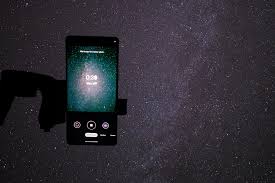
Photographing The Stars With Your Smartphone: A Guide
Are you an amateur astronomer or simply someone who loves gazing at the stars? Do you want to capture stunning photos of the night sky with your smartphone? Look no further! In this article, we’ll guide you through the process of photographing the stars with your phone, using various apps and settings.
Why Photograph The Stars With Your Smartphone?
Photographing the stars with your smartphone is not just a fun activity; it’s also a great way to capture memories of a beautiful night sky. With the right equipment and knowledge, you can take stunning photos that will make you feel like a professional astronomer. Plus, it’s a great way to share your passion for astronomy with friends and family.
Choosing The Right Equipment
Before we dive into the technical aspects, let’s talk about the equipment you’ll need. While a smartphone is the primary tool for photographing the stars, there are some additional accessories that can enhance your experience.
- A Tripod is essential for stabilizing your phone and preventing camera shake.
- A Lens Attachment can help improve the quality of your photos by reducing distortion and enhancing resolution.
- A Red Eye Filter can help reduce red eye effects in low-light conditions.
Understanding Smartphone Camera Settings
Now that we have our equipment, let’s talk about smartphone camera settings. Most smartphones come with a pre-installed camera app that allows you to adjust various settings.
- Iso: This setting controls the camera’s sensitivity to light. A lower ISO (100-400) is best for capturing stars in low-light conditions.
- Exposure Time: This setting determines how long the camera takes to capture an image. A longer exposure time can help reveal more details in the stars, but it may also introduce noise or artifacts.
- White Balance: This setting adjusts the color temperature of the image. A “cloudy” white balance can help enhance the blues and violets in the stars.
Using Apps to Enhance Your Photos
While smartphone camera settings are essential for capturing great photos, there are also several apps that can help you improve your results.
- Halide: This app offers advanced manual controls for adjusting exposure, ISO, and white balance.
- Procam X Lite: This app provides a range of manual modes for adjusting focus, ISO, and shutter speed.
- Deepskycamera: This app is designed specifically for astrophotography and offers features like interval shooting and bracketing.
Tips For Capturing Great Photos
Here are some general tips to help you capture great photos of the stars:
- Shoot in Raw: Shooting in RAW format allows you to capture more image data, which can be useful for post-processing.
- Use a Tripod: A tripod is essential for stabilizing your phone and preventing camera shake.
- Focus on The Stars: Make sure to focus on the stars themselves rather than the surrounding background.
Conclusion
Photographing the stars with your smartphone is a fun and rewarding experience. With the right equipment, knowledge, and apps, you can capture stunning photos that will make you feel like a professional astronomer. Remember to always shoot in RAW format, use a tripod, and focus on the stars themselves for the best results.
Frequently Asked Questions
Q: What are some tips for capturing great photos of the stars?
A: Shoot in RAW format, use a tripod, and focus on the stars themselves rather than the surrounding background.
Q: Can I use any smartphone to photograph the stars?
A: While most smartphones can capture good photos, it’s recommended to use a phone with a high-quality camera sensor and lens attachment for better results.
Q: Do I need special equipment to photograph the stars?
A: A tripod and possibly a lens attachment are essential for stabilizing your phone and capturing clear images.


