
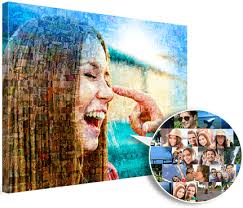
Photo Montage Programs: The Best Tools For Creatives
If you’re a photo montage lover, you’re probably wondering which program to use to create unique and fun works of art. In this article, we will explore the best photo montage programs available for windows, macos and linux.
Free Photo Montage Programs
If you want to start experimenting with photo montages without spending any money, there are some free programs that can help you. Here are some options:
-
Gimp: A free and open-source graphics editing software available for windows, macos and linux.
-
Photodirector 365: A free Italian photo editing program for Windows and MacOS.
-
Paint.Net: A free alternative to Microsoft’s Paint for Windows.
Programs For Professional Photomontages
If you want to make high-quality photo montages, you may want to consider the following professional programs:
-
Photoshop: The most famous and used photo editing software by professionals. Available for windows and macos.
-
Affinity Photo: Professional photo editing software available for windows and macos.
-
Coreldraw Graphics Suite: A graphics software suite available for windows and macos.
Programs For Online Photomontages
If you prefer to work online, here are some programs that can help you create photo montages:
-
Photofunia: A free online service that allows you to create photomontages without registration.
-
Photopea: A free web application that integrates useful tools for creating photomontages.
Programs For Video Photomontages
If you want to make video photomontages, here are some programs that can help you:
-
Wondershare Filmora: A video editing software available for windows and macos.
-
Easeus Video Editor: A free video editing software for windows.
-
Imovie: A free video editing application included with macos.
Photo Montage App
If you prefer to work on a smartphone or tablet, here are some apps that can help you create photo montages:
-
Superphoto: A free app available for android and ios/ipados.
-
Photomontager: A free app available for android and ios/ipados.
-
Photo Lab: A free app available for android and ios/ipados.
Conclusion
In this article, we’ve explored the best photo montage programs available for windows, macos, and linux. We hope you found this list helpful and were able to find the right program for your creative needs.
Frequently Asked Questions (FAQ)
- What is The Best Photo Editing Software?
The best photo editing software depends on your specific needs, but photoshop is often considered one of the best.
- Can I Use Photo Montages For Commercial Purposes?
Yes, you can use photo montages for commercial purposes, but make sure you have the necessary permissions to use the original images.
- How Can I Improve The Quality of my Photo Montages?
To improve the quality of your photo montages, you can use tools like gimp or photodirector 365, and make sure you use high quality images.
- Can I Create Video Photomontages With The Programs Mentioned Above?
Yes, you can make video photo montages with some of the programs mentioned above, such as wondershare filmora or easeus video editor.
- What is The Difference Between a Photo Editing Software And a Photo Montage Program?
Photo editing software lets you edit original images, while photo editing software lets you create new works of art using multiple images.


