
Adobe Reader – Download: A Comprehensive Guide
Are you looking for a reliable software to visualize and manage PDF files? Look no further than Adobe Reader, one of the most popular and widely used software applications available today.
What is Adobe Reader?
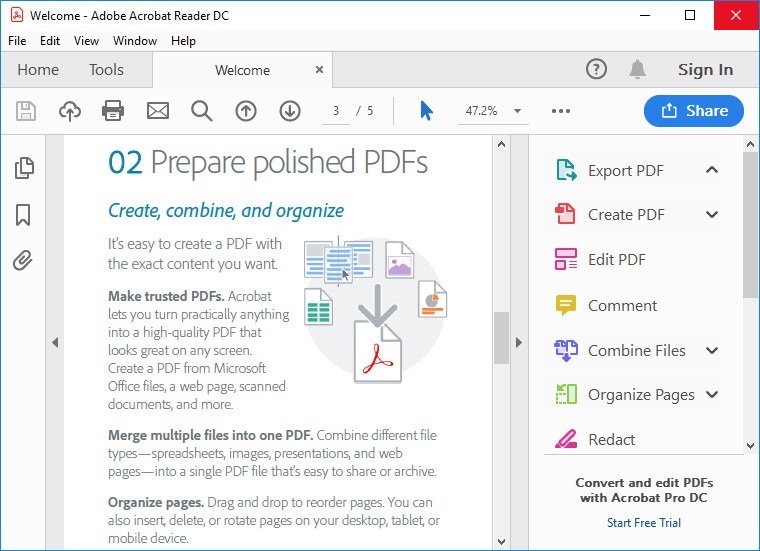
Adobe Reader, commonly referred to as Adobe Acrobat Reader, is an official software application developed by Adobe Systems. It’s designed specifically for reading, creating, and managing PDF (Portable Document Format) files. With its vast range of features and functionalities, Adobe Reader has become an essential tool for anyone working with PDFs.
Key Features of Adobe Reader
Adobe Reader offers a plethora of features that make it an indispensable tool for individuals and professionals alike. Some of the key features include:
- Pdf Viewing: Adobe Reader allows users to view, navigate, and search within PDF files with ease.
- Commenting: Users can add comments, highlight text, and insert sticky notes directly within PDFs.
- Signing: Adobe Reader enables users to sign documents digitally using their own electronic signature.
- Exporting: The software allows users to export PDFs as editable text or images.
- Conversion: Adobe Reader can convert PDFs into various formats like Word, Excel, and PowerPoint.
System Requirements For Adobe Reader
To ensure a smooth experience with Adobe Reader, it’s essential to meet the minimum system requirements. These include:
- Windows: 1.5 GHz processor, Windows 7 SP1 or later, 2 GB RAM, 450 MB available space (900 MB for English version).
- Macos: Intel or Apple M1 processor, macOS Mojave 10.14 Or later, 2 GB RAM, 380 MB available space.
- Android: Android 5.0 Or later
- Ios/ipados: IOS 15.0 Or iPadOS 15.0 Or later
Downloading Adobe Reader
To download and install Adobe Reader on your device, follow these steps:
- Visit the official Adobe website (www.Adobe.Com) and navigate to the download page for Adobe Acrobat Reader.
- Click on the “Download” button and select the appropriate version for your operating system (Windows, macOS, Android, or iOS/iPadOS).
- Follow the installation prompts to complete the process.
Troubleshooting Tips
If you encounter any issues during the download or installation process, refer to the following troubleshooting tips:
- Clear Browser Cache: Clear your browser cache and try downloading again.
- Disable Firewall: Temporarily disable your firewall to ensure smooth download and installation.
- Restart Device: Restart your device and try reinstalling Adobe Reader.
Frequently Asked Questions (FAQs)
Here are some frequently asked questions related to Adobe Reader:
- Q: What is the minimum system requirement for Adobe Reader?
- A: The minimum system requirements vary by operating system, but generally include a 1.5 GHz processor, 2 GB RAM, and a compatible operating system.
- Q: Can I download Adobe Reader on my Android device?
- A: Yes, you can download Adobe Reader on your Android device from the Google Play Store.
- Q: Is Adobe Reader free to download and use?
- A: Yes, Adobe Reader is available for free download and use.


