
Joining Rows Ancestors: A Comprehensive Guide
As a content writer and SEO expert, I’m here to guide you through the process of joining rows ANCESTORS, also known as merging video files into a single format. Whether you’re a professional editor or an amateur videographer, this article will provide you with the necessary information to achieve your goals.
What Are Ancestors?
Before we dive into the nitty-gritty, let’s define what ANCESTORS means. In the context of video editing, ANCESTOR refers to a specific file format that stores multiple video and audio tracks. These files can be merged together to create a single, cohesive video project.
Why Join Rows Ancestors?
Joining rows ANCESTORS offers numerous benefits, including:
- Convenience: Merging multiple files into one reduces clutter and makes it easier to manage your projects.
- Efficiency: By combining files, you can avoid having to re-import and re-sync each video and audio track individually.
- Flexibility: Joining rows ANCESTORS allows you to create a single project that can be edited and exported in various formats.
Programs to Join Rows Ancestors
There are several programs available that can help you join rows ANCESTORS. Here are some of the most popular options:
Avidemux (Windows, Macos, Linux)
Avidemux is a free, open-source video editor that can handle multiple file formats, including ANCESTOR. It’s an excellent choice for beginners and professionals alike.
To use Avidemux, follow these steps:
- Download and install the software from the official website.
- Open Avidemux and create a new project or import an existing one.
- Add the video files you want to join by selecting “Add” > “Video” and browsing for the files.
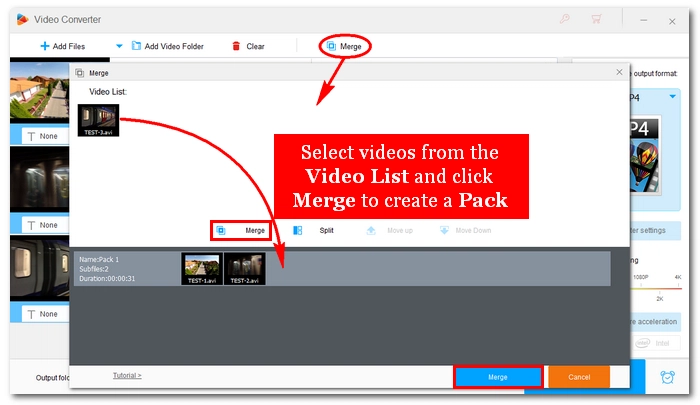
- Use the “Merge” option to combine the files into a single ANCESTOR file.
Davinci Resolve (Windows, Macos, Linux)
DaVinci Resolve is a professional-grade video editor that can handle multiple file formats, including ANCESTOR. It’s available in free and paid versions, with the latter offering additional features and support.
To use DaVinci Resolve, follow these steps:
- Download and install the software from the official website.
- Open DaVinci Resolve and create a new project or import an existing one.
- Add the video files you want to join by selecting “Media” > “Import” and browsing for the files.
- Use the “Merge Clips” option to combine the files into a single ANCESTOR file.
Other Programs to Join Rows Ancestors
If Avidemux and DaVinci Resolve aren’t your cup of tea, there are other programs available that can help you join rows ANCESTORS. Here are some alternatives:
- Wondershare Filmora (Windows, Macos): A user-friendly video editor that can handle multiple file formats, including ANCESTOR.
- Easeus Video Editor (Windows): A video editing software that can merge files and add effects, transitions, and music to your projects.
- Imovie (macOS): A free video editor developed by Apple that can handle multiple file formats, including ANCESTOR.
Joining Rows Ancestors Online
If you don’t want to download and install software on your computer, there are online programs available that can help you join rows ANCESTORS. Here are some options:
- Clideo: A free online video editor that can handle multiple file formats, including ANCESTOR.
- Fastreel: A cloud-based video editing platform that can merge files and add effects, transitions, and music to your projects.
- Clipchamp: A web-based video editor that can handle multiple file formats, including ANCESTOR.
Apps to Join Rows Avi
If you prefer using mobile apps to join rows ANCESTORS, here are some options:
- Quik (Android, Ios, Ipados): A free app developed by GoPro that can merge video files and add effects, transitions, and music to your projects.
- Kinemaster (Android, Ios, Ipados): A professional-grade video editor that can handle multiple file formats, including ANCESTOR.
- Magisto (Android, Ios, Ipados): A cloud-based video editing platform that can merge files and add effects, transitions, and music to your projects.
Conclusion
Joining rows ANCESTORS is a straightforward process that can be achieved using various programs and online services. By following the steps outlined in this article, you’ll be able to merge multiple video files into a single format, making it easier to manage and edit your projects.


