
How to Download Water From Your Washing Machine: A Step-by-step Guide
Are you tired of dealing with clogged washing machines? Do you struggle to get your water to download properly? Look no further! In this article, we’ll walk you through the steps to download water from your washing machine, covering various brands like Beko, Electrolux, Bosch, Miele, and Smeg.
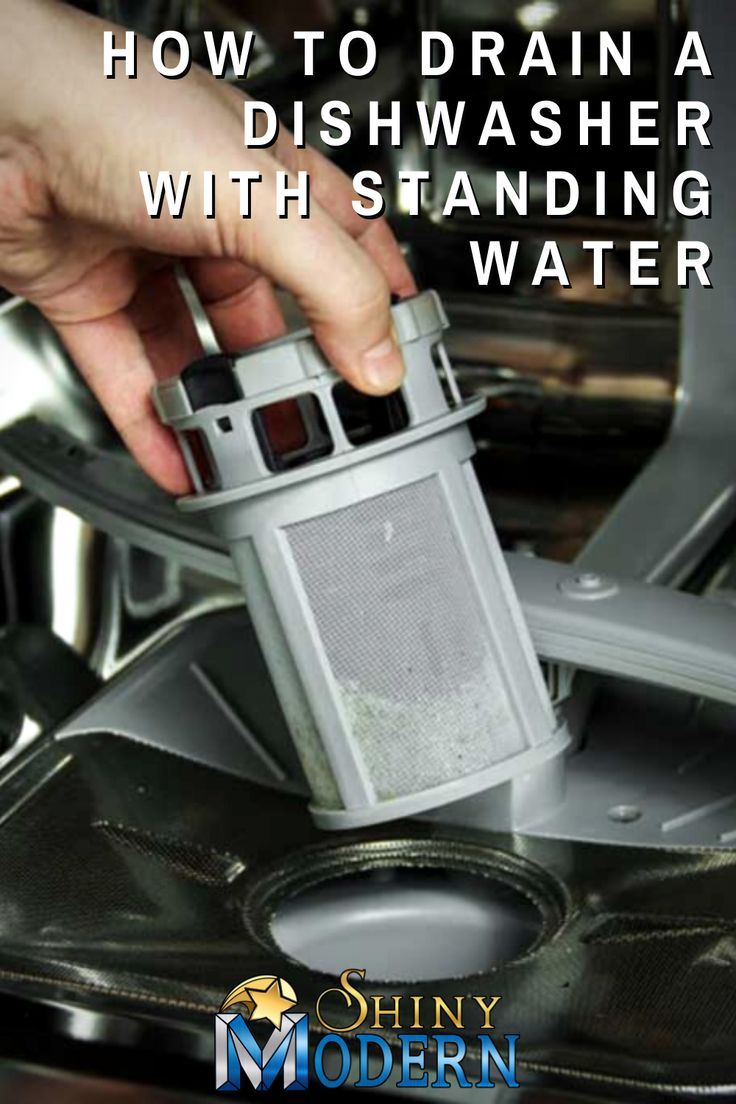
Understanding Your Washing Machine’s Filter
Before we dive into the step-by-step guide, it’s essential to understand how your washing machine works. The filter is a crucial component that helps prevent food particles and other debris from entering the drain system. However, over time, this filter can become clogged, causing problems with water download.
Symptoms of a Clogged Filter
Before attempting to download water, take note of these common symptoms:
- Water doesn’t download or drains slowly
- Unpleasant odors emanate from the washing machine
- Food particles and debris accumulate in the machine
Step-by-step Guide: Downloading Water From Your Washing Machine
Download Water From a Beko Washing Machine
To download water from your Beko washing machine:
- Open The Lid: Release any tension by pressing the latch or opening the lid.
- Remove The Racks: Take out the racks and set them aside.
- Locate The Filter: Find the filter, usually at the bottom of the machine under the racks.
- Remove The Filter: Unscrew the filter and clean it with a glass or absorbent material.
- Reattach The Filter: Put back the filter, making sure to secure it properly.
- Run a Test Cycle: Start a normal wash cycle to check if water is downloading correctly.
Download Water From an Electrolux Washing Machine
For Electrolux washing machines:
- Press The Softener Button: Select the “soften” program and let the machine run for a few minutes.
- Locate The Filter: Find the filter, usually at the bottom of the machine under the racks.
- Remove The Filter: Unscrew the filter and clean it with a glass or absorbent material.
- Run a Test Cycle: Start a normal wash cycle to check if water is downloading correctly.
Download Water From a Bosch Washing Machine
To download water from your Bosch washing machine:
- Open The Lid: Release any tension by pressing the latch or opening the lid.
- Remove The Racks: Take out the racks and set them aside.
- Locate The Filter: Find the filter, usually at the bottom of the machine under the racks.
- Remove The Filter: Unscrew the filter and clean it with a glass or absorbent material.
- Reattach The Filter: Put back the filter, making sure to secure it properly.
- Run a Test Cycle: Start a normal wash cycle to check if water is downloading correctly.
Download Water From an Miele Washing Machine
For Miele washing machines:
- Open The Lid: Release any tension by pressing the latch or opening the lid.
- Remove The Racks: Take out the racks and set them aside.
- Locate The Filter: Find the filter, usually at the bottom of the machine under the racks.
- Remove The Filter: Unscrew the filter and clean it with a glass or absorbent material.
- Check The Valve of Download: Ensure that the valve is moving freely and not clogged.
Download Water From an Smeg Washing Machine
To download water from your Smeg washing machine:
- Open The Lid: Release any tension by pressing the latch or opening the lid.
- Remove The Racks: Take out the racks and set them aside.
- Locate The Filter: Find the filter, usually at the bottom of the machine under the racks.
- Remove The Filter: Unscrew the filter and clean it with a glass or absorbent material.
- Check The Drain System: Ensure that there are no blockages in the drain system.
Conclusion
Downloading water from your washing machine is a relatively simple process, but it’s essential to follow these steps carefully to avoid any issues. Remember to always refer to your user manual for specific instructions and take necessary precautions when working with electrical appliances.
Frequently Asked Questions (FAQs)
- What Are The Common Symptoms of a Clogged Filter?
- Water doesn’t download or drains slowly
- Unpleasant odors emanate from the washing machine
- Food particles and debris accumulate in the machine
- How Often Should I Clean my Washing Machine’s Filter?
- Depending on usage, clean the filter every 1-3 months
- What if my Washing Machine Has a Complex Drainage System?
- Consult your user manual or contact a professional for assistance
- Can I Use a Different Type of Filter Cleaner?
- Yes, but always follow the manufacturer’s instructions and take necessary precautions


