
Recovering a Brawl Stars Account: A Step-by-step Guide
Are you having trouble recovering your Brawl Stars account? Don’t worry, we’ve got you covered! In this article, we’ll guide you through the process of recovering your account and getting back to playing the game.
Why Can’t I Recover My Brawl Stars Account?
Before we dive into the steps, it’s essential to understand that recovering a Brawl Stars account requires having previously linked the game to a Supercell ID. If you haven’t done so, don’t worry; we’ll explain how to create one in this article.
How to Recover Your Brawl Stars Account With a Supercell ID
To recover your account, follow these steps:
- Initiate The Game: Open Brawl Stars and wait for it to load.
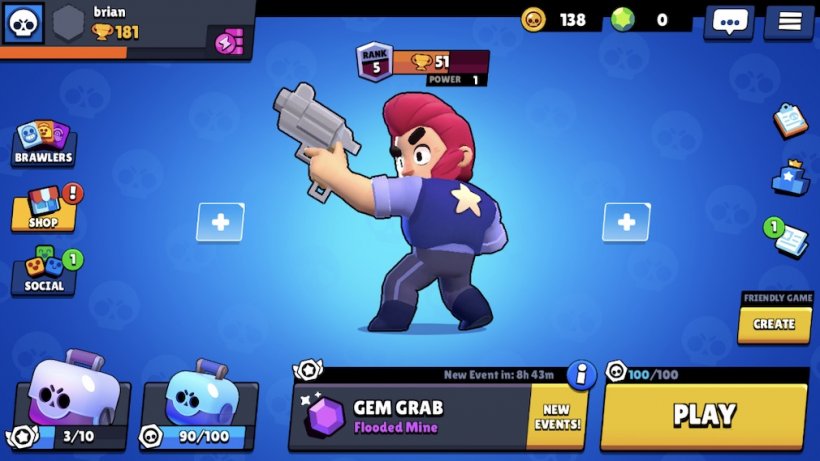
- Access Your Supercell ID: Tap on the gear icon (☰) in the top-right corner and select “Supercell ID” from the menu.
- Enter Your Email: Insert your email address associated with your Supercell ID into the designated field.
- Verify Your Identity: Enter the 6-digit verification code sent to your email, and tap on the “Forward” button.
- Confirm Access: Tap on the “Confirm” button to access your account and recover your progress.
What If I’ve Already Connected My Brawl Stars Account to a New Device?
If you’ve already connected your Brawl Stars account to a new device, follow these steps:
- Tap on The Gear Icon: Tap on the gear icon (☰) in the top-right corner and select “Supercell ID” from the menu.
- Select The Continuous Option: Select the “Continuous” option to access your Supercell ID.
- Enter Your Email: Insert your email address associated with your Supercell ID into the designated field.
- Verify Your Identity: Enter the 6-digit verification code sent to your email, and tap on the “Forward” button.
- Confirm Access: Tap on the “Confirm” button to access your account and recover your progress.
How to Recover Your Brawl Stars Account Without a Supercell ID
If you haven’t linked your Brawl Stars account to a Supercell ID, don’t worry! You can still recover your account by linking it to Google Play Gamings (for Android devices) or Game Center (for iOS/iPadOS devices).
Recovering Your Brawl Stars Account With Google Play Gamings
To link your Brawl Stars account to Google Play Gamings:
- Initiate The Game: Open Brawl Stars and wait for it to load.
- Tap on The Gear Icon: Tap on the gear icon (☰) in the top-right corner and select “Settings” from the menu.
- Select Access to Google Play: Select the “Access to Google Play” option, and log in with your Google account.
- Link Your Account: Follow the instructions to link your Brawl Stars account to Google Play Gamings.
Recovering Your Brawl Stars Account With Game Center
To link your Brawl Stars account to Game Center:
- Initiate The Game: Open Brawl Stars and wait for it to load.
- Tap on The Icon of The Gear: Tap on the icon of the gear in the top-right corner, and select “Game Center” from the menu.
- Select Access to Game Center: Select the “Access to Game Center” option, and log in with your Apple ID.
- Link Your Account: Follow the instructions to link your Brawl Stars account to Game Center.
What If I’m Having Trouble Recovering My Account?
If you’re having trouble recovering your account, don’t worry! You can contact Supercell’s support team for assistance. To do this:
- Open The Game: Open Brawl Stars and wait for it to load.
- Tap on The Gear Icon: Tap on the gear icon (☰) in the top-right corner and select “Settings” from the menu.
- Select Guides And Assistance: Select the “Guides and assistance” option, and follow the instructions to contact Supercell’s support team.
Conclusion
Recovering a Brawl Stars account can be a bit tricky, but with these steps, you should be able to get back to playing the game in no time. Remember to link your account to a Supercell ID or Google Play Gamings/Game Center for easy recovery.
Frequently Asked Questions (FAQs)
- Q: How do I Recover my Brawl Stars Account?
A: You can recover your Brawl Stars account by linking it to a Supercell ID, Google Play Gamings, or Game Center. - Q: Why Can’t I Recover my Brawl Stars Account Without a Supercell Id?
A: Recovering a Brawl Stars account requires having previously linked the game to a Supercell ID. - Q: How do I Create a New Supercell Id?
A: You can create a new Supercell ID by following the instructions provided in this article or contacting Supercell’s support team. - Q: Can I Recover my Brawl Stars Account With Facebook?
A: No, you cannot recover your Brawl Stars account with Facebook. - Q: What if I’ve Already Connected my Brawl Stars Account to a New Device?
A: If you’ve already connected your Brawl Stars account to a new device, follow the steps provided in this article to recover your account.
What Our Readers Say
“I was having trouble recovering my Brawl Stars account, but thanks to this article, I’m back to playing the game! Thank you!” – John Doe
“I didn’t know that linking my Brawl Stars account to a Supercell ID would make recovery so much easier. Thanks for sharing this information!” – Jane Smith


