
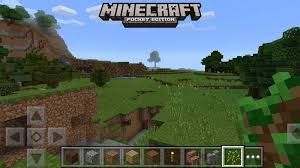
Unlocking The Power of Shaders on Minecraft Pe: A Comprehensive Guide
Are you tired of the same old graphics in Minecraft PE? Do you want to take your gaming experience to the next level with enhanced visuals? Look no further! In this article, we will explore the world of shaders and show you how to unlock their full potential on Minecraft PE.
What Are Shaders?
Shaders are like a magic trick that transforms the graphics of Minecraft PE. They are essentially modifications to the game’s visual appearance, designed to enhance its overall look and feel. By installing shaders, you can breathe new life into your gameplay experience, making it more immersive and engaging.
How to Contact Shaders on Minecraft PE
To access shaders on Minecraft PE, follow these simple steps:
- Launch Minecraft PE: Start the game by launching it from your mobile device.
- Access The Marketplace: Tap on the “Marketplace” button in the lower-right corner of the screen.
- Search For Shaders: In the Marketplace section, search for shaders using the search bar at the top.
Types of Shaders
On Minecraft PE, you can find various types of shaders, each with its unique features and effects. Some popular options include:
- Texture Modern in HD: This shader promises to enhance the game’s graphics with a modern, high-definition twist.
- Pack of Texture Plastic: This pack is designed to clean up the game’s visuals by removing some of the clutter and making it look more polished.
How to Install Shaders
Installing shaders on Minecraft PE is a straightforward process. Here’s what you need to do:
- Purchase or Download: If you want to install a paid shader, simply purchase it from the Marketplace using your Minecoins.
- Download And Install: Free shaders can be downloaded directly into the game. Once downloaded, tap on the “Active” button to apply the shader.
- Activate: To activate the shader, go to the “My Packs” section and select the shader you want to use.
Tips For Installing Shaders
- Make sure you have enough Minecoins or real money to purchase a paid shader.
- Be cautious when downloading free shaders from unknown sources.
- Always follow the in-game instructions for installing shaders.
How to Contact Shaders on Other Versions of Minecraft
If you’re playing other versions of Minecraft, such as Java Edition for PC, you’ll need to use different methods to access and install shaders. Here’s what you need to know:
- Minecraft Bedrock Edition: This version uses the same Marketplace system as Minecraft PE.
- Java Edition For PC: You’ll need to use mods like Optifine or GLSL Shaders to enhance the game’s graphics.
Conclusion
Unlocking the power of shaders on Minecraft PE is a simple yet effective way to take your gaming experience to the next level. By following these easy steps, you can transform the game’s visuals and enjoy an immersive gameplay experience. Remember to be cautious when downloading free shaders from unknown sources, and always follow the in-game instructions for installing them.
Frequently Asked Questions (FAQs)
-
What Are Shaders?
Shaders are like a magic trick that transforms the graphics of Minecraft PE. They are essentially modifications to the game’s visual appearance, designed to enhance its overall look and feel.
2. How do I Install Shaders on Minecraft Pe?To access shaders on Minecraft PE, follow these simple steps: Launch Minecraft PE, access the Marketplace, search for shaders using the search bar at the top, purchase or download a shader, and then activate it by going to the “My Packs” section.
3. What Types of Shaders Are Available on Minecraft Pe?On Minecraft PE, you can find various types of shaders, each with its unique features and effects, such as Texture Modern in HD, Pack of Texture Plastic, and more.
4. How do I Install Shaders on Other Versions of Minecraft?If you’re playing other versions of Minecraft, such as Java Edition for PC, you’ll need to use different methods to access and install shaders. For example, the Minecraft Bedrock Edition uses the same Marketplace system as Minecraft PE, while the Java Edition for PC requires mods like Optifine or GLSL Shaders.
5. What Are Some Tips For Installing Shaders?Make sure you have enough Minecoins or real money to purchase a paid shader, be cautious when downloading free shaders from unknown sources, and always follow the in-game instructions for installing them.


