
How to Read Messages on Messenger Without Being Seen
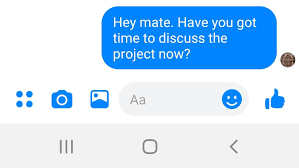
Are you ever stood in that situation where you get a message on Messenger, but you don’t want to or can’t answer it? And at the same time, you would prefer that the sender doesn’t know that you’ve already read their message? You’re not alone! Sometimes, it’s helpful to know the tricks to read messages on Messenger without leaving a mark. Unfortunately, there is no official function that allows us to browse anonymously on Messenger. But don’t worry, we’ve got some practical tips for you.
How to Disable Read Receipts
The first solution we propose is to disable read receipts in your Messenger settings. This way, the sender won’t be able to see when you’ve read their message. Here’s how to do it:
- On Android, open the Messenger app and tap on the three dots in the top-right corner.
- Select “Settings” and then “Privacy and safety”.
- Tap on “Read receipts” and toggle the switch to OFF.
On Ios/ipados, follow these steps:
- Open the Settings app.
- Select “Messenger” from the list of apps.
- Scroll down to “Read Receipts” and toggle it off.
Using The Airplane Mode
Another way to read messages on Messenger without being seen is by using the airplane mode on your device. This will prevent the sender from seeing when you’ve read their message, but keep in mind that this solution may not always work.
On Android, go to Settings > Network & internet > Mobile network and toggle “Airplane mode” on. When you receive a message, open Messenger and read it before turning off Airplane mode.
On Ios/ipados, follow these steps:
- Go to Settings.
- Scroll down to “Networks & Internet”.
- Toggle “Airplane Mode” on.
- Open Messenger and read the message before toggling Airplane mode off.
Using Browser Extensions
If you use Google Chrome or another browser based on the same engine, you can use third-party extensions that promise to read messages on Messenger without leaving a mark. However, these solutions are not official and may pose risks to your privacy.
Some popular browser extensions for this purpose include Unseen Message and Unseen — Chat Privacy. Be cautious when using these extensions, as they may require access to your data.
Using Specialized Apps
There are also apps specifically designed to read messages on Messenger without being seen. However, like browser extensions, these solutions are not official and may pose risks to your privacy.
One such app is Unseen, which claims to allow you to read messages in incognito mode. Be sure to carefully review the permissions required by this app before using it.
Conclusion
Reading messages on Messenger without being seen can be achieved through various means, including disabling read receipts, using airplane mode, and utilizing browser extensions or specialized apps. However, keep in mind that some of these solutions may not always work or may pose risks to your privacy. Use them with caution and consider the potential consequences.
Frequently Asked Questions
- Q: How Can I Disable Read Receipts on Messenger?
A: To disable read receipts on Messenger, go to Settings > Privacy and safety > Read Receipts and toggle it off. - Q: Can I Use Airplane Mode to Read Messages on Messenger Without Being Seen?
A: Yes, you can use airplane mode to read messages on Messenger without being seen, but this solution may not always work. - Q: Are There Any Browser Extensions That Can Help me Read Messages on Messenger Without Leaving a Mark?
A: Yes, there are third-party browser extensions available, such as Unseen Message and Unseen — Chat Privacy, but be cautious when using these extensions as they may require access to your data. - Q: Are There Any Specialized Apps That Can Help me Read Messages on Messenger Without Being Seen?
A: Yes, there are apps like Unseen that claim to allow you to read messages in incognito mode, but be sure to carefully review the permissions required by these apps before using them. - Q: Can I Use All of These Methods Together to Achieve my Goal?
A: While it’s possible to combine some of these methods, keep in mind that not all solutions may work or may pose risks to your privacy. Use caution and consider the potential consequences.
How Can You Help me With This Issue?
If you’re having trouble implementing any of these solutions or need further assistance, feel free to ask for help! I’ll be here to provide guidance and support.


