
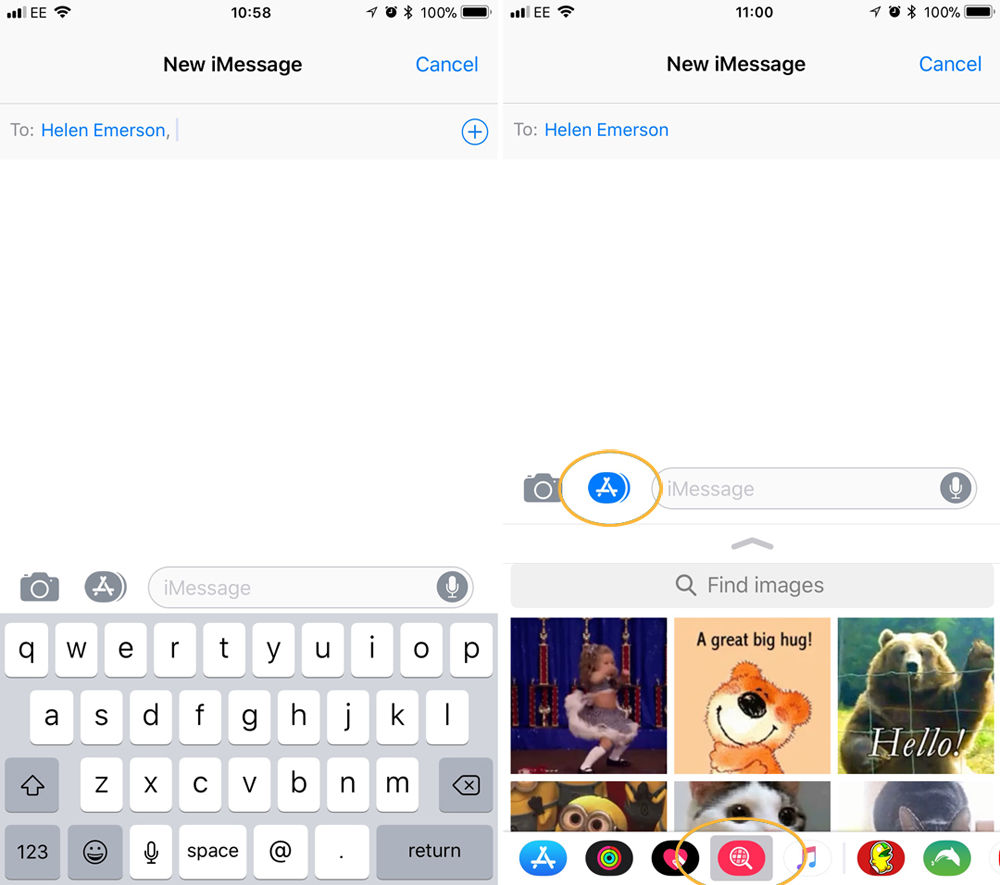
How to Save Gif on Iphone: A Step-by-step Guide
Are you tired of searching for ways to save GIFs on your iPhone? Look no further! In this article, we will show you how to save GIFs from the internet, WhatsApp, and other sources using various methods. Whether you want to share them with friends or use them as memes, we’ve got you covered.
Table 1: Methods For Saving Gifs
| Method | Description |
|---|---|
| Method 1: Save Gif From Internet | Save GIFs directly from Safari browser on your iPhone. |
| Method 2: Save Gif From Whatsapp | Save GIFs sent to you via WhatsApp using the built-in sharing feature. |
| Method 3: Use Giphy App | Download and install the GIPHY app, which allows you to search for and save GIFs from a vast library. |
How to Save Gif From Internet on Iphone
Want to know how to save GIFs from the internet? Follow these simple steps:
- Open Safari: Launch the Safari browser on your iPhone.
- Search For Gif: Type in your desired search query, and look for a GIF you’d like to save.
- Tap on The Gif: Tap on the GIF image to open it in full-screen mode.
- Select “Save Image”: Tap the “Share” icon (a box with an arrow coming out of it) and select “Save Image.”
- Save to Photos: The GIF will be saved directly to your iPhone’s Photos app.
How to Save Gif From Whatsapp on Iphone
Want to save a funny GIF sent by a friend? Here’s how:
- Open Whatsapp: Launch the WhatsApp app on your iPhone.
- Select The Conversation: Select the conversation containing the GIF you’d like to save.
- Tap on The Gif: Tap on the GIF image to open it in full-screen mode.
- Select “Share”: Tap the “Share” icon (a box with an arrow coming out of it) and select “Save.”
- Save to Photos: The GIF will be saved directly to your iPhone’s Photos app.
How to Save Gif Using Giphy App
Want to search for and save GIFs from a vast library? Here’s how:
- Download Giphy App: Download and install the GIPHY app from the App Store.
- Search For Gif: Type in your desired search query, and browse through the resulting GIFs.
- Tap on The Gif: Tap on the GIF image to open it in full-screen mode.
- Select “Save”: Tap the “Share” icon (a box with an arrow coming out of it) and select “Save.”
- Save to Photos: The GIF will be saved directly to your iPhone’s Photos app.
Other Apps For Saving Gifs on Iphone
Need alternatives to save GIFs? Here are some other apps you can try:
- Imgplay: A free app that allows you to create and share GIFs using filmed and photo content.
- Gif Me!: A free app that lets you create personalized GIFs using your photos or by recording new footage.
- It’s Create of Giphy by Momentum: A free app that uses an intelligent algorithm to automatically create GIFs from your saved photos.
Conclusion
Saving GIFs on iPhone is easier than ever. With these simple methods, you can save GIFs from the internet, WhatsApp, and other sources using various apps. Remember to always save your GIFs directly to your Photos app for easy access.
Frequently Asked Questions (FAQs)
- Q: How do I Save a Gif From Safari on Iphone?
A: Simply tap on the GIF image, select “Share,” and then choose “Save Image” to save it directly to your Photos app. - Q: Can I Save Gifs From Whatsapp on Iphone?
A: Yes! Tap on the GIF image in WhatsApp, select “Share,” and then choose “Save” to save it to your Photos app. - Q: Which Apps Can I Use to Save Gifs on Iphone?
A: GIPHY, ImgPlay, Gif Me!, and It’s Create of GIPHY by Momentum are some popular apps that allow you to search for and save GIFs. - Q: Can I Share Saved Gifs With Friends or Family Members?
A: Yes! You can easily share your saved GIFs via social media platforms, messaging apps, or email. - Q: How do I Access Saved Gifs on Iphone?
A: Saved GIFs are stored in your Photos app. Simply open the app and browse through your library to find them. - Q: Can I Edit or Modify Saved Gifs on Iphone?
A: Some apps, like GIPHY and ImgPlay, offer editing features that allow you to customize your GIFs before saving.
We hope this article has helped you understand how to save GIFs on iPhone using various methods!


