
How to Capsize a Smartwatch Strap: A Step-by-step Guide
Are you tired of wearing the same old smartwatch strap every day? Do you want to give your smartwatch a fresh new look without breaking the bank? Look no further! In this article, we’ll show you how to capsize a smartwatch strap like a pro.
The Benefits of Capsize Smartwatch Straps
Before we dive into the nitty-gritty of capsize smartwatch straps, let’s talk about why they’re so beneficial. With a new strap, your smartwatch can take on a whole new look and feel. You can choose from a variety of colors, materials, and designs to match your personal style. Plus, a new strap can breathe new life into an old smartwatch, making it look like brand new.
Which Smartwatches Can Be Capsize?
Not all smartwatches are created equal when it comes to capsize straps. Some popular brands that allow for capsize straps include:
- Apple
- Samsung
- HUAWEI
- Xiaomi
- Amazfit
However, some brands like Yamay and other Chinese manufacturers may not have the same flexibility with their strap designs.
How to Capsize a Smartwatch Strap: A Step-by-step Guide
Here’s a step-by-step guide on how to capsize a smartwatch strap for popular brands:
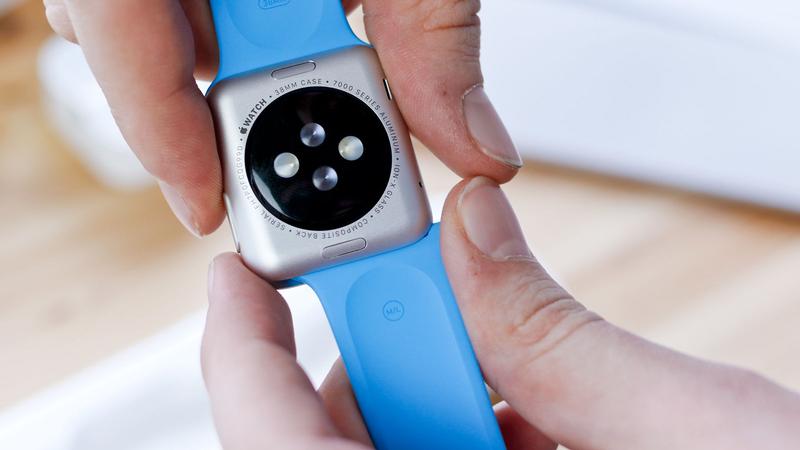
Apple Watch Straps
To capsize an Apple Watch strap, follow these steps:
- Prepare Your Apple Watch: Make sure your Apple Watch is turned off and the battery is fully charged.
- Remove The Old Strap: Press the button on the back of the watch to release the spring bar, then pull the strap away from the watch.
- Insert The New Strap: Place the new strap into the spring bar, making sure it’s securely seated.
Samsung Galaxy Watch Straps
To capsize a Samsung Galaxy Watch strap, follow these steps:
- Prepare Your Samsung Galaxy Watch: Make sure your Samsung Galaxy Watch is turned off and the battery is fully charged.
- Remove The Old Strap: Pull the two levers to release the straps from the case.
- Insert The New Strap: Place the new strap into the case, making sure it’s securely seated.
Huawei Smartwatch Straps
To capsize a HUAWEI smartwatch strap, follow these steps:
- Prepare Your Huawei Smartwatch: Make sure your HUAWEI smartwatch is turned off and the battery is fully charged.
- Remove The Old Strap: Pull the two levers to release the straps from the case.
- Insert The New Strap: Place the new strap into the case, making sure it’s securely seated.
Xiaomi Smartwatch Straps
To capsize a Xiaomi smartwatch strap, follow these steps:
- Prepare Your Xiaomi Smartwatch: Make sure your Xiaomi smartwatch is turned off and the battery is fully charged.
- Remove The Old Strap: Pull the lever to release the strap from the case.
- Insert The New Strap: Place the new strap into the case, making sure it’s securely seated.
Amazfit Smartwatch Straps
To capsize an Amazfit smartwatch strap, follow these steps:
- Prepare Your Amazfit Smartwatch: Make sure your Amazfit smartwatch is turned off and the battery is fully charged.
- Remove The Old Strap: Pull the lever to release the strap from the case.
- Insert The New Strap: Place the new strap into the case, making sure it’s securely seated.
Common Problems When Capsize Smartwatch Straps
Some common problems people face when capsize smartwatch straps include:
- The new strap doesn’t fit properly
- The old strap is difficult to remove
- The watch won’t turn on after changing the strap
Conclusion
Capising a smartwatch strap can be a fun and rewarding experience, but it can also be challenging. With these steps, you should be able to successfully capise your smartwatch strap without any issues.
Frequently Asked Questions (FAQs)
Here are some frequently asked questions about capsize smartwatch straps:
- What is The Best Material For a Smartwatch Strap?
The best material for a smartwatch strap depends on personal preference and style. Some popular options include leather, silicone, and metal.
- How do I Clean my Smartwatch Strap?
To clean your smartwatch strap, simply wipe it down with a soft cloth and mild soap. Avoid using harsh chemicals or abrasive materials that can damage the strap.
- Can I Use Any Type of Strap on my Smartwatch?
Not all straps are compatible with all smartwatches. Make sure to check your watch’s compatibility before purchasing a new strap.
- How do I Store my Smartwatch When Not in Use?
To store your smartwatch, place it in its case or pouch and keep it away from direct sunlight and moisture.
- What is The Warranty on Smartwatch Straps?
The warranty on smartwatch straps varies by manufacturer and brand. Be sure to check with the manufacturer for specific details on their warranty policies.


