
How to Search For a Person on Facebook by City
Are you trying to reconnect with an old friend from school, but can’t seem to find them on Facebook? With millions of users worldwide, it’s not uncommon to get lost in the sea of profiles. But don’t worry, we’ve got you covered! In this article, we’ll show you how to search for a person on Facebook by city using your smartphone, tablet, or computer.
Why is it so Hard to Find Someone on Facebook?
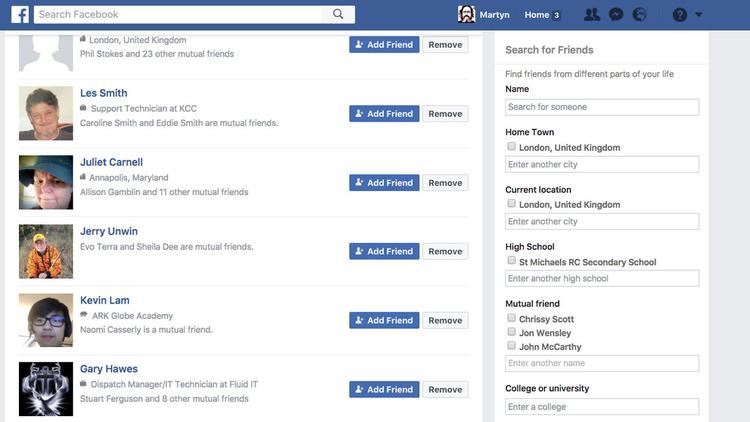
With hundreds of thousands of people sharing their name and surname, searching for someone can be like finding a needle in a haystack. But did you know that Facebook has a feature that allows you to refine your search by location? That’s right! By using the “City” filter, you can narrow down your search to only show profiles from specific cities.
How to Search For a Person on Facebook by City Using Your Smartphone
If you’re using your smartphone or tablet, searching for someone on Facebook is easier than ever. Here are the steps:
- Open The Facebook App: First, open the Facebook app on your device.
- Log in to Your Account: If necessary, log in to your account by entering your email and password.
- Tap The Magnifying Glass Icon: Tap the magnifying glass icon at the top of the screen.
- Type in The Person’s Name And Surname: Type in the name and surname of the person you’re looking for.
- Select “People” From The Menu: Select “People” from the menu to see a list of profiles that match your search criteria.
- Tap on “City” Filter: Tap on the “City” filter to refine your search by location.
- Type in The City Name: Type in the name of the city where you want to find the person.
How to Search For a Person on Facebook by City Using Your Computer
If you’re using your computer, searching for someone on Facebook is just as easy. Here are the steps:
- Go to Facebook.Com: Go to facebook.Com and log in to your account.
- Type in The Person’s Name And Surname: Type in the name and surname of the person you’re looking for in the search bar at the top of the page.
- Select “People” From The Left Menu: Select “People” from the left menu to see a list of profiles that match your search criteria.
- Click on “City” Filter: Click on the “City” filter to refine your search by location.
- Type in The City Name: Type in the name of the city where you want to find the person.
Additional Tips And Filters
Want to make your search even more precise? Here are some additional tips and filters that can help:
- Friends Filter: Select “Friends” filter to see profiles of people who have friends in common with you.
- Instruction And Work Filter: Select “Instruction and Work” filter to see profiles of people who work or study in a specific field.
- Refine Your Search: Use the “Refine your search” feature to narrow down your results by location, age, interests, and more.
Conclusion
Searching for someone on Facebook can be like finding a needle in a haystack. But with these simple steps and filters, you can refine your search and find the person you’re looking for. Whether you’re using your smartphone, tablet, or computer, searching for someone on Facebook has never been easier!


