
Understanding Your Cedolino Allowance: A Comprehensive Guide
As you navigate the complexities of Italian bureaucracy, it’s essential to understand your CEDOLINO allowance. In this article, we’ll delve into the world of pensioner benefits and provide a step-by-step guide on how to access your CEDOLINO allowance using your SPID credentials.
What is The Cedolino Allowance?
The CEDOLINO allowance is a monthly benefit provided by the Italian National Institute for Social Security (INPS) to eligible pensioners. This benefit is designed to provide a financial reward for years of service, promoting a comfortable retirement lifestyle.
Accessing Your Cedolino Allowance: A Step-by-step Guide
To access your CEDOLINO allowance, you’ll need to follow these steps:
Using The Inps Website (PC)
- Visit The Inps Website: Connect to the INPS website and click on the “Access” button located at the top of the page.
- Click on Spid: Select the SPID option from the menu that appears.
- Choose Your Identity Provider: Select your approved entity certifier or identity provider from the list provided.
- Insert Credentials: Enter your SPID credentials in the designated fields.
- Authenticate Level 2: Follow the instructions on the screen to complete authentication of level 2, which may involve entering a one-time password (OTP) generated by an app or answering a notification.
- Grant Access: Click on the “Consent/Continue” button to forward your personal data to the INPS website.
Using The Inps Mobile App
If you prefer using your smartphone or tablet, follow these steps:
- Download And Install The Inps Mobile App: Obtain the official INPS Mobile app from the Apple Store (for iOS devices) or Google Play Store (for Android devices).
- Launch The App: Open the app and tap on the symbol of the omino to access your profile.
- Tap on “Come With Spid”: Select the option “Come with SPID” from the menu.
- Choose Your Identity Provider: Select your approved entity certifier or identity provider from the list provided.
- Insert Credentials: Enter your SPID credentials in the designated fields.
- Authenticate Level 2: Follow the instructions on the screen to complete authentication of level 2, which may involve entering a one-time password (OTP) generated by an app or answering a notification.
Accessing Your Cedolino Allowance
Once you’ve completed the above steps, follow these guidelines:
- Select “Cedolino Allowance”: Navigate to the menu and select “Cedolino allowance” from the list of services provided.
- Choose Your Preferred View: Select either a detailed or concise view of your CEDOLINO allowance.
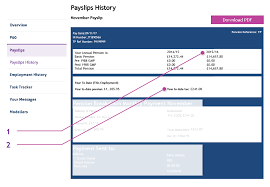
- View Your Payment History: Browse through your payment history, selecting any specific year for which you wish to access further details.
Key Points to Remember
- Ensure you have activated your SPID credentials and qualified the authentication level 2 before attempting to access your CEDOLINO allowance.
- Utilize the INPS Mobile app for a more streamlined experience on smaller screens.
- If required, compare among two CEDOLINI issued in different months by selecting the “Compare CEDOLINI” option.
Conclusion
Accessing your CEDOLINO allowance requires patience and understanding of the steps involved. By following this comprehensive guide, you’ll be well-equipped to navigate the INPS website and mobile app with confidence.


