
How to Erase Photos Forwarded on Whatsapp
Are you looking for a way to erase photos forwarded on WhatsApp without deleting them from your device’s gallery? Well, you’re in luck! In this tutorial, we’ll show you how to delete photos and videos sent through WhatsApp, even if they’re already been viewed by the recipient.
Table of Contents
- Introduction
- How to Erase Photos Forwarded on Android
- How to Erase Photos Forwarded on Iphone
- How to Erase Photos Forwarded on Computer (Windows, Macos, And Whatsapp Web)
- Forwarding Photo And Video That Autodistruggono
How to Erase Photos Forwarded on Android
To erase photos forwarded on WhatsApp on your Android device:
- Open the WhatsApp app.
- Tap on the chat where you want to delete the photo.
- Scroll through the conversation until you find the photo you want to delete.
- Long press on the photo until a menu appears.
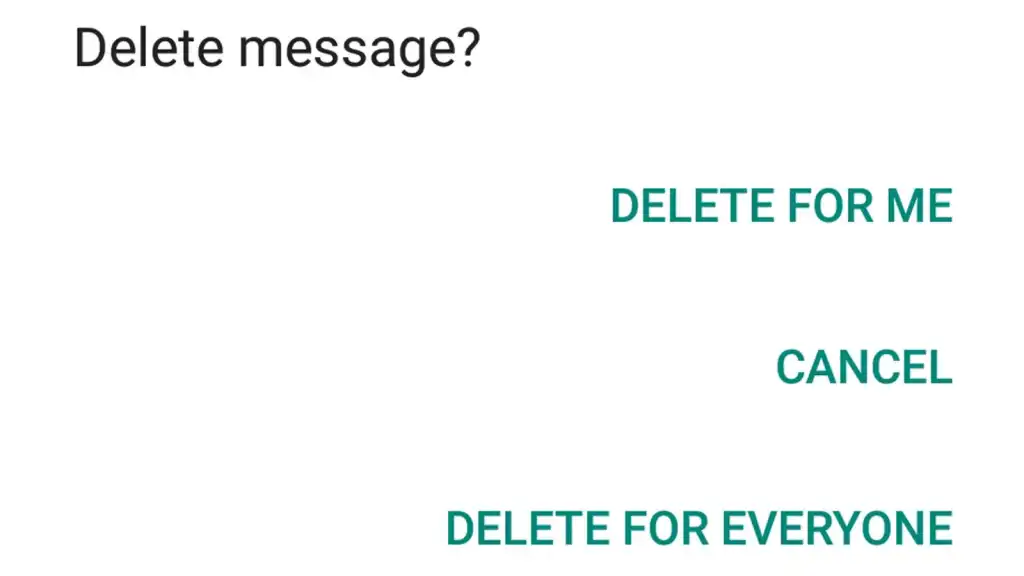
- Select “Delete” and then choose whether to delete the photo for all participants or just for yourself.
How to Erase Photos Forwarded on Iphone
To erase photos forwarded on WhatsApp on your iPhone:
- Open the WhatsApp app.
- Tap on the chat where you want to delete the photo.
- Scroll through the conversation until you find the photo you want to delete.
- Long press on the photo until a menu appears.
- Select “Delete” and then choose whether to delete the photo for all participants or just for yourself.
How to Erase Photos Forwarded on Computer (Windows, Macos, And Whatsapp Web)
To erase photos forwarded on WhatsApp on your computer:
- Open WhatsApp on your computer using the desktop client or WhatsApp Web.
- Tap on the chat where you want to delete the photo.
- Scroll through the conversation until you find the photo you want to delete.
- Right-click (Windows) or control-click (macOS) on the photo and select “Delete”.
- Choose whether to delete the photo for all participants or just for yourself.
Forwarding Photo And Video That Autodistruggono
Did you know that WhatsApp has a feature called “autodestruct” that allows you to forward photos and videos that will automatically delete themselves after being viewed? To use this feature:
- Open the WhatsApp app.
- Tap on the chat where you want to send the photo or video.
- Select the photo or video you want to send.
- Tap on the three dots in the top-right corner of the screen.
- Select “Forward” and then choose whether to forward the photo or video with autodestruct enabled.
Conclusion
Erasings photos forwarded on WhatsApp is a simple process that can be completed on both Android and iPhone devices, as well as on computer using the desktop client or WhatsApp Web. By following these steps, you can easily delete photos and videos sent through WhatsApp without deleting them from your device’s gallery.
Frequently Asked Questions (FAQs)
- Q: Can I Erase a Photo That Has Already Been Viewed by The Recipient?
A: Yes, you can erase a photo that has already been viewed by the recipient. - Q: How do I Delete a Photo on Whatsapp if It’s Not Showing up in my Conversation?
A: If the photo is not showing up in your conversation, try searching for it using the search bar at the top of the chat window. - Q: Can I Forward Photos And Videos With Autodestruct Enabled?
A: Yes, you can forward photos and videos with autodestruct enabled. - Q: How do I Enable Autodestruct on Whatsapp?
A: To enable autodestruct on WhatsApp, tap on the three dots in the top-right corner of the screen while forwarding a photo or video. - Q: Can I Delete Multiple Photos at Once?
A: Yes, you can delete multiple photos at once by selecting them and then tapping on the “Delete” button. - Q: How do I Know if a Photo Has Been Deleted From Whatsapp?
A: If you’ve deleted a photo, it will no longer be visible in your conversation or on your device’s gallery. - Q: Can I Recover a Deleted Photo on Whatsapp?
A: Unfortunately, once a photo is deleted on WhatsApp, it cannot be recovered. - Q: Is Erasing Photos Forwarded on Whatsapp Permanent?
A: Yes, deleting photos forwarded on WhatsApp is permanent and irreversible.
I hope this article has helped you understand how to erase photos forwarded on WhatsApp. If you have any further questions or need more assistance, feel free to ask!


