
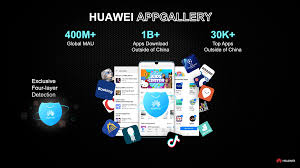
What is Huawei Appgallery?
As we consider acquiring a new smartphone, it’s natural to explore the various options available in the market. Among the numerous choices, Huawei devices have gained significant attention in recent years. If you’re planning to buy a Huawei smartphone, you might be wondering about the alternative app store that comes pre-installed on these devices – HUAWEI AppGallery.
What is Huawei Appgallery?
HUAWEI AppGallery is the official app store for Huawei smartphones. It’s designed to provide users with a seamless and secure experience while downloading, installing, and managing apps on their device. In this article, we’ll delve into the world of HUAWEI AppGallery, exploring its features, benefits, and what you can expect from it.
How Does Huawei Appgallery Function?
HUAWEI AppGallery is a dedicated app store that comes pre-installed on Huawei devices. Its primary function is to provide users with a platform to discover, download, and manage apps on their device. The app store features a user-friendly interface, making it easy for users to navigate and find the apps they need.
Key Features of Huawei Appgallery
- App Discovery: HUAWEI AppGallery offers a vast collection of apps across various categories, including social media, productivity, entertainment, and more.
- Secure Downloads: The app store ensures secure downloads by implementing a four-level check system for each app, providing users with peace of mind when downloading apps.
- Quick Apps: HUAWEI AppGallery features Quick Apps, which allows users to access popular apps without the need for installation. This feature enables users to quickly access their favorite apps with just one tap.
- Promotions And Gifts: The app store offers various promotions and gifts, including free packs, special events, competitions, and exclusive rewards.
How to Use Huawei Appgallery
Using HUAWEI AppGallery is a straightforward process. Here’s a step-by-step guide:
- Associate Your Huawei ID: Before using the app store, it’s essential to associate your HUAWEI ID with your device. This will enable you to access various services and features within the app store.
- Install Apps: To install an app, navigate to the HUAWEI AppGallery, search for the desired app, and tap on its icon. Then, click on the “Install” button to download and install the app on your device.
- Use Quick Apps: If you’re interested in using Quick Apps, simply navigate to the HUAWEI AppGallery, select the Quick Apps section, and choose the desired app. Tap on the “Open” button to access the app without installation.
Benefits of Using Huawei Appgallery
Using HUAWEI AppGallery offers several benefits, including:
- Secure Downloads: The app store ensures secure downloads by implementing a four-level check system for each app.
- Quick Access: Quick Apps enables users to access popular apps without the need for installation, providing quick and easy access to their favorite apps.
- Promotions And Gifts: HUAWEI AppGallery offers various promotions and gifts, including free packs, special events, competitions, and exclusive rewards.
Conclusion
HUAWEI AppGallery is a dedicated app store that comes pre-installed on Huawei devices. Its primary function is to provide users with a seamless and secure experience while downloading, installing, and managing apps on their device. With its user-friendly interface, vast collection of apps, and various features, HUAWEI AppGallery is an excellent choice for users looking for an alternative app store.
Frequently Asked Questions
- What is Huawei Appgallery?
HUAWEI AppGallery is the official app store for Huawei smartphones.
- How Does Huawei Appgallery Function?
HUAWEI AppGallery provides users with a platform to discover, download, and manage apps on their device.
- What Are The Key Features of Huawei Appgallery?
The key features of HUAWEI AppGallery include app discovery, secure downloads, Quick Apps, and promotions and gifts.
- How do I Use Huawei Appgallery?
To use HUAWEI AppGallery, associate your HUAWEI ID with your device, install apps by searching for them within the app store, and use Quick Apps to access popular apps without installation.
- What Are The Benefits of Using Huawei Appgallery?
The benefits of using HUAWEI AppGallery include secure downloads, quick access, promotions and gifts, and a user-friendly interface.
- Can I Use Huawei Appgallery on my Pc?
Yes, you can use HUAWEI AppGallery on your PC by accessing the web version of the app store using your preferred browser.
- How do I Update Apps in Huawei Appgallery?
To update apps in HUAWEI AppGallery, navigate to the app’s details page, and tap on the “Update” button.
- Can I Manage my Profile Within Huawei Appgallery?
Yes, you can manage your profile within HUAWEI AppGallery by accessing the settings menu and configuring your preferences.
- How do I Get Support For Huawei Appgallery?
To get support for HUAWEI AppGallery, navigate to the app’s settings menu and select the “Support” option or visit the official HUAWEI website for more information.
- What Are The System Requirements For Using Huawei Appgallery?
The system requirements for using HUAWEI AppGallery vary depending on your device and operating system. However, in general, you’ll need a compatible device running Android 4.3 Or later to use the app store.


