
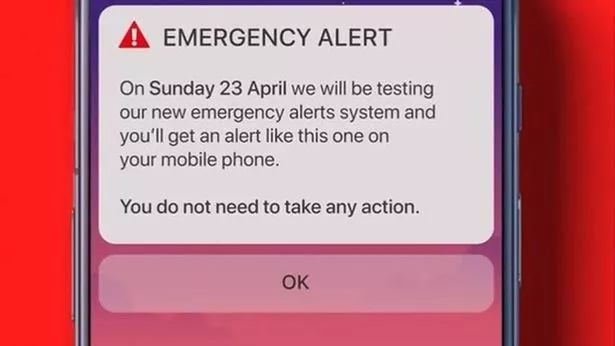
Some users may want to disable IT-Alert, a public alert system that sends emergency notifications to their smartphone. This article provides a step-by-step guide on how to disable IT-Alert on both Android and iOS devices.
Understanding It-alert
IT-Alert uses a broadcast-based approach, which allows for anonymous and free messaging even when the network is congested. This means that users’ personal data will not be compromised.
Why Disable It-alert?
Some users may feel uneasy about IT-Alert’s potential impact on their privacy. However, disabling IT-Alert might not be necessary as it can be an extremely useful service in emergency situations.
Disabling It-alert on Android Devices
To disable IT-Alert on your Android device:
- Access the Settings menu.
- Select Security and Emergency.
- Disable IT-Alert by switching it off.
Disabling It-alert on Ios Devices
To disable IT-Alert on your iPhone or iPad:
- Access the Settings app.
- Select Notifications.
- Disable IT-Alert by switching it off.
Disabling It-alert on Specific Android Devices
If you’re using a specific device, such as Samsung, OPPO, HUAWEI, or Xiaomi, disabling IT-Alert might vary slightly:
- For Samsung devices: Go to Settings > Security and emergency > Alert wireless di emergenza or Allarmi pubblici.
- For OPPO devices: Go to Settings > Password and security > Avvisi di emergenza.
- For HUAWEI devices: Search for “allarmi pubblici” in the search bar and select the result that appears.
- For Xiaomi devices: Go to Settings > Password and security > Avvisi di emergenza.
Conclusion
Disabling IT-Alert is a straightforward process on both Android and iOS devices. However, it’s recommended to keep it enabled as it can be an extremely useful service in emergency situations. If you still have concerns about its potential impact on your privacy, follow the steps outlined above to disable it.
Frequently Asked Questions (FAQs)
- What is IT-Alert?
- Is IT-Alert a threat to my privacy?
- Why should I keep IT-Alert enabled?
- Can I disable IT-Alert on my Android device?
- How do I disable IT-Alert on my iPhone?
- Will disabling IT-Alert affect any other features on my device?
- Can I re-enable IT-Alert if I change my mind?
- Is it safe to disable IT-Alert?


