
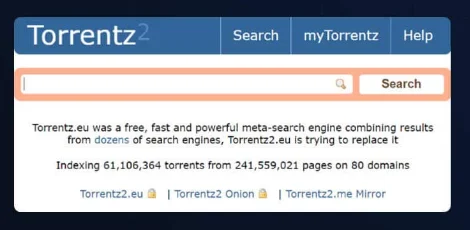
The End of Torrentz2: A Guide to Alternatives And Safe Downloading
In this article, we’ll explore the demise of Torrentz2 and its replacement with TorrentKen. We’ll also delve into the world of alternative torrent websites and provide a step-by-step guide on how to download files safely using uTorrent.
The Rise And Fall of Torrentz2
Torrentz2 was once a popular torrent website that allowed users to search for and download files from various torrent trackers. However, in 2014, the site’s leading page became unreachable, and the search engine came up with results from another website, TorrentKen. Despite efforts to access Torrentz2, it remains unavailable.
Why is Torrentz2 No Longer Available?
There are several reasons why Torrentz2 may no longer be available:
- Server Issues: The server hosting Torrentz2 might have been taken down or is experiencing technical difficulties.
- Copyright Infringement: The site’s owners may have faced copyright infringement claims, leading to its shutdown.
- Maintenance And Updates: The site might be undergoing maintenance or updates, but these are taking longer than expected.
What is Torrentken?
TorrentKen is the new website that has taken over as the search engine for torrents. It indexes files from various torrent trackers and provides a comprehensive list of available content. While it’s not as popular as Torrentz2 was, it still offers a vast collection of torrents to explore.
How to Access Torrentken
To access TorrentKen, follow these steps:
- Open Your Browser: Use your preferred web browser (e.G., Google Chrome) and type
https://Torrentken.Comin the address bar. - Click on The Link: Click on the link provided to open the website’s leading page.
How to Search For Torrents on Torrentken
To search for torrents on TorrentKen:
- Enter Your Query: Type the name of the file you’re looking for in the search bar at the top of the page.
- Click on The “Search” Button: Click on the magnifying glass icon or press Enter to initiate the search.
- Browse Through The Results: Browse through the list of available torrents and click on the one that matches your query.
Alternatives to Torrentz2
If you’re looking for alternatives to Torrentz2, consider the following options:
- Zooqle: A vast database of files, including movies, TV shows, software, games, and music.
- Torrentseeker: An engine that indexes torrents from various trackers, providing a comprehensive list of available content.
- Isohunt: A popular torrent website with a large collection of files to explore.
Adding Torrents to Utorrent
To add a downloaded file to your uTorrent client:
- Double-click The Torrent File: Double-click on the .Torrent file you’ve downloaded from TorrentKen or any other source.
- Launch Utorrent: The uTorrent program will launch, and you’ll see a window asking if you want to download the file.
Checking File Safety
Before downloading files using uTorrent:
- Run a Virus Scan: Run a virus scan on your computer using an antivirus software (e.G., Avast, Malwarebytes).
- Verify File Integrity: Verify that the downloaded file is complete and not corrupted by checking its hash or checksum.
Conclusion
The demise of Torrentz2 marks the end of an era for torrent enthusiasts. However, with alternatives like TorrentKen, Zooqle, and IsoHunt available, users can still access a vast collection of files to explore. Remember to always prioritize file safety and use reputable antivirus software to protect your computer from potential threats.
Frequently Asked Questions (FAQs)
Q: Why is Torrentz2 no Longer Available?
A: There are several reasons why Torrentz2 may not be available, including server issues, copyright infringement claims, or maintenance and updates.
Q: What is Torrentken?
A: TorrentKen is the new search engine that has taken over as the go-to place for finding torrents. It indexes files from various trackers and provides a comprehensive list of available content.
Q: How do I Access Torrentken?
A: To access TorrentKen, open your preferred web browser and type https://Torrentken.Com in the address bar.
Q: Can I Use Torrentken to Download Files Safely?
A: Yes, you can use TorrentKen to download files safely by verifying file integrity using antivirus software or checking hash values.
Q: Are There Alternative Torrent Websites Available?
A: Yes, alternatives like Zooqle, TorrentSeeker, and IsoHunt offer a vast collection of files to explore.
Q: How do I Add a Downloaded File to my Utorrent Client?
A: To add a downloaded file to your uTorrent client, double-click the torrent file, launch uTorrent, and confirm that you want to download the file.
Q: Can I Use a Vpn to Download Torrents Safely?
A: Yes, using a VPN (Virtual Private Network) can help protect your identity and safety while downloading torrents.


