
The Ultimate Guide to Cleanmymac X: Unlocking Your Mac’s Full Potential
Are you tired of your Mac slowing down due to cluttered storage, malware threats, and outdated applications? Look no further than CleanMyMac X, the latest version of this powerful software designed specifically for macOS. In this comprehensive guide, we’ll delve into the world of CleanMyMac X, exploring its key features, benefits, and step-by-step instructions on how to use it effectively.
What is Cleanmymac X?
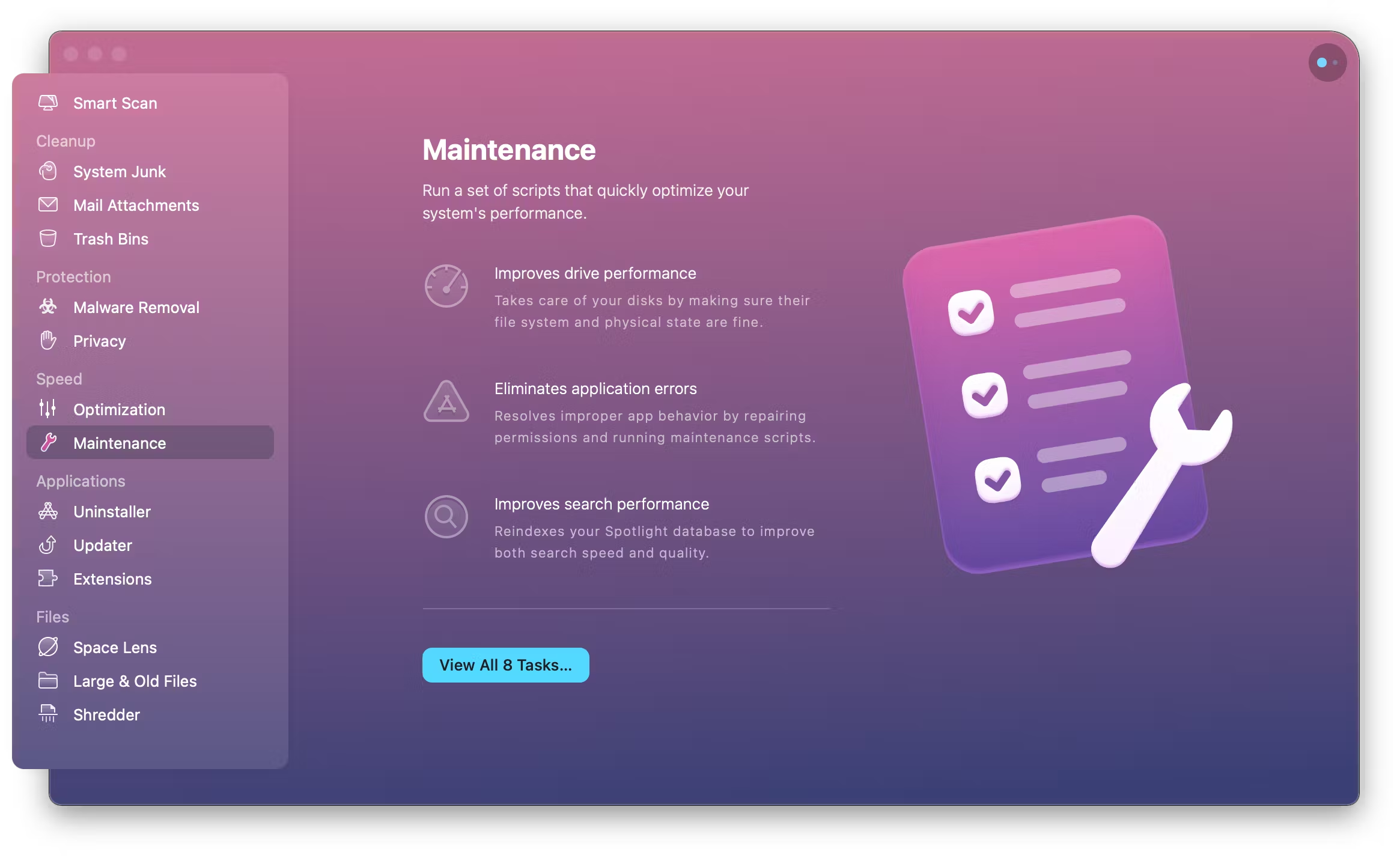
CleanMyMac X is a robust cleaning and maintenance tool developed by MacPaw, a reputable software company known for creating innovative solutions for macOS users. This intuitive application helps you remove unwanted files, protect your Mac from malware threats, optimize system performance, update applications, and identify resource-hungry files.
Key Features of Cleanmymac X
- Cleaning: Remove unnecessary files, cache, and logs to free up disk space and improve system performance.
- Protection: Safeguard your Mac against malware threats by removing viruses and other malicious software.
- Speed: Optimize system performance by disabling unnecessary applications, updating apps, and repairing disk permissions.
- Applications: Update and uninstall applications, including those not downloaded from the Mac App Store.
- Files: Identify and delete resource-hungry files, ensuring your Mac runs smoothly.
Benefits of Using Cleanmymac X
- Improved System Performance: By removing unnecessary files and optimizing system settings, you can enjoy a faster and more responsive Mac experience.
- Enhanced Security: Protect your Mac from malware threats and safeguard your personal data with CleanMyMac X’s robust protection features.
- Easy Maintenance: Schedule regular cleaning sessions to maintain your Mac’s health and prevent performance issues.
- User-friendly Interface: Navigate the intuitive interface with ease, even for those new to macOS maintenance.
How to Use Cleanmymac X
- Download And Install: Get CleanMyMac X from the official website or App Store.
- Activation Code: Enter your activation code to unlock the full version (optional).
- Launch The Application: Open CleanMyMac X from the Launchpad, Applications folder, or Spotlight search.
- Scan Your Mac: Perform a comprehensive scan to identify areas for improvement.
- Select And Remove Unwanted Files: Choose files to delete and confirm removal.
Step-by-step Guide
- Scanning Smart: Initiate a smart scan to identify issues and recommend cleaning actions.
- Cleaning: Select areas to clean, such as System, Enclosed Mail, or Baskets.
- Protection: Remove malware threats by scanning for viruses and other malicious software.
- Speed: Optimize system performance by disabling unnecessary applications and repairing disk permissions.
- Applications: Update and uninstall applications, including those not downloaded from the Mac App Store.
Frequently Asked Questions (FAQs)
- What is Cleanmymac X?
CleanMyMac X is a comprehensive cleaning and maintenance tool designed for macOS users to improve system performance, protect against malware threats, and optimize application updates. - Is Cleanmymac X Safe to Use?
Yes, CleanMyMac X is developed by MacPaw, a reputable software company known for creating innovative solutions for macOS users. It is safe to use and designed to protect your Mac from malware threats. - How do I Download And Install Cleanmymac X?
Download CleanMyMac X from the official website or App Store. Follow the installation instructions, and enter your activation code (if required). - What Are The System Requirements For Cleanmymac X?
CleanMyMac X is compatible with all Mac models (portable and desktop) and requires macOS 10.12 Or later. -
How Much Does Cleanmymac X Cost?
The pricing plans vary depending on your needs: -
Single license: €89.95
- Multi-license (2-5 Macs): €134.95 – €199.95
- Subscription: €29.95/Year (single license) – €69.95/Year (multi-license)
Conclusion
CleanMyMac X is an essential tool for any macOS user looking to optimize their system performance, protect against malware threats, and maintain a clutter-free Mac experience. By following this comprehensive guide, you’ll be able to unlock your Mac’s full potential and enjoy a faster, more responsive, and secure computing experience.
Frequently Asked Questions (FAQs)
- What is Cleanmymac X?
CleanMyMac X is a comprehensive cleaning and maintenance tool designed for macOS users to improve system performance, protect against malware threats, and optimize application updates. - Is Cleanmymac X Safe to Use?
Yes, CleanMyMac X is developed by MacPaw, a reputable software company known for creating innovative solutions for macOS users. It is safe to use and designed to protect your Mac from malware threats. - How do I Download And Install Cleanmymac X?
Download CleanMyMac X from the official website or App Store. Follow the installation instructions, and enter your activation code (if required). - What Are The System Requirements For Cleanmymac X?
CleanMyMac X is compatible with all Mac models (portable and desktop) and requires macOS 10.12 Or later. -
How Much Does Cleanmymac X Cost?
The pricing plans vary depending on your needs: -
Single license: €89.95
- Multi-license (2-5 Macs): €134.95 – €199.95
- Subscription: €29.95/Year (single license) – €69.95/Year (multi-license)


