
How to Cancel a Command on Uber Eats: A Step-by-step Guide
Are you wondering how to cancel an order on Uber Eats? You’re not alone! Cancelling a command can be a daunting task, especially if you’re unsure about the process or the consequences of cancellation. In this article, we’ll guide you through the step-by-step process of cancelling a command on Uber Eats using both the app and PC.
Why Cancel an Order on Uber Eats?
Before we dive into the instructions, let’s talk about why you might want to cancel an order on Uber Eats. Perhaps you’ve changed your mind about the food or restaurant you ordered from. Maybe you forgot that you placed an order and now it’s too late to change it. Whatever the reason, cancelling an order can be a lifesaver in situations like these.
Preliminary Information
Before we proceed with the instructions, there are some important things to know about cancelling orders on Uber Eats:
- If you cancel your order before it has been prepared, you’ll receive a full refund.
- If your order has already been prepared but not yet delivered, you’ll only be refunded for the food items and not the delivery fee.
- If your order has already been delivered, you won’t be able to get a refund.
Cancelling an Order on Uber Eats Using The App
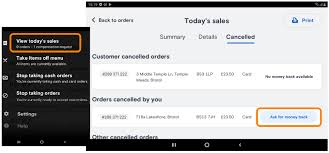
To cancel an order on Uber Eats using the app, follow these steps:
- Open the Uber Eats app and navigate to the “Commands” section.
- Find the order you want to cancel and tap on it.
- Tap on the “Cancel Order” button.
- Confirm that you want to cancel the order.
Cancelling an Order on Uber Eats Using PC
To cancel an order on Uber Eats using your computer, follow these steps:
- Go to the Uber Eats website and sign in to your account.
- Navigate to the “Orders” section and find the order you want to cancel.
- Click on the “Cancel Order” button.
- Confirm that you want to cancel the order.
Refunds
If you’re eligible for a refund, it may take 3-5 business days to process. The refund will be credited back to your original payment method.
Troubleshooting
If you encounter any issues while trying to cancel an order on Uber Eats, don’t worry! You can always reach out to the support team for assistance.
Conclusion
Cancelling an order on Uber Eats is a straightforward process that can be completed using either the app or PC. Remember to review the terms and conditions of cancellation before proceeding with the process. If you have any questions or concerns, don’t hesitate to ask.
Frequently Asked Questions
Here are some frequently asked questions about cancelling orders on Uber Eats:
- Q: Can I cancel an order on Uber Eats?
A: Yes, you can cancel an order on Uber Eats using either the app or PC. - Q: What happens if I cancel my order before it has been prepared?
A: If you cancel your order before it has been prepared, you’ll receive a full refund. - Q: How long does it take to process a refund?
A: Refunds typically take 3-5 business days to process. - Q: Can I get a refund if my order has already been delivered?
A: Unfortunately, no. If your order has already been delivered, you won’t be able to get a refund. - Q: How do I contact the support team for assistance?
A: You can reach out to the support team by visiting the Uber Eats website and clicking on the “Help” button.
Conclusion
Cancelling an order on Uber Eats is a simple process that can be completed using either the app or PC. Remember to review the terms and conditions of cancellation before proceeding with the process, and don’t hesitate to ask for help if you need it.


