
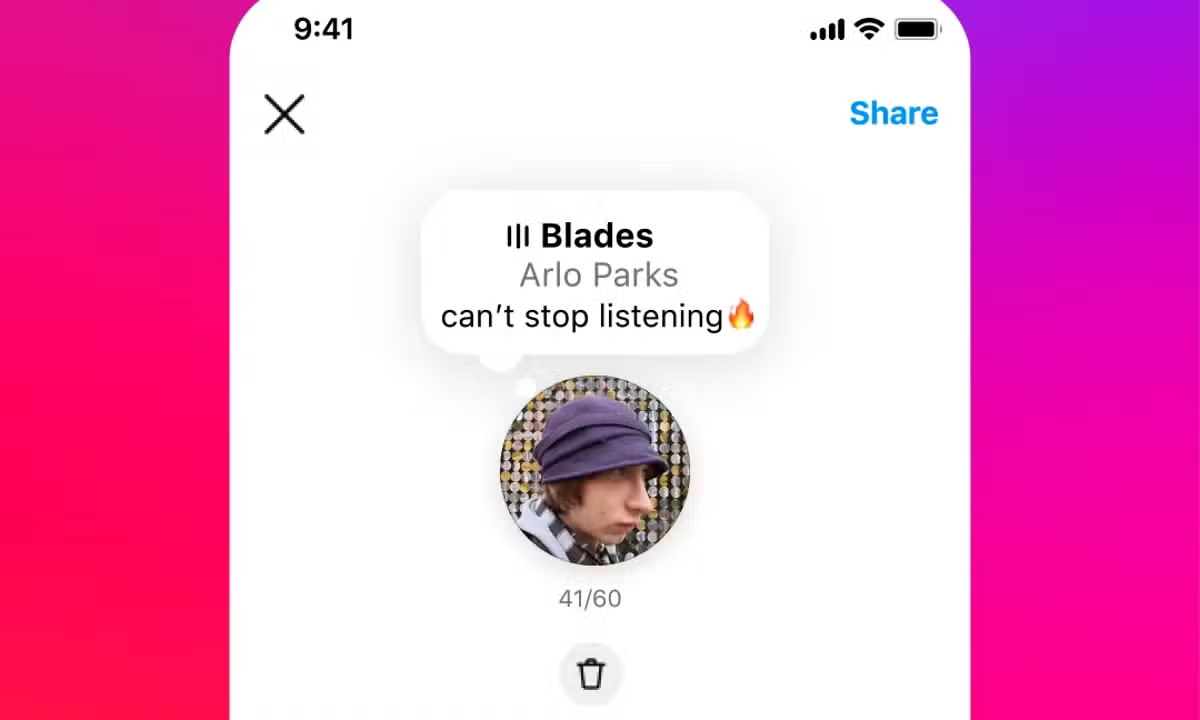
How to Add Music to Your Instagram Posts, Stories, And Reels
Are you a music enthusiast who wants to share your favorite tunes with friends on Instagram? Look no further! In this article, we’ll show you how to add music to your Instagram posts, stories, and reels in just a few simple steps.
Why Add Music to Your Instagram Content?
Adding music to your Instagram content can enhance the viewing experience, make it more engaging, and even increase your reach. Whether you’re sharing a funny video, a motivational quote, or simply showcasing your creativity, music can help bring your content to life.
How to Add Music to Your Instagram Posts
If you want to add music to your Instagram posts, here’s what you need to do:
- Open The Instagram App: Launch the Instagram app on your smartphone and access your account.
- Create a New Post: Tap the “+” icon in the top-right corner of the screen to create a new post.
- Choose a Photo or Video: Select a photo from your gallery or record a video using the camera.
- Tap The Music Icon: Tap the musical note icon at the bottom-left corner of the screen to add music to your post.
- Select a Song: Choose a song from Instagram’s vast library of available tracks.
- Adjust The Song Settings: You can adjust the duration and sequence of the song to fit your content.
- Add Text: Write a caption for your post and add any relevant hashtags.
- Share Your Post: Tap the “Share” button to post your music-enhanced content.
How to Add Music to Your Instagram Stories
If you want to add music to your Instagram stories, here’s what you need to do:
- Open The Instagram App: Launch the Instagram app on your smartphone and access your account.
- Create a Story: Tap the “+” icon in the top-right corner of the screen to create a new story.
- Choose a Sticker: Choose the “Music” sticker from the available options.
- Select a Song: Choose a song from Instagram’s vast library of available tracks.
- Adjust The Song Settings: You can adjust the duration and sequence of the song to fit your content.
- Add Text: Write a caption for your story and add any relevant hashtags.
- Share Your Story: Tap the “Share” button to post your music-enhanced story.
How to Add Music to Your Instagram Reels
If you want to add music to your Instagram reels, here’s what you need to do:
- Open The Instagram App: Launch the Instagram app on your smartphone and access your account.
- Create a Reel: Tap the “+” icon in the top-right corner of the screen to create a new reel.
- Choose a Photo or Video: Select a photo from your gallery or record a video using the camera.
- Tap The Music Icon: Tap the musical note icon at the bottom-left corner of the screen to add music to your reel.
- Select a Song: Choose a song from Instagram’s vast library of available tracks.
- Adjust The Song Settings: You can adjust the duration and sequence of the song to fit your content.
- Add Text: Write a caption for your reel and add any relevant hashtags.
- Share Your Reel: Tap the “Share” button to post your music-enhanced reel.
Benefits of Adding Music to Your Instagram Content
Adding music to your Instagram content can have several benefits, including:
- Enhancing the viewing experience
- Making it more engaging
- Increasing reach
- Encouraging user interaction
Tips For Choosing The Right Music For Your Instagram Content
When choosing music for your Instagram content, consider the following tips:
- Keep it simple and catchy
- Choose a song that complements your content
- Adjust the duration and sequence of the song to fit your content
- Experiment with different genres and styles
Conclusion
Adding music to your Instagram posts, stories, and reels can enhance the viewing experience, make it more engaging, and even increase your reach. By following these simple steps, you can add music to your Instagram content in just a few clicks.
How to Add Music to Your Instagram Posts, Stories, And Reels
Why Add Music to Your Instagram Content?
Adding music to your Instagram content can enhance the viewing experience, make it more engaging, and even increase your reach. Whether you’re sharing a funny video, a motivational quote, or simply showcasing your creativity, music can help bring your content to life.
How to Add Music to Your Instagram Posts
Step 1: Open The Instagram App
Launch the Instagram app on your smartphone and access your account.
Step 2: Create a New Post
Tap the “+” icon in the top-right corner of the screen to create a new post.
Step 3: Choose a Photo or Video
Select a photo from your gallery or record a video using the camera.
Step 4: Tap The Music Icon
Tap the musical note icon at the bottom-left corner of the screen to add music to your post.
Step 5: Select a Song
Choose a song from Instagram’s vast library of available tracks.
Step 6: Adjust The Song Settings
You can adjust the duration and sequence of the song to fit your content.
Step 7: Add Text
Write a caption for your post and add any relevant hashtags.
Tap the “Share” button to post your music-enhanced content.
How to Add Music to Your Instagram Stories
Step 1: Open The Instagram App
Launch the Instagram app on your smartphone and access your account.
Step 2: Create a Story
Tap the “+” icon in the top-right corner of the screen to create a new story.
Step 3: Choose a Sticker
Choose the “Music” sticker from the available options.
Step 4: Select a Song
Choose a song from Instagram’s vast library of available tracks.
Step 5: Adjust The Song Settings
You can adjust the duration and sequence of the song to fit your content.
Step 6: Add Text
Write a caption for your story and add any relevant hashtags.
Tap the “Share” button to post your music-enhanced story.
How to Add Music to Your Instagram Reels
Step 1: Open The Instagram App
Launch the Instagram app on your smartphone and access your account.
Step 2: Create a Reel
Tap the “+” icon in the top-right corner of the screen to create a new reel.
Step 3: Choose a Photo or Video
Select a photo from your gallery or record a video using the camera.
Step 4: Tap The Music Icon
Tap the musical note icon at the bottom-left corner of the screen to add music to your reel.
Step 5: Select a Song
Choose a song from Instagram’s vast library of available tracks.
Step 6: Adjust The Song Settings
You can adjust the duration and sequence of the song to fit your content.
Step 7: Add Text
Write a caption for your reel and add any relevant hashtags.
Tap the “Share” button to post your music-enhanced reel.


