
How to Use Imyfone Lockwiper on Android For Forgotten Unlock Password
Are you tired of dealing with forgotten unlock passwords on your Android device? Look no further than iMyFone LockWiper, a powerful tool that can help you bypass the lock screen and regain access to your smartphone. In this article, we’ll show you how to use iMyFone LockWiper on Android for forgotten unlock password.
What is Imyfone Lockwiper?
IMyFone LockWiper is a software program designed specifically for Windows computers that allows you to bypass the lock screen on your Android device. With this tool, you can easily remove the lock screen and regain access to your phone without losing any of your data.
Benefits of Using Imyfone Lockwiper
Using iMyFone LockWiper offers several benefits, including:
- Easy to Use: The software program is simple to install and use, even for those who are not tech-savvy.
- High Success Rate: With a success rate of over 90%, you can be confident that the tool will work as expected.
- Supports Multiple Devices: IMyFone LockWiper supports over 6,000 Android devices from various manufacturers, including Samsung, LG, Motorola, and Xiaomi.
How to Use Imyfone Lockwiper on Android For Forgotten Unlock Password
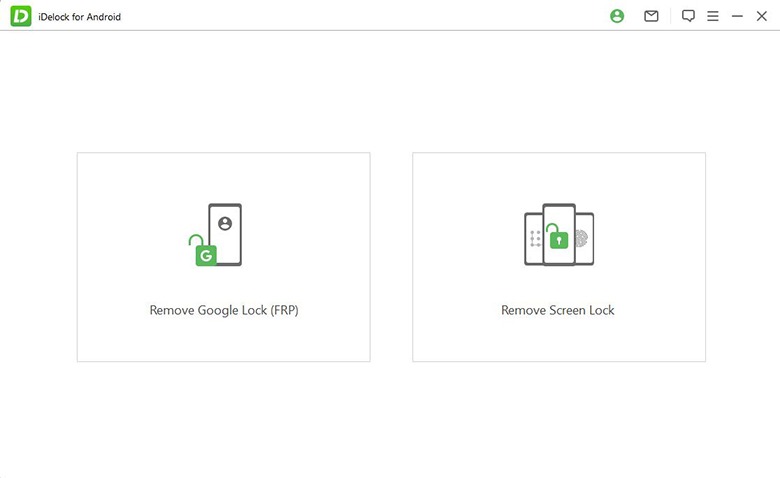
Using iMyFone LockWiper is a straightforward process that can be completed in just three easy steps:
- Select The Unlock Method: Choose the type of lock screen you want to bypass (password, PIN, pattern, fingerprint, or face recognition).
- Connect Your Device: Use a USB cable to connect your Android device to your Windows computer.
- Bypass The Lock Screen: Follow the on-screen instructions to complete the process and regain access to your phone.
Pricing Options For Imyfone Lockwiper
IMyFone LockWiper is available in three pricing plans:
- Monthly Plan: $25.99 Per month
- Annual Plan: $35.99 Per year
- Lifetime Plan: $55.99 One-time payment
Each plan includes free technical support and updates for life.
How to Use Imyfone Lockwiper: A Step-by-step Guide
Here’s a step-by-step guide on how to use iMyFone LockWiper:
- Download The Software: Visit the official website of iMyFone LockWiper and download the software program.
- Install The Software: Install the software program on your Windows computer.
- Select The Unlock Method: Choose the type of lock screen you want to bypass (password, PIN, pattern, fingerprint, or face recognition).
- Connect Your Device: Use a USB cable to connect your Android device to your Windows computer.
- Bypass The Lock Screen: Follow the on-screen instructions to complete the process and regain access to your phone.
Troubleshooting: Common Issues With Imyfone Lockwiper
Some users may experience issues with iMyFone LockWiper, including:
- Device Recognition Problems: If your device is not recognized by the software program, try restarting the computer or re-trying the process.
- Modalities of Recovery: If you encounter difficulties during the modalities of recovery, check if the information provided on the website has been correctly entered.
Frequently Asked Questions (FAQs)
Here are some frequently asked questions about iMyFone LockWiper:
- Q: How Does Imyfone Lockwiper Work?
A: IMyFone LockWiper is a software program that uses a proprietary algorithm to bypass the lock screen on your Android device. - Q: Is Imyfone Lockwiper Safe to Use?
A: Yes, iMyFone LockWiper is completely safe to use and will not harm your device or data. - Q: Will Using Imyfone Lockwiper Erase my Data?
A: No, using iMyFone LockWiper will not erase any of your data.
Conclusion
Using iMyFone LockWiper on Android for forgotten unlock password is a simple and effective solution to regain access to your smartphone. With its high success rate, user-friendly interface, and affordable pricing plans, this software program is an excellent option for anyone who has lost their unlock password.


