
How to Use Facebook: A Comprehensive Guide
As one of the most widely used social media platforms, Facebook offers a wide range of features and tools that can be utilized by users of all ages and backgrounds. Whether you’re looking to reconnect with old friends, make new connections, or simply stay up-to-date on current events, Facebook has something for everyone.
Getting Started With Facebook
To get started with Facebook, you’ll need to create an account. This involves providing some basic information such as your name, email address, and password. You can do this using either a computer or mobile device.
Creating an Account on Facebook
If you don’t already have a Facebook account, creating one is easy. Simply follow these steps:
- Go to the Facebook website (www.Facebook.Com) and click on the “Create New Account” button.
- Enter your name, email address, and password in the required fields.
- Click on the “Sign Up” button to complete the registration process.
Accessing Facebook on a Mobile Device
If you want to access Facebook using your mobile device, you can do so by downloading the Facebook app from the App Store (for iOS devices) or Google Play Store (for Android devices).
Once you have downloaded and installed the app, follow these steps:
- Open the app and click on the “Log In” button.
- Enter your email address and password in the required fields.
- Click on the “Log In” button to access your Facebook account.
Accessing Facebook on a Computer
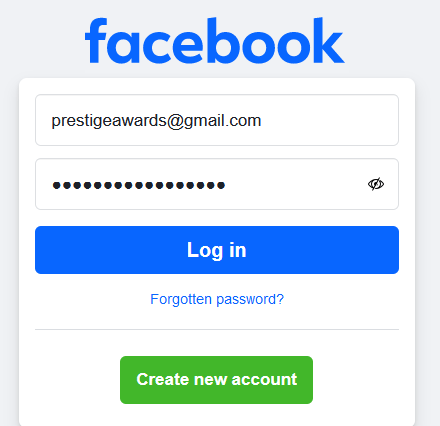
If you want to access Facebook using your computer, simply go to the Facebook website (www.Facebook.Com) and click on the “Log In” button.
Enter your email address and password in the required fields, then click on the “Log In” button to access your Facebook account.
Using Facebook With Multiple Accounts
If you have multiple Facebook accounts, you can easily switch between them using the following steps:
- Log out of your current Facebook account.
- Click on the “Switch Accounts” button and enter the email address and password for the account you want to access.
- Click on the “Log In” button to access the new account.
Recovering a Forgotten Password
If you have forgotten your Facebook password, don’t worry! You can easily recover it using the following steps:
- Go to the Facebook website (www.Facebook.Com) and click on the “Forgot Account” button.
- Enter your email address or phone number in the required field.
- Click on the “Next” button to complete the password recovery process.
Accessing Facebook Dating
Facebook Dating is a feature that allows you to connect with others who share similar interests and preferences.
To access Facebook Dating, follow these steps:
- Go to the Facebook website (www.Facebook.Com) and click on the “Dating” tab.
- Enter your email address or phone number in the required field.
- Click on the “Next” button to complete the registration process.
Accessing Instagram Through Facebook
If you have an Instagram account, you can easily access it using Facebook.
To do this, follow these steps:
- Go to the Facebook website (www.Facebook.Com) and click on the “Instagram” tab.
- Enter your email address or phone number in the required field.
- Click on the “Next” button to complete the login process.
Using Facebook Incognito
If you want to browse Facebook without being seen, you can do so using incognito mode.
To access Facebook incognito, follow these steps:
- Go to the Facebook website (www.Facebook.Com) and click on the “Incognito” button.
- Enter your email address or phone number in the required field.
- Click on the “Next” button to complete the login process.
Avoiding Facebook Ads
If you want to avoid seeing ads on Facebook, you can do so by subscribing to a paid plan.
To do this, follow these steps:
- Go to the Facebook website (www.Facebook.Com) and click on the “Settings” tab.
- Click on the “Paid Plan” button and select your preferred subscription option.
- Follow the prompts to complete the payment process.
Conclusion
Facebook is a powerful social media platform that offers a wide range of features and tools for users of all ages and backgrounds. By following these simple steps, you can easily create an account, access Facebook on a mobile device or computer, use multiple accounts, recover a forgotten password, access Facebook Dating, and avoid ads.
Whether you’re looking to reconnect with old friends, make new connections, or simply stay up-to-date on current events, Facebook has something for everyone.


