
How to Cancel Your Sky Subscription: A Step-by-step Guide
Are you looking to cancel your Sky subscription, but not sure how to go about it? Look no further! In this article, we will guide you through the process of canceling your Sky subscription in a simple and easy-to-follow manner.
Why Cancel Your Sky Subscription?
There could be various reasons why you might want to cancel your Sky subscription. Perhaps you’ve moved to a new area where Sky is not available, or maybe you’re looking to save money on your TV bills. Whatever the reason, we’ll help you navigate through the process of canceling your subscription.
Step 1: Check if You’re Eligible For a Refund
If you’ve subscribed to Sky within the last 14 days, you might be eligible for a refund. To check this, head over to the Sky website and click on the “Recesso” section. Fill out the form and submit it to Sky. They will review your request and let you know if you’re entitled to a refund.
How to Cancel Your Sky Subscription Online
Canceling your Sky subscription online is a straightforward process. Here’s how:
- Log in to your Sky account using your SkyID.
- Click on the “My Account” section.
- Select the type of subscription you want to cancel (e.G., TV, broadband, etc.).
- Follow the prompts to complete the cancellation process.
Canceling Your Sky Subscription Over The Phone
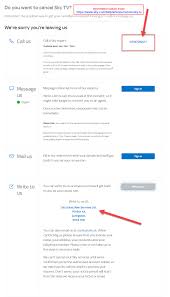
If you prefer to speak with a customer service representative, you can do so by calling 02 917171. Let them know that you’d like to cancel your subscription and they will guide you through the process.
Canceling Your Sky Subscription in Person
You can also visit a Sky store near you to cancel your subscription in person. Just head over to the store, let them know that you’d like to cancel your subscription, and they’ll take care of it for you.
Return Equipment to Sky
Regardless of how you choose to cancel your subscription, it’s essential to return any equipment you’ve borrowed from Sky (e.G., Decoder, smart card, etc.). You have 60 days to return the equipment. Failure to do so may result in penalties.
Penalties For Failing to Return Equipment
If you fail to return the equipment within 60 days, you’ll be charged a penalty fee. Here are the fees associated with failing to return equipment:
- Decoder SD: €21
- Decoder HD: €75
- MySky HD: €150
- Sky Q Black: €150
- Sky Q Platinum: €200
- Sky Q mini: €80
- Alimentatore External of the Decoder, Decoder HD or MySky HD: €30
- Digital Key: €30
- Telecomando: €30
- Smart Card: €30
Canceling Your Now Subscription
If you’re a NOW subscriber, canceling your subscription is a straightforward process. Here’s how:
- Log in to your NOW account.
- Click on the “My Account” section.
- Select the type of subscription you want to cancel (e.G., TV, broadband, etc.).
- Follow the prompts to complete the cancellation process.
Conclusion
Canceling your Sky subscription is a relatively simple process. Whether you choose to cancel online, over the phone, or in person, we’ve got you covered. Remember to return any equipment borrowed from Sky and be aware of the penalties associated with failing to do so.
Frequently Asked Questions (FAQs)
Q: Can I get a refund if I cancel my Sky subscription?
A: Yes, if you’ve subscribed to Sky within the last 14 days, you might be eligible for a refund. Check the Sky website for more information.
Q: How long do I have to return equipment to Sky?
A: You have 60 days to return any equipment borrowed from Sky.
Q: What are the penalties associated with failing to return equipment to Sky?
A: Here are the fees associated with failing to return equipment:
- Decoder SD: €21
- Decoder HD: €75
- MySky HD: €150
- Sky Q Black: €150
- Sky Q Platinum: €200
- Sky Q mini: €80
- Alimentatore External of the Decoder, Decoder HD or MySky HD: €30
- Digital Key: €30
- Telecomando: €30
- Smart Card: €30
Q: Can I cancel my NOW subscription online?
A: Yes, you can cancel your NOW subscription online by following these steps:
- Log in to your NOW account.
- Click on the “My Account” section.
- Select the type of subscription you want to cancel (e.G., TV, broadband, etc.).
- Follow the prompts to complete the cancellation process.
Q: What are the benefits of canceling my Sky subscription?
A: There could be various reasons why you might want to cancel your Sky subscription, such as saving money on your TV bills or moving to a new area where Sky is not available.
Additional Resources
For more information on canceling your Sky subscription or returning equipment, visit the Sky website at www.Sky.It.


