
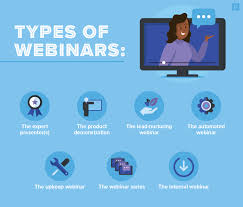
How to Do a Webinar: A Step-by-step Guide
Are you interested in hosting a webinar, but don’t know where to start? Look no further! In this article, we’ll provide a comprehensive guide on how to do a webinar, including the best platforms to use and tips for success.
What is a Webinar?
A webinar (short for “web seminar”) is an online presentation that allows you to connect with your audience in real-time. It’s a great way to share knowledge, showcase products or services, and build relationships with potential customers.
Why Should I Do a Webinar?
Hosting a webinar can be beneficial for several reasons:
- It allows you to reach a wider audience without the need for physical travel.
- It provides an opportunity to establish yourself as an expert in your field.
- It can help drive traffic to your website and increase engagement with your brand.
Which Platforms Can I Use?
There are several platforms that allow you to host webinars, including:
- Zoom: A popular choice for webinars, Zoom offers a free version that allows you to host meetings with up to 100 participants.
- Facebook Live: If you have a Facebook page or group, you can use Facebook Live to host live webinars directly on the platform.
- Teams: Microsoft Teams is another option for hosting webinars, offering advanced features such as video conferencing and screen sharing.
- Google Meet: Google’s meeting service allows you to host webinars with up to 250 participants, free of charge.
How Do I Prepare For a Webinar?
Before hosting a webinar, it’s essential to prepare carefully:
- Define Your Objective: Clearly determine what you want to achieve through your webinar.
- Choose The Right Platform: Select a platform that suits your needs and budget.
- Promote Your Event: Use social media and email marketing to promote your webinar.
- Test Your Equipment: Ensure your audio and video equipment are working properly before the event.
Tips For Success
To make your webinar successful:
- Keep it concise: Aim for a presentation that’s no longer than 30-45 minutes.
- Use visual aids: Include slides, videos, or demonstrations to keep your audience engaged.
- Encourage interaction: Allow time for Q&A and engage with your audience through live chat.
Conclusion
Hosting a webinar can be an effective way to connect with your audience, establish yourself as an expert, and drive traffic to your website. By following the steps outlined in this guide and using the right platform, you’ll be well on your way to hosting a successful webinar.
Faqs
- What is a Webinar?
A webinar (short for “web seminar”) is an online presentation that allows you to connect with your audience in real-time. - Why Should I do a Webinar?
Hosting a webinar can be beneficial for several reasons, including the ability to reach a wider audience without physical travel and the opportunity to establish yourself as an expert in your field. - Which Platforms Can I Use?
Several platforms allow you to host webinars, including Zoom, Facebook Live, Teams, and Google Meet. - How do I Prepare For a Webinar?
Before hosting a webinar, it’s essential to prepare carefully by defining your objective, choosing the right platform, promoting your event, and testing your equipment. - What Are Some Tips For Success?
To make your webinar successful, keep it concise, use visual aids, encourage interaction, and ensure that your audio and video equipment are working properly before the event.


