
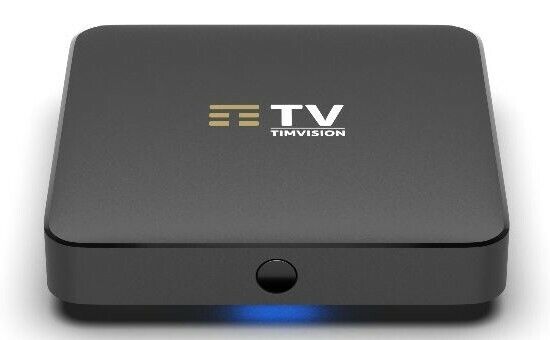
How to Download Timvision: A Step-by-step Guide
Are you tired of searching for ways to download TIMVISION on your devices? Look no further! In this article, we will guide you through the process of downloading TIMVISION on various platforms, including Smart TVs, PS4 and PS5, Sky Q, other dispositivi, PC, Mac, Android, and iPhone/iPad.
What is Timvision?
TIMVISION is a streaming video service provided by TIM, one of Italy’s largest telecommunications companies. It offers a wide range of content, including movies, TV series, sports, and more.
How to Download Timvision on Smart Tvs
If you have a Smart TV, you can download TIMVISION directly from the store of your TV. Here are the steps:
- Access the store on your Smart TV
- Search for “TIMVISION”
- Click on the install button to initiate the download and installation process
How to Download Timvision on Ps4 And Ps5
Unfortunately, TIMVISION is not available on PS4 and PS5 consoles. However, you can access TIMVISION through the browser on your console by visiting the official website of TIMVISION.
How to Download Timvision on Sky Q
If you have a Sky Q device, you will be disappointed to know that TIMVISION is not available on this platform. However, you can access TIMVISION by using a compatible device, such as an Android TV or a Smart TV.
How to Download Timvision on Other Dispositivi
If you don’t have a Smart TV and want to watch TIMVISION on your television, there are other devices that can help you achieve this. For example, you can use a Fire TV Stick (and Fire TV Cube) to download and install TIMVISION on your TV.
How to Download Timvision on PC
If you have a Windows 10 or Windows 11 computer, you can download the TIMVISION app directly from the Microsoft Store.
- Open the Microsoft Store
- Search for “TIMVISION”
- Click on the download button to initiate the download and installation process
How to Download Timvision on Mac
Unfortunately, there is no official way to download TIMVISION on a Mac computer. However, you can access TIMVISION through the browser on your Mac by visiting the official website of TIMVISION.
How to Download Timvision on Android And Iphone/ipad
If you have an Android or iOS device, you can download the TIMVISION app directly from the Play Store (for Android) or App Store (for iOS).
- Open the Play Store (for Android) or App Store (for iOS)
- Search for “TIMVISION”
- Click on the install button to initiate the download and installation process
How to Download Content From Timvision
If you access TIMVISION through the app on your device, you can download content for offline viewing. Simply click on the content you want to download, select the download option, and choose the quality of the download.
Conclusion
Downloading TIMVISION is a relatively straightforward process that can be completed on various platforms. By following the steps outlined in this article, you should be able to access your favorite content from TIMVISION on your device of choice.
Faqs
- Is Timvision Available on Ps4 And Ps5?
No, TIMVISION is not currently available on PS4 and PS5 consoles. - Can I Download Timvision on Sky Q?
Unfortunately, no, TIMVISION is not available on Sky Q devices. - How do I Download Content From Timvision For Offline Viewing?
You can download content from TIMVISION through the app on your device by selecting the download option and choosing the quality of the download. - Is There an Official Way to Download Timvision on Mac?
No, unfortunately not. - Can I Access Timvision Through a Browser on my Device?
Yes, you can access TIMVISION through a browser on your device by visiting the official website of TIMVISION. - How do I Update The Timvision App on my Device?
You can usually update the TIMVISION app on your device from the store or by checking for updates within the app itself. - Is Timvision Available in Other Countries?
TIMVISION is currently only available in Italy, although it’s possible that it may be expanded to other countries in the future.
I hope this article has been helpful! If you have any further questions or need assistance with downloading TIMVISION on your device, please don’t hesitate to ask.


