
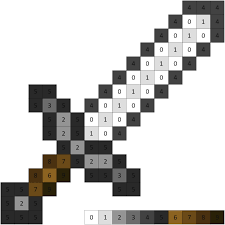
How to Create a Sword on Minecraft: A Step-by-step Guide
Are you ready to unleash your creativity and become the ultimate warrior in the world of Minecraft? Look no further! In this article, we’ll guide you through the process of creating a sword on Minecraft, from the basics to advanced techniques.
Understanding The Basics
Before we dive into the nitty-gritty details, let’s understand the fundamentals. Minecraft is a sandbox-style video game that allows players to build and explore 3D worlds made up of blocks. The game has various modes, including Survival, Creative, and Hardcore.
Crafting a Sword on Minecraft
In this section, we’ll cover the basic crafting recipe for a sword on Minecraft. To craft a sword, follow these steps:
- Access Your Crafting Table: Make sure you have a Crafting Table set up in your game world.
- Gather Materials: Collect 4 wooden planks and 1 stick.
- Craft Your Sword: Place the wooden planks in the top row of the crafting table, followed by the stick below them. This will create a basic sword.
Advanced Crafting Recipes
Once you’ve mastered the basic recipe, it’s time to move on to more advanced techniques. Here are some additional recipes for creating swords:
- Stone Sword: Replace the wooden planks with stone in the crafting recipe.
- Iron Sword: Use iron ingots instead of wooden planks.
- Gold Sword: Substitute gold ingots for the iron.
- Diamond Sword: Utilize diamond blocks instead of stone.
- Netherite Sword: Join a diamond sword with an ingot of netherite in the game’s forge.
Crafting a Netherite Sword on Minecraft
Now that we’ve covered the basics and advanced recipes, let’s dive deeper into crafting a netherite sword. This process requires a few more steps:
- Obtain Netherite Ingots: Find ancient debris in The Nether, smelt them to create netherite fragments, then purify them using a furnace.
- Craft The Sword: Combine 4 netherite ingots with 4 gold ingots to create the netherite sword.
Creating a Laser Sword on Minecraft
Are you looking for something a bit more unique? In this section, we’ll explore how to create a laser sword on Minecraft using mods. We recommend installing the “ToLaserBlade” mod for Java Edition PC users.
How to Install Mods on Minecraft
Before you can use mods in Minecraft, follow these steps:
- Download The Mod: Get the ToLaserBlade mod from CurseForge.
- Configure Forge: Set up your Forge profile and install the necessary files.
- Launch The Game: Start a new world with the Forge profile.
Accessing The Laser Sword
Now that you’ve installed the mod, follow these steps to access the laser sword:
- Enter Creative Mode: Launch the game in Creative mode.
- Find The Laser Sword: Access the inventory and select the laser sword.
- Use The Sword: Equip the laser sword and get ready to take on any challenge!
Conclusion
Congratulations! You’ve made it through this comprehensive guide on how to create a sword on Minecraft. Whether you’re looking for a basic wooden sword or an advanced netherite one, we hope this article has helped you unlock your creativity.
Frequently Asked Questions (FAQs)
- Q: What’s The Most Durable Sword in Minecraft?
A: The Netherite sword is considered the most durable and powerful sword in the game. - Q: How do I Obtain Netherite Ingots?
A: Find ancient debris in The Nether, smelt them to create netherite fragments, then purify them using a furnace. - Q: Can I Use Mods to Create Other Unique Swords?
A: Yes! There are many mods available that allow you to create custom swords and other items. - Q: How do I Install Mods on Minecraft?
A: Download the mod from CurseForge, configure Forge, and launch the game with the necessary files installed. - Q: What’s The Most Powerful Sword in Minecraft?
A: The netherite sword is considered the most powerful sword in the game due to its high damage output and durability.
Final Thoughts
We hope this guide has helped you unlock your creativity and become a master swordsmith on Minecraft. Happy crafting!


