
How to Convert Pdf to Ppt: A Step-by-step Guide
Are you looking for ways to convert your PDF files into PowerPoint presentations? Look no further! In this article, we will explore various methods to convert PDF to PPT, including using Adobe Acrobat, online services, and mobile apps.
Introduction
PDF (Portable Document Format) is a popular format for sharing documents, but sometimes you need to present the content in a more interactive way. PowerPoint presentations are ideal for conveying complex information in an engaging manner. Converting PDF to PPT can be done using various tools and methods, which we will discuss below.
Method 1: Using Adobe Acrobat
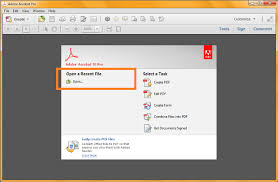
Adobe Acrobat is a powerful tool for working with PDF files. You can use it to convert PDF to PPT by following these steps:
- Download and install Adobe Acrobat Pro on your computer.
- Launch the software and click on “File” > “Open” to select the PDF file you want to convert.
- Click on “Rows” > “Export” > “Presentation Microsoft PowerPoint.”
- Choose where to save the converted PPTX file.
Method 2: Online Services
If you don’t want to install software on your computer, you can use online services to convert PDF to PPT. Here are a few options:
- Online2pdf: This service allows you to upload your PDF file and download the converted PPTX file.
- Smallpdf: This website offers a range of tools for working with PDF files, including conversion to PPT.
- Ilovepdf: Another online service that can convert PDF to PPT, with options for batch conversions and more.
Method 3: Mobile Apps
You can also use mobile apps to convert PDF to PPT. Here are some options:
- Ilovepdf – Pdf Editor & Scan (Android/iOS/iPadOS): This app allows you to convert PDF files to PPT, with a range of features and tools.
- Pdf to Pptx Converter (Android): Another mobile app that can convert PDF to PPTX.
Comparison of Methods
When choosing a method for converting PDF to PPT, consider the following factors:
- Ease of use: How straightforward is the process?
- Speed: How quickly will the conversion be completed?
- File size limits: Are there restrictions on file sizes or numbers of conversions per day?
- Cost: Do you need to pay for premium features or subscriptions?
Conclusion
Converting PDF to PPT can be done using various methods, including Adobe Acrobat, online services, and mobile apps. Each method has its advantages and disadvantages, so choose the one that best suits your needs.
Frequently Asked Questions (FAQs)
- Q: What is The Maximum File Size Limit For Conversion?
A: The maximum file size limit varies depending on the service or app you use. - Q: Can I Convert Multiple Pdf Files to Ppt at Once?
A: Yes, some services and apps allow batch conversions. - Q: Is it Possible to Edit The Converted Ppt Presentation?
A: Yes, most converted presentations can be edited using PowerPoint software or mobile apps. - Q: What is The Cost of Premium Features or Subscriptions?
A: The cost varies depending on the service or app you use. - Q: Can I Convert Pdf Files to Other Formats Besides Ppt?
A: Yes, some services and apps allow conversion to other formats, such as PPTX or PDF. - Q: Is it Possible to Schedule Conversions For Later Use?
A: Some services and apps offer scheduling options. - Q: What Happens if The Converted File is Corrupted or Invalid?
A: The service or app will notify you of any issues with the conversion. - Q: Can I Use These Methods For Converting Pdf Files to Other Languages Besides English?
A: Yes, most services and apps support multiple languages.
I hope this article has provided a helpful guide on how to convert PDF to PPT using various methods.


