
How to Play Warzone 2: A Beginner’s Guide
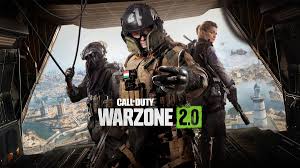
Are you a fan of Call of Duty and looking to try out the prime edition of its modality, Battle Royale? Look no further than Warzone 2! As a passionate player, I’ll guide you through the basics of this exciting game mode.
Why Play Warzone 2?
Warzone 2 is a battle royale game that combines the thrill of survival with strategic gameplay. With up to 150 players dropping onto a massive map, it’s essential to develop your skills and strategy to emerge victorious.
Understanding The Interface
Before diving into the gameplay, familiarize yourself with Warzone 2’s interface. The mini-map, located at the top left corner, displays the current situation on the map. Keep an eye on this for safe zones (safe zones) and enemy positions.
The compass in the center of the screen serves as a reference point for orientation and detection. This feature highlights enemy locations with a red marker when they shoot without silencers or other noise-making equipment.
Mastering Motion
Effective motion is crucial to success in Warzone 2. Learn to identify opponents, listen to their footsteps, and hold your weapon vertically, ready to shoot. Practice using the mini-map to navigate and find cover.
Aiming And Firing
Aim for a fair position, looking out for potential threats or ambushes. Use your surroundings to gain an advantage over enemies. When engaging in combat, aim carefully, taking into account the distance between you and your target.
Using Environmental Elements
Familiarize yourself with the map’s layout and use environmental elements like buildings, walls, and natural coverings to your advantage. This will help you stay alive and catch opponents off guard.
Understanding The Battle Royale Mechanics
Warzone 2 features a unique battle royale system where players can drop onto the map at various points. As matches progress, the playable area shrinks, forcing players closer together.
Customizing Your Equipment
Experiment with different equipment setups to find what works best for you. Unlock new gear and modify existing items in the Gunsmith menu.
Accessories And Calibration
Understand how accessories like silencers, scopes, and attachments can enhance your performance. Calibrate your gun to match your playstyle.
The Importance of Teamwork
Play with friends or join a team to experience the thrill of collaboration. Communicate effectively using headsets or other communication tools.
Key Settings For Warzone 2
Adjust settings to suit your device, whether it’s PC, Xbox Series X/S, or PlayStation 5. Experiment with different graphics and performance settings to optimize your gaming experience.
Best Settings For Consuls And PC Players
As a consul player, consider using a controller with customizable buttons and joystick adjustments. This will help you improve aim and movement.
Tips For Success in Warzone 2
- Familiarize yourself with the map and environmental elements.
- Practice good motion and aim techniques.
- Use your surroundings to gain an advantage over enemies.
- Communicate effectively with your team.
- Stay flexible and adapt to changing situations.
- Experiment with different equipment setups.
Best Weapons For Beginners
Start with assault rifles or SMGs before moving on to sniper rifles. These will help you develop essential skills like aiming, firing, and movement.
Additional Tips And Resources
For more in-depth guides and resources, check out my articles on Warzone 2 settings and the best weapons for each platform.
Conclusion
Warzone 2 is an exciting battle royale game that requires strategy and skill to succeed. By following these tips and guidelines, you’ll be well on your way to becoming a top player.
Frequently Asked Questions (FAQs)
- What are the key differences between Warzone 2 and other battle royale games?
- How can I improve my aim in Warzone 2?
- What is the best equipment setup for beginners?
- Can I play Warzone 2 on console or PC?
- Are there any specific settings that I should adjust for optimal performance?
Answers
- Warzone 2 features a unique battle royale system and a large map with diverse environments.
- Practice using the mini-map to navigate and identify opponents, hold your weapon vertically, and listen to enemy footsteps.
- Start with assault rifles or SMGs before moving on to sniper rifles.
- Yes, you can play Warzone 2 on console (Xbox Series X/S, PlayStation 5) and PC.
- Adjust settings like graphics quality, frame rate cap, and controller sensitivity to suit your device and preferences.
Additional Resources
For more information on Warzone 2 and related topics, check out these additional resources:
- My article on the best Warzone 2 settings
- The official Warzone 2 website for updates and guides
- Online communities and forums for discussing Warzone 2 strategies and tips
I hope you found this guide helpful in getting started with Warzone 2. Happy gaming!


