
Amazon Dash Button: A Game-changer For Your Household Essentials
Are you tired of running out of your favorite household essentials, only to remember them at the last minute? Do you wish there was a way to restock your pantry, fridge, or bathroom without having to lift a finger? Look no further than the Amazon Dash Button!
What is an Amazon Dash Button?
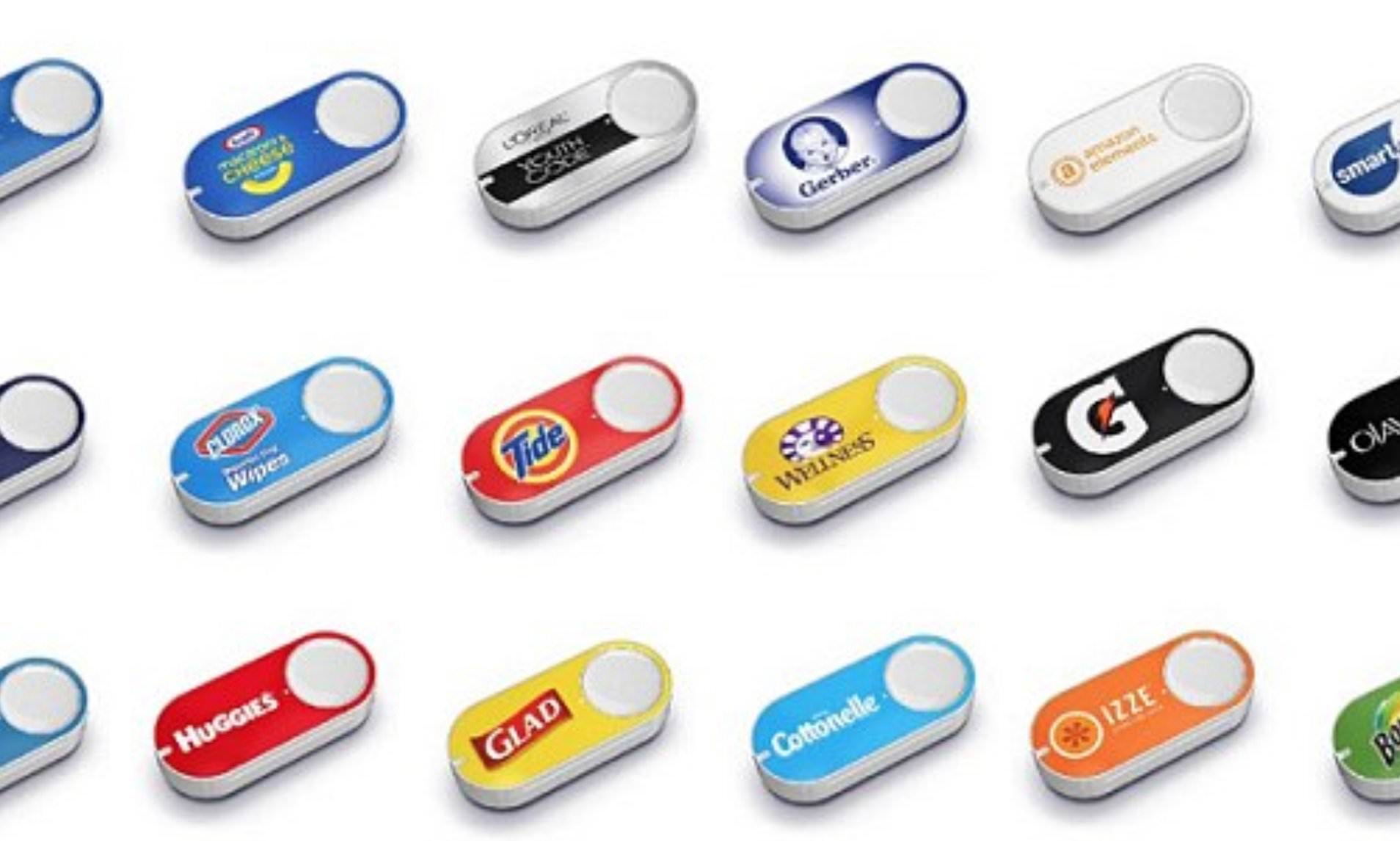
The Amazon Dash Button is a small, Wi-Fi-enabled device that allows you to reorder household essentials with just one press of a button. With its sleek design and ease of use, it’s no wonder this innovative product has been making waves in the tech world.
How Does It Function?
To get started with your Amazon Dash Button, simply configure it through the Amazon app on your smartphone or tablet. Once set up, you can easily reorder products by pressing the button, which sends a command to Amazon’s servers to fulfill the order.
Benefits of Using an Amazon Dash Button
- Convenience: No more running out of essentials or remembering to order them at the last minute.
- Easy Reordering: Simply press the button and let Amazon take care of the rest.
- Customizable: Associate your Dash Button with any product you like, from household essentials to personal care items.
Prices in Italy
The Amazon Dash Button costs 4.99 Euros, but if you’re an Amazon Prime member, you can enjoy a discount of 4.99 Euros on your first purchase!
Who Can Use an Amazon Dash Button?
All Amazon Prime members are eligible to use the Amazon Dash Button. If you’re not a Prime member yet, don’t worry – signing up is easy and affordable.
How Do I Acquire an Amazon Dash Button?
- Visit The Amazon Website: Head over to Amazon’s website and click on the “Dash Button” section.
- Select Your Product: Choose the product you’d like to associate with your Dash Button.
- Configure Your Device: Follow the in-app instructions to set up your Dash Button.
How Do I Use an Amazon Dash Button?
- Press The Button: Once configured, simply press the button to reorder your chosen product.
- Confirm Your Order: Receive notifications on your phone or tablet confirming your order.
- Enjoy Your New Essentials: Relax knowing that your essentials will be delivered right to your doorstep!
Modifying The Product Associated With Your Amazon Dash Button
If you want to switch products associated with your Dash Button, no problem! Simply navigate to the “Manage Devices” section in the Amazon app and follow the on-screen instructions.
How Does The Virtual Dash Button Function?
The Virtual Dash Button is a digital version of the physical device. It allows you to reorder products directly from the Amazon website or mobile app without needing a physical button.
- Select Your Product: Choose the product you’d like to reorder.
- Add to Your Dash Button: Click on the “Add to Your Dash Button” button.
- Reorder With Ease: Simply navigate back to your Virtual Dash Button and press the “Reorder” button to complete your purchase.
Frequently Asked Questions
- What is The Cost of an Amazon Dash Button?
The Amazon Dash Button costs 4.99 Euros, but Prime members can enjoy a discount of 4.99 Euros on their first purchase! - Who Can Use an Amazon Dash Button?
All Amazon Prime members are eligible to use the Amazon Dash Button. - How do I Acquire an Amazon Dash Button?
Visit the Amazon website and follow the in-app instructions to set up your Dash Button. - Can I Modify The Product Associated With my Amazon Dash Button?
Yes, you can switch products associated with your Dash Button by navigating to the “Manage Devices” section in the Amazon app. - How do I Cancel an Order Placed Using an Amazon Dash Button?
You can cancel orders placed through the Dash Button by following the standard procedure on the Amazon website or mobile app. - Can I Use Multiple Commands With my Amazon Dash Button?
Yes, you can initiate multiple commands with your Dash Button by navigating to the “Manage Devices” section in the Amazon app. - How do I Know if my Amazon Dash Button is Working Correctly?
Check for a green light on the button, which indicates that your order has been successfully placed. - What Happens if my Product is Not Available When I Press The Dash Button?
If your product is not available, you will receive a notification stating so.
Conclusion
The Amazon Dash Button is a game-changer for household essentials. With its ease of use and convenience features, it’s no wonder this innovative product has been making waves in the tech world. Whether you’re looking to restock your pantry or reorder personal care items, the Amazon Dash Button is the perfect solution.


