
How to Recover Deleted Messages on Popular Messaging Services
Are you wondering how to recover deleted messages on your favorite messaging services? Look no further! In this comprehensive guide, we will walk you through the steps to retrieve deleted conversations on popular platforms like Gmail, WhatsApp, Facebook, and Outlook.
Why Recover Deleted Messages?
Deleting messages can be frustrating, especially if they contain important information or sentimental value. Whether it’s a crucial business conversation or a heartfelt message from a loved one, recovering deleted messages can be a lifesaver.
Recovering Deleted Messages on Gmail
If you’ve accidentally deleted a message on Gmail, don’t worry! You can recover it using the following steps:
Using The Mobile App:
- Open the Gmail app on your smartphone or tablet.
- Tap on the three dots in the top-right corner of the screen.
- Select “Search” and type in the keywords to find the deleted message.
- If you can’t find the message using the search function, tap on the three dots again and select “All” to view all messages.
- Look for the badge that indicates a message is filed (grey color).
- Tap on the message to restore it.
Using The Web Client:
- Log in to your Gmail account on the web client.
- Click on the search bar at the top of the page and type in the keywords to find the deleted message.
- If you can’t find the message using the search function, click on “All” to view all messages.
- Look for the badge that indicates a message is filed (grey color).
- Click on the message to restore it.
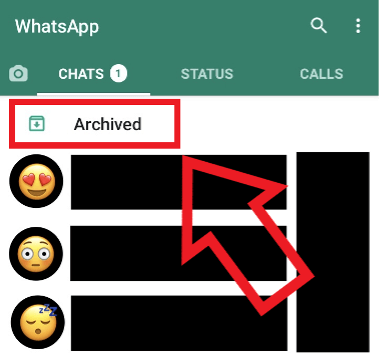
Recovering Deleted Messages on Whatsapp
If you’ve accidentally deleted a conversation on WhatsApp, don’t worry! You can recover it using the following steps:
Using The Mobile App:
- Open the WhatsApp app on your smartphone or tablet.
- Tap on the three dots in the top-right corner of the screen.
- Select “File” and choose the conversation you want to restore.
- Tap on the message you want to restore and select “Extract file”.
- The message will be restored to its original position.
Using Whatsapp For PC or Web:
- Log in to your WhatsApp account on the web client or desktop app.
- Click on the three dots in the top-right corner of the screen.
- Select “File” and choose the conversation you want to restore.
- Click on the message you want to restore and select “Extract file”.
- The message will be restored to its original position.
Recovering Deleted Messages on Facebook
If you’ve accidentally deleted a conversation on Facebook, don’t worry! You can recover it using the following steps:
Using The Mobile App:
- Open the Messenger app on your smartphone or tablet.
- Tap on the three dots in the top-right corner of the screen.
- Select “File” and choose the conversation you want to restore.
- Tap on the message you want to restore and select “Restore”.
Using The Web Client:
- Log in to your Facebook account on the web client.
- Click on the three dots in the top-right corner of the screen.
- Select “File” and choose the conversation you want to restore.
- Click on the message you want to restore and select “Restore”.
Recovering Deleted Messages on Outlook
If you’ve accidentally deleted a conversation on Outlook, don’t worry! You can recover it using the following steps:
Using The Mobile App:
- Open the Outlook app on your smartphone or tablet.
- Tap on the three dots in the top-right corner of the screen.
- Select “File” and choose the conversation you want to restore.
- Tap on the message you want to restore and select “Restore”.
Using The Web Client:
- Log in to your Outlook account on the web client.
- Click on the three dots in the top-right corner of the screen.
- Select “File” and choose the conversation you want to restore.
- Click on the message you want to restore and select “Restore”.
Conclusion
Recovering deleted messages is easier than you think! With these simple steps, you can retrieve lost conversations on popular messaging services like Gmail, WhatsApp, Facebook, and Outlook.
Frequently Asked Questions (FAQs)
- Can I Recover Deleted Messages on All Devices?
Yes, you can recover deleted messages on all devices connected to your account. - How Long Does it Take to Recover Deleted Messages?
Recovery time depends on the service provider and the complexity of the recovery process. - Will Recovering Deleted Messages Affect my Account?
No, recovering deleted messages will not affect your account or compromise its security. - Can I Recover Deleted Messages Sent by Others?
Yes, you can recover deleted messages sent by others, as long as they were stored in your inbox. - How do I Prevent Accidental Deletion of Messages?
You can set reminders to save important conversations and avoid accidental deletions. - What if I’ve Deleted a Message on Multiple Devices?
If you’ve deleted a message on multiple devices, follow the same recovery steps for each device. - Can I Recover Deleted Messages That Were Sent Before a Certain Date?
Some services may allow you to recover deleted messages that were sent within a certain time frame. Check with your service provider for more information. - How do I Report Accidental Deletion of Messages on my Account?
You can contact your service provider’s support team to report any issues or concerns regarding message recovery.
I hope this comprehensive guide has helped you understand the process of recovering deleted messages on popular messaging services!


