
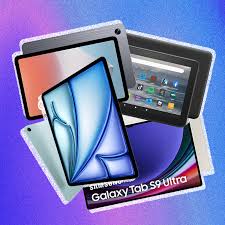
Choosing The Best Tablet Windows 10: A Comprehensive Guide
Are you looking for a tablet that can meet your computing needs? Look no further than a Tablet Windows 10. With a wide range of options available, it can be challenging to choose the best one. In this article, we will guide you through the process of selecting the perfect Tablet Windows 10.
Why Choose a Tablet Windows 10?
A Tablet Windows 10 offers several advantages over other types of tablets. With a Tablet Windows 10, you can run all your favorite Windows applications, including Microsoft Office and other productivity software. You can also use it as a laptop replacement, thanks to the availability of keyboard attachments.
Key Features to Consider
When choosing a Tablet Windows 10, there are several key features to consider:
- Display: The display is the most critical aspect of a tablet. Look for a high-resolution screen with good color accuracy and brightness.
- Hardware: Choose a tablet with a powerful processor, sufficient RAM, and storage capacity.
- Connectivity: Ensure that your tablet has the necessary connectivity options, including Wi-Fi, Bluetooth, and USB ports.
- Battery Life: Consider a tablet with a long battery life to ensure you can use it for extended periods without needing to recharge.
Top Picks
Here are some of the top picks in the Tablet Windows 10 market:
- Microsoft Surface Pro 5: This is a high-end tablet that offers exceptional performance, display quality, and battery life.
- Heigaolapc Windows 11 Pro Tablet: This tablet offers robust features, including Wi-Fi 5G connectivity, Bluetooth 4.2, And USB ports.
- Tpspad Tps-nw101-er: This tablet boasts a high-resolution display, Intel Celeron processor, and 8GB of RAM.
What to Consider When Choosing a Tablet Windows 10
When choosing a Tablet Windows 10, consider the following factors:
- Price: Tablets can range from affordable to very expensive. Set a budget and stick to it.
- Purpose: Determine how you plan to use your tablet. If you need it for work or productivity tasks, choose a more powerful model.
- Display Size: Consider the display size that suits your needs. Smaller displays are ideal for portability, while larger displays are better suited for productivity and entertainment.
Conclusion
Choosing the best Tablet Windows 10 can be overwhelming due to the numerous options available. By considering the key features mentioned above, you can make an informed decision that meets your computing needs. Remember to set a budget, determine how you plan to use your tablet, and choose a model that suits your display size requirements.
Frequently Asked Questions (FAQs)
- What is The Best Tablet Windows 10 For Beginners?
The Microsoft Surface Pro 5 is an excellent choice for beginners due to its user-friendly interface and robust features. - How do I Choose The Right Display Size For my Tablet?
Consider your portability needs, productivity requirements, and entertainment habits when choosing a display size. - What Are The Benefits of Using a Tablet Windows 10?
A Tablet Windows 10 offers several advantages, including the ability to run all Windows applications, use it as a laptop replacement, and enjoy improved battery life. - Can I Use my Tablet For Work or Productivity Tasks?
Yes, you can use your tablet for work or productivity tasks if you choose a more powerful model with sufficient RAM and storage capacity. - What is The Average Price Range For Tablet Windows 10?
The price range for tablets varies from affordable to very expensive. Set a budget and stick to it to avoid overspending.
I hope this article has provided valuable insights into choosing the best Tablet Windows 10 for your needs. Happy shopping!


