
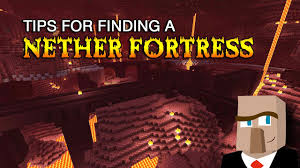
Finding The Fortress of The Nether: A Guide
Introduction
Are you ready to tackle the ultimate challenge in Minecraft? Look no further! In this article, we’ll guide you through the process of finding the fortress of the Nether, a crucial step in your journey to defeat the Dragon of the End. With our tips and tricks, you’ll be well on your way to success.
Understanding The Basics
Before we dive into the nitty-gritty details, let’s cover the basics. To find the fortress of the Nether, you need to first access the Nether itself. Don’t worry if you’re not familiar with this process – our guide will walk you through it step by step.
Achieving The Nether
To achieve the Nether, follow these simple steps:
- Find a Stronghold: The Nether is generated in strongholds, which are structures that contain chests filled with valuable loot.
- Destroy The Bed: To access the Nether, you need to destroy the bed that generates the portal to the Overworld.
- Build a New Bed: Once you’ve destroyed the old bed, build a new one to generate a portal to the Nether.
Understanding Nether Fortress Generation
Now that you’ve accessed the Nether, it’s time to find the fortress. But how do you know where to look? The answer lies in understanding how Nether fortresses are generated.
Nether Regions And Fortresses
The Nether is divided into regions, each measuring 432 x 432 blocks in Java Edition Minecraft. Within these regions, a Nether fortress can generate alone or alongside the Remainders of rampart. However, both structures cannot coexist in the same region.
Tips For Finding The Fortress
Don’t worry if you get lost – we’ve got some helpful tips to make your search easier:
- Look For The Remnants: If you find a remnant of a Nether fortress, know that there won’t be another one nearby.
- Search in The Positive X Direction: The Nether tends to generate fortresses more frequently when moving towards the positive X direction.
- Increase Distance Rendering: Augment your distance rendering to see farther and potentially spot a Nether fortress from afar.
- Adjust Luminosity: Adjust the luminosity of your game to make it easier to spot the fortress, which tends to blend in with its surroundings.
Finding The Fortress on Bedrock Edition
If you’re playing Minecraft on Bedrock Edition (PS4, mobile device, or PC), don’t worry – our tips apply just as well. The process is similar to Java Edition, but with some slight differences:
- Regions Are Larger: Nether regions in Bedrock Edition measure 480 x 480 blocks.
- Use The Command
Using The Command to Find The Fortress
If you’re looking for a swifter way to find the fortress, try using the command! This feature is available on both Java and Bedrock editions.
- Activate The Command: Enable the command by pressing ESC on your keyboard (Java) or pause (Bedrock).
- Use The
/locateCommand: Type/locate structure minecraft:Fortressin the chat to find the coordinates of a Nether fortress. - Teleport to The Fortress: Use the
/teleport X Y Zcommand to transport yourself to the found fortress.
Conclusion
Finding the fortress of the Nether may seem daunting, but with our guide and some helpful tips, you’ll be well on your way to success. Remember to stay focused, and don’t be afraid to explore – the thrill of discovery is all part of the adventure!
Frequently Asked Questions (FAQs)
- Q: What’s The Difference Between a Nether Fortress And a Remnant?
A: A Nether fortress is a complete structure, while a remnant is a leftover piece. - Q: Can I Find a Nether Fortress in Any Region?
A: No – fortresses can only generate alone or alongside remnant structures within specific regions. - Q: What’s The Best Way to Increase my Chances of Finding a Fortress?
A: Search in the positive X direction and adjust luminosity to make it easier to spot the fortress. - Q: Can I Use Commands on Bedrock Edition?
A: Yes – commands are available on both Java and Bedrock editions. - Q: How do I Teleport to a Nether Fortress Using The
/teleportCommand?
A: Use the/teleport X Y Zcommand, replacing X, Y, and Z with the coordinates found via the/locatecommand. - Q: Can I Play Minecraft on Bedrock Edition Without Using Commands?
A: Yes – you can still use our tips to find a Nether fortress without relying on commands. - Q: What’s The Advantage of Increasing Distance Rendering?
A: It allows you to see farther and potentially spot a Nether fortress from afar, making your search easier.


