
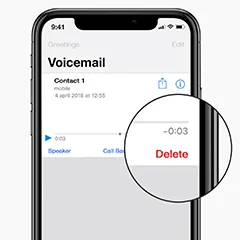
Deactivate The Vodafone Voicemail Service: An Option For Your Freedom
You have been informed of the possibility of disabling the Vodafone answering machine service on your mobile telephone number. If you have already done this or want to do so, this article will guide you through the steps necessary to deactivate the service.
Why Disable The Vodafone Answering Machine Service?
Vodafone’s voicemail service can be useful in some respects, but it could also be a problem if you don’t need its functionality. For example, if you don’t answer the phone or if your number is busy, the Vodafone answering machine can send notification messages to those who call back. If you want to avoid this type of situation, you may be interested in disabling the service.
How to Deactivate The Vodafone Answering Machine Service on Your Mobile Phone
Deactivating the Vodafone answering machine on your mobile phone is a simple process that can be done by following these steps:
-
You must open the dialing screen and enter the code ##002#.
-
Press on the “call” button to confirm the action.
If you have carried out this procedure correctly, Vodafone answering machine should be deactivated on your mobile phone.
How to Deactivate The Vodafone Voicemail Service Online
If you don’t have your mobile phone available or prefer to carry out the operation online, you could visit the Vodafone website and follow these steps:
-
Access your Vodafone account.
-
Click on the “manage” button in the voicemail service settings section.
If you have carried out this procedure correctly, your Vodafone answering machine should be deactivated online.
How to Deactivate The Vodafone Answering Machine Service on Your Android Smartphone
To disable the Vodafone answering machine on your Android smartphone, you could follow these steps:
-
Open the “settings” app of your device and select the “phone” item.
-
Scroll down and look for the Vodafone answering machine settings section.
-
Select the “deactivate” or “block” option to disable the service.
If you have carried out this procedure correctly, the Vodafone answering machine should be deactivated on your Android smartphone.
How to Deactivate The Vodafone Voicemail Service on Your Iphone
To disable the Vodafone answering machine on your iPhone, you could follow these steps:
-
Open the “settings” app of your device and select the “phone” item.
-
Scroll down and look for the Vodafone answering machine settings section.
-
Select the “deactivate” or “block” option to disable the service.
If you have carried out this procedure correctly, the Vodafone answering machine should be deactivated on your iPhone.
How to Deactivate The Vodafone Answering Machine Service on Your Landline
To disable the Vodafone answering machine on your landline, you could follow these steps:
-
Open the “settings” app of your device and select the “phone” item.
-
Scroll down and look for the Vodafone answering machine settings section.
-
Select the “deactivate” or “block” option to disable the service.
If you have carried out this procedure correctly, the Vodafone answering machine should be deactivated on your landline.
Conclusion
In conclusion, disabling the Vodafone voicemail service is a simple process that can be done by following the steps indicated in this article. If you need further information or would like help deactivating your Vodafone answering machine, you may contact Vodafone customer service.
Questions And Answers
-
Question: What is the reason why I have to disable the Vodafone answering machine service?
-
Answer: Vodafone’s voicemail service can be useful in some ways, but it could also be a problem if you don’t need its functionality.
-
Question: How can I disable the Vodafone answering machine on my mobile phone?
-
Answer: To deactivate the Vodafone answering machine on your mobile phone, you must open the dialing screen and enter the code ##002#. Then press the “call” button to confirm the action.
-
Question: How can I disable the Vodafone answering machine online?
-
Answer: To deactivate Vodafone voicemail online, you must visit the Vodafone website and follow these steps: Log in to your Vodafone account, click on the “manage” button in the voicemail service settings section.
-
Question: How can I disable the Vodafone answering machine on my Android smartphone?
-
Answer: To deactivate the Vodafone answering machine on your Android smartphone, you must open the “settings” app of your device and select the “telephone” item. Scroll down and look for the Vodafone answering machine settings section. Then select the “deactivate” or “block” item to disable the service.
-
Question: How can I disable the Vodafone answering machine on my iPhone?
-
Answer: To deactivate the Vodafone answering machine on your iPhone, you must open the “settings” app of your device and select the “telephone” item. Scroll down and look for the Vodafone answering machine settings section. Then select the “deactivate” or “block” item to disable the service.
-
Question: How can I disable the Vodafone answering machine on my landline?
-
Answer: To deactivate the Vodafone answering machine on your landline, you must open the “settings” app of your device and select the “telephone” item. Scroll down and look for the Vodafone answering machine settings section. Then select the “deactivate” or “block” item to disable the service.
Note
The content of this article is provided for information purposes and must not be used as a guide for deactivating the Vodafone answering machine service. For more up-to-date information or help, please contact Vodafone customer service.


