
Understanding How to Pay on Vinted: A Comprehensive Guide
As a platform for buying and selling second-hand dresses and accessories, Vinted has become increasingly popular among fashion enthusiasts. However, navigating the payment process can be confusing, especially for those new to the platform. In this article, we will provide a detailed guide on how to pay on Vinted, including the various payment methods available and tips for avoiding common mistakes.
What Payment Methods Does Vinted Offer?
Vinted offers several payment methods to cater to different needs and preferences. These include:
- Credit/debit Card: The most commonly used method, which involves adding your card details to your Vinted account.
- Apple Pay: A convenient option for iOS users who want to pay with their Apple device.
- Paypal: Although not integrated into the platform, PayPal is still an available option for some users.
How to Pay on Vinted
Paying on Vinted is a straightforward process. Here’s a step-by-step guide:
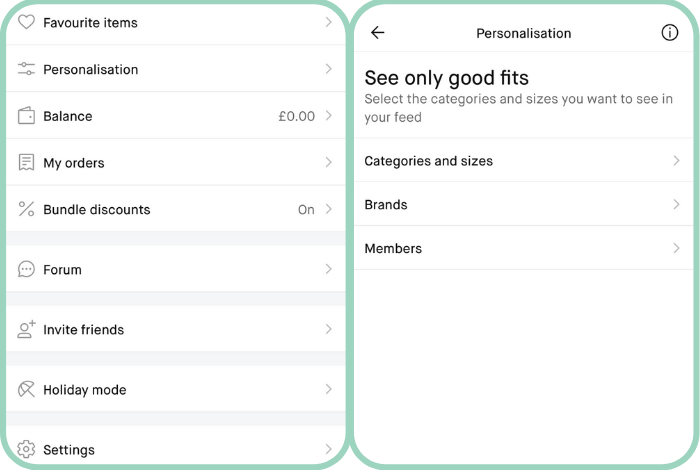
- Add Your Payment Method: To start, access your Vinted account and go to the “Settings” section. From there, navigate to “Payments” and select the type of payment method you want to add (e.G., Credit/debit card, Apple Pay, or PayPal).
- Enter Your Details: Fill in the required information for your chosen payment method.
- Save Changes: Confirm that your payment method has been added successfully by saving any changes made.
Paying With a Balance
If you have a balance on Vinted, you can use it to pay for purchases. Here’s how:
- Check Your Balance: Access your Vinted account and go to the “Balance” section.
- Select Payment Method: Choose the payment method you want to use (e.G., Credit/debit card or PayPal).
- Complete Transaction: Follow the on-screen instructions to complete the transaction.
Paying Dispatches
When buying from Vinted, dispatch costs are typically charged to the buyer. Here’s how it works:
- Check Dispatch Costs: During the checkout process, you’ll see an additional fee for dispatch costs.
- Choose Delivery Option: Select your preferred delivery option (e.G., Standard shipping or express delivery).
- Complete Transaction: Follow the on-screen instructions to complete the transaction.
What Happens If I Don’t Pay Dispatch Costs?
If you try to avoid paying dispatch costs, it may not be possible. The vendor may have already incurred expenses for shipping and packaging.
Conclusion
Paying on Vinted is a straightforward process that requires a few simple steps. By understanding the different payment methods available and following the guidelines outlined in this article, you can ensure smooth transactions and avoid any potential issues.


