
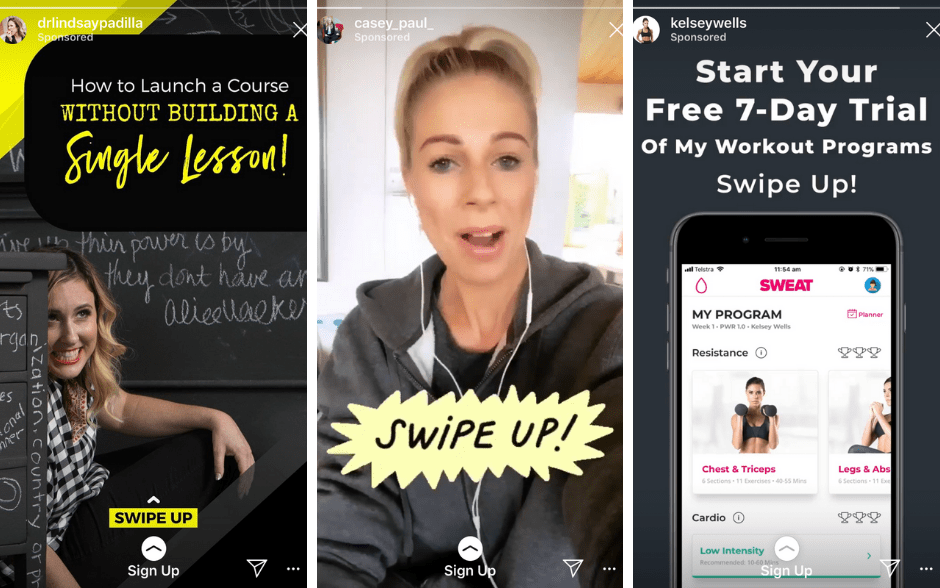
How to Use Swipe Up on Instagram: A Step-by-step Guide
Are you struggling to understand how to use the swipe up feature on Instagram? You’re not alone! Many users have been wondering how to take advantage of this popular feature, but it can be confusing if you don’t know where to start. In this article, we’ll break down everything you need to know about using swipe up on Instagram, including how to use it from your smartphone and computer.
Why Use Swipe Up on Instagram?
Using swipe up on Instagram is a great way to share links in your stories and bio, making it easy for your followers to access the content you’re sharing. By using this feature, you can increase engagement and drive traffic to your website or other social media channels.
How to Use Swipe Up on Instagram From Your Smartphone
Using swipe up on Instagram from your smartphone is a breeze! Here’s how:
- Open The Instagram App: First, open the Instagram app on your smartphone.
- Access Your Account: If you’re not already logged in, access your account by entering your login credentials.
- Create a New Story: Create a new story by tapping the camera icon at the top of the screen.
- Add a Link: Tap the “+” icon to add a link to your story. You can share links from your computer or mobile device.
- Edit Your Story: Edit your story as desired, including adding text, stickers, and other features.
- Share Your Story: Share your story with your followers.
How to Use Swipe Up on Instagram From Your Computer
Using swipe up on Instagram from your computer is a bit more complicated, but still relatively easy. Here’s how:
- Access Meta Business Suite: First, access the Meta Business Suite tool provided by Meta (the same company behind Facebook and WhatsApp).
- Create a New Post: Create a new post by clicking the “Post” button.
- Add a Link: Add a link to your post using the “Link” feature.
- Customize Your Post: Customize your post as desired, including adding images and text.
- Share Your Post: Share your post with your followers.
How to Use Swipe Up on Instagram Without 10k Followers
Unfortunately, the swipe up feature is currently only available for users with at least 10,000 followers on Instagram. However, you can still use the “Link” sticker in your stories and bio, which allows users to access links by tapping on them.
How to Add a Link to Your Instagram Story From Your Computer
Adding a link to your Instagram story from your computer is easy! Here’s how:
- Access Meta Business Suite: First, access the Meta Business Suite tool provided by Meta.
- Create a New Post: Create a new post by clicking the “Post” button.
- Add a Link: Add a link to your post using the “Link” feature.
- Customize Your Post: Customize your post as desired, including adding images and text.
- Share Your Post: Share your post with your followers.
How to Use Swipe Up on Instagram From Your Smartphone Without 10k Followers
Unfortunately, the swipe up feature is currently only available for users with at least 10,000 followers on Instagram when using it from their smartphone. However, you can still use the “Link” sticker in your stories and bio, which allows users to access links by tapping on them.
Conclusion
Using swipe up on Instagram is a great way to share links in your stories and bio, making it easy for your followers to access the content you’re sharing. Whether you’re using it from your smartphone or computer, we hope this article has helped you understand how to use this popular feature. Happy swiping!


