
The Ultimate Guide to Digital Signatures: Unlocking Efficiency And Legality
As we navigate through the digital age, electronic documents have become an essential part of our daily lives. With the rise of digitalization, it’s no surprise that digital signatures have gained popularity as a convenient and secure way to authenticate documents. In this article, we’ll delve into the world of digital signatures, exploring their benefits, types, and how to create them using various apps.
What Are Digital Signatures?
A digital signature is an electronic equivalent of a traditional handwritten signature, used to validate the authenticity and integrity of electronic documents. Unlike simple electronic signatures, which can be easily forged, digital signatures have intrinsic legal value and are recognized by law courts worldwide.
Types of Digital Signatures: Understanding The Differences
Before we dive into the apps that create digital signatures, it’s essential to understand the differences between various types of digital signatures:
- Electronic Signature: A simple electronic signature is a gesture or click on a device, without any intrinsic legal value. It can be easily forged and lacks authenticity.
- Digital Signature: A digital signature is an assurance of the authenticity of the signatory and the document. It’s recognized by law courts worldwide and has intrinsic legal value.
The Benefits of Digital Signatures
Digital signatures offer numerous benefits, including:
- Convenience: Digital signatures can be created and sent quickly, reducing the time spent on manual signing processes.
- Security: Digital signatures are more secure than traditional handwritten signatures, as they’re encrypted and tamper-proof.
- Legality: Digital signatures have intrinsic legal value, making them a reliable way to authenticate documents.
Creating Digital Signatures With Apps
Here are some of the best apps for creating digital signatures:
Adobe Fill & Sign
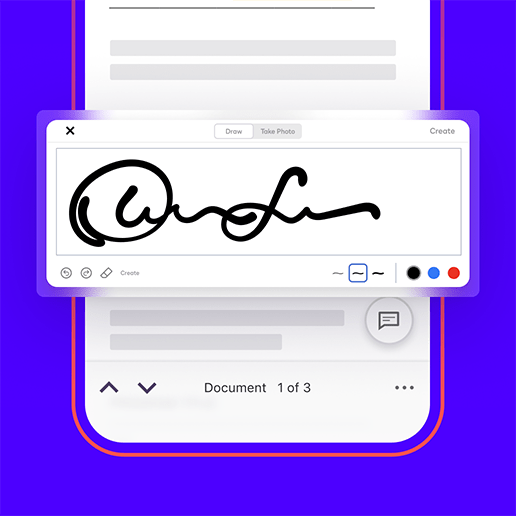
Adobe Fill & Sign is an intuitive app that allows users to create and insert electronic signatures into PDF documents. With its user-friendly interface, users can quickly add signatures, initials, and dates to their documents.
How to Use Adobe Fill & Sign
To use Adobe Fill & Sign, follow these steps:
- Download the app on your Android or iOS device.
- Create an account to access the app’s features.
- Open a PDF document and select the “Fill & Sign” option.
- Add your signature, initials, and dates using the app’s built-in tools.
Digital Signature Aruba
Digital Signature Aruba is a comprehensive app that allows users to create digital signatures with intrinsic legal value. With its advanced features, users can generate secure codes, manage certificates, and authenticate documents.
How to Use Digital Signature Aruba
To use Digital Signature Aruba, follow these steps:
- Download the app on your Android or iOS device.
- Acquire a remote signature kit from an authorized entity.
- Associate your digital signature with the app using the remote certificate.
- Generate secure codes using the app’s built-in tools.
Other Apps For Digital Signatures
In addition to Adobe Fill & Sign and Digital Signature Aruba, there are other apps that offer digital signature services:
- Docusign: A user-friendly app that allows users to create electronic signatures quickly.
- Signeasy: An intuitive app that enables users to sign documents using their fingerprints or facial recognition.
Conclusion
Digital signatures have revolutionized the way we authenticate and validate electronic documents. With various apps available for creating digital signatures, it’s easier than ever to unlock efficiency and legality in your business processes. Whether you’re looking to create simple electronic signatures or digital signatures with intrinsic legal value, these apps are here to help.
Faqs
Q: What is the difference between an electronic signature and a digital signature?
A: An electronic signature is a simple gesture or click on a device without any intrinsic legal value, whereas a digital signature has intrinsic legal value and is recognized by law courts worldwide.
Q: How do I create a digital signature using Adobe Fill & Sign?
A: To create a digital signature with Adobe Fill & Sign, download the app, create an account, open a PDF document, select the “Fill & Sign” option, add your signature, initials, and dates, and export the signed document.
Q: What are the benefits of using digital signatures?
A: Digital signatures offer convenience, security, and legality in electronic document authentication.


