
Flashcards: The Ultimate Tool For Effective Learning
Are you tired of struggling to remember important concepts and information? Do you wish there was a way to make learning more engaging and fun? Look no further than flashcards! In this article, we’ll explore the world of flashcards and how they can be used to improve your studying habits.
What Are Flashcards?
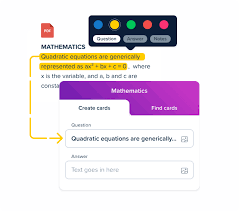
Flashcards are small cards that have a question or concept on one side and the answer or definition on the other. They’re a simple yet effective tool for learning new information, revising existing knowledge, and even preparing for exams. With flashcards, you can create a set of cards that cater to your specific needs and learning style.
Benefits of Using Flashcards
Using flashcards has numerous benefits, including:
- Improved Retention: By actively engaging with the material on each card, you’ll retain information better than if you simply read it passively.
- Increased Efficiency: Flashcards allow you to focus on specific areas of study without getting bogged down in unnecessary details.
- Enhanced Critical Thinking: The process of creating and using flashcards encourages critical thinking and analysis.
Popular Apps For Creating And Using Flashcards
There are numerous apps available that make it easy to create and use flashcards. Some popular options include:
Quizlet (Android/iOS/iPadOS)
Quizlet is a well-known app that allows you to create digital flashcards, play learning games, and even study with friends.
How to Use Quizlet
- Download the Quizlet app and sign up for an account.
- Choose a subject or topic to study.
- Create a set of cards by typing in questions and answers.
- Use the built-in features to review and practice what you’ve learned.
Vaia (Android/iOS/iPadOS)
Vaia is another popular app that offers a range of tools for studying, including flashcards, quizzes, and diagrams.
How to Use Vaia
- Download the Vaia app and sign up for an account.
- Choose a subject or topic to study.
- Create a set of cards by typing in questions and answers.
- Use the built-in features to review and practice what you’ve learned.
Brainscape (Android/iOS/iPadOS)
Brainscape is a powerful app that allows you to create flashcards, track your progress, and even access a vast library of user-generated content.
How to Use Brainscape
- Download the Brainscape app and sign up for an account.
- Choose a subject or topic to study.
- Create a set of cards by typing in questions and answers.
- Use the built-in features to review and practice what you’ve learned.
Flashcards (Android)
Flashcards is a simple yet effective app that allows you to create digital flashcards and track your progress.
How to Use Flashcards
- Download the Flashcards app and sign up for an account.
- Choose a subject or topic to study.
- Create a set of cards by typing in questions and answers.
- Use the built-in features to review and practice what you’ve learned.
Tips For Effective Use of Flashcards
- Start With Small Sets: Begin with a manageable number of cards and gradually increase the size of your set as you become more comfortable using flashcards.
- Review Regularly: Regularly review your flashcards to reinforce new information and prevent forgetting.
- Use Different Formats: Mix up the format of your flashcards by using diagrams, images, or even audio clips to make learning more engaging.
Conclusion
Flashcards are a powerful tool for effective learning. By using apps like Quizlet, Vaia, Brainscape, and Flashcards, you can create personalized sets of cards that cater to your specific needs and learning style. Remember to start with small sets, review regularly, and use different formats to keep learning engaging and fun.
Frequently Asked Questions (FAQs)
- Q: What Are The Benefits of Using Flashcards?
A: Flashcards improve retention, increase efficiency, and enhance critical thinking. - Q: Which Apps Can I Use to Create And Use Flashcards?
A: Popular options include Quizlet, Vaia, Brainscape, and Flashcards. - Q: How do I Get Started With Using Flashcards?
A: Begin by downloading a flashcard app, creating small sets, and reviewing regularly. - Q: Can I Use Flashcards For Studying Languages?
A: Yes! Many apps offer language-specific features and vocabulary building tools. - Q: Are There Any Limitations to Using Flashcards?
A: While flashcards are incredibly useful, they should be used in conjunction with other study methods to ensure comprehensive learning. - Q: Can I Share my Flashcard Sets With Others?
A: Yes! Many apps allow you to share your sets with friends or classmates. - Q: How do I Track my Progress Using Flashcards?
A: Most apps offer built-in features for tracking progress and monitoring your learning journey. - Q: Are There Any Paid Versions of Flashcard Apps?
A: Some apps offer premium subscriptions or one-time payments for additional features or content.


