
How to Speed Up Utorrent at Most
Are you tired of waiting for hours to download a file using uTorrent? Do you want to boost your download speeds and get the most out of this popular torrent client? Look no further! In this article, we’ll show you how to speed up uTorrent on PC, Mac, Android, and more.
Understanding The Problem
UTorrent is an excellent torrent client, but its default settings might not be optimized for your internet connection. This can result in slow download speeds, especially if you’re using a shared or public internet connection.
The Solution: Optimizing Utorrent Settings
To speed up uTorrent, you’ll need to tweak its settings to match your internet connection’s capabilities. Here are the steps to follow:
Step 1: Check Your Internet Connection
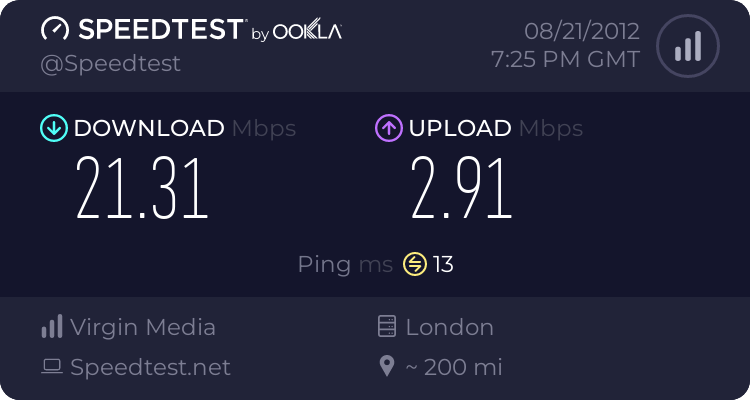
Before optimizing uTorrent, ensure that your internet connection is stable and fast enough to handle torrent downloads. You can use online tools like SpeedTest.Net to test your upload and download speeds.
Step 2: Configure Your Modem/router
Access your modem/router’s configuration page (usually at 192.168.1.1 Or 192.168.0.1) And ensure that the door used by uTorrent is open for incoming connections. This will allow uTorrent to communicate with other peers on the torrent network.
Step 3: Configure Utorrent Settings
Open uTorrent and navigate to the Options > Preferences menu. Select the Band tab and set the maximum download speed to a reasonable value (e.G., 90% Of your upload speed). Also, ensure that the Number of connections allowed is set to a suitable value (e.G., 4-5).
Step 4: Enable Protocol Encryption
If you’re experiencing issues with slow download speeds due to ISP throttling or filtering, consider enabling protocol encryption in uTorrent. This will help bypass these restrictions and allow uTorrent to operate at its maximum potential.
How to Speed Up Utorrent on PC
If you’re using the Classic version of uTorrent for Windows, follow these steps:
- Open uTorrent and navigate to Options > Preferences.
- Select the Band tab and set the maximum download speed to a reasonable value (e.G., 90% Of your upload speed).
- Set the Number of connections allowed to a suitable value (e.G., 4-5).
- Click on the Start Test button to analyze your internet connection’s capabilities.
- If the test is successful, click Save & Close to apply the settings.
How to Speed Up Utorrent on Mac
If you’re using the Web version of uTorrent for macOS:
- Open uTorrent Web and navigate to the Settings menu.
- Ensure that the Speed of download and Speed of upload are set to 0.
- Select the Qualify Speed option to enable protocol encryption.
- Follow the same steps as on PC to optimize your internet connection.
How to Speed Up Utorrent on Android
If you’re using the official app on an Android device:
- Open the uTorrent app and navigate to the Settings menu.
- Set the open door in your modem/router for incoming connections.
- Regularize the relative limits to upload/download and Torrent active.
Conclusion
Speeding up uTorrent requires a combination of optimizing its settings, configuring your modem/router, and ensuring that your internet connection is stable and fast enough. By following these steps, you can enjoy faster download speeds and get the most out of this excellent torrent client.
Frequently Asked Questions (FAQs)
- Q: What is Utorrent?
A: UTorrent is a popular torrent client for downloading files from peer-to-peer networks. - Q: Why is my Download Speed Slow?
A: Slow download speeds can be caused by various factors, including ISP throttling, modem/router issues, or poor internet connection stability. - Q: How do I Optimize Utorrent Settings?
A: To optimize uTorrent settings, follow the steps outlined in this article, specifically Steps 1-4. - Q: What is Protocol Encryption And Why do I Need It?
A: Protocol encryption helps bypass ISP throttling or filtering restrictions, allowing uTorrent to operate at its maximum potential. - Q: Can I Use Other Torrent Clients Besides Utorrent?
A: Yes, there are many other excellent torrent clients available, such as qBittorrent and BitTorrent. - Q: How do I Ensure That my Internet Connection is Stable And Fast Enough?
A: Use online tools like SpeedTest.Net to test your upload and download speeds, and ensure that your modem/router is configured correctly. - Q: Can I Use Utorrent on Other Devices Besides Pc, Mac, And Android?
A: Yes, you can use uTorrent on various devices, including Linux machines and Chromebooks.
We hope this article has been helpful in speeding up your uTorrent experience!


