
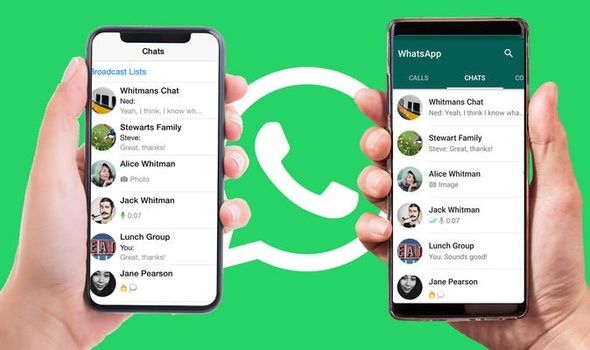
How to Transfer Whatsapp Chat From Iphone to Android: A Step-by-step Guide
Are you tired of switching between your iPhone and Android devices, only to lose all the important conversations on WhatsApp? Do you want to transfer all the messages and media files from your old iPhone to your new Android device? Look no further! This comprehensive guide will walk you through the process of transferring WhatsApp chat from iPhone to Android using various methods.
Information Preliminary
Before we dive into the nitty-gritty, it’s essential to understand that there is no official procedure for transferring WhatsApp chats between iOS and Android devices. However, thanks to third-party apps and software, we can achieve this feat with some technical know-how. Please note that these solutions may not be officially supported by WhatsApp, so proceed with caution.
Method 1: Using Wondershare Dr.Fone
One of the most popular solutions is using Wondershare Dr.Fone, a dedicated program for managing data transfer between iOS and Android devices. This software allows you to create backups, recover, and transfer data from one device to another, including WhatsApp chats.
To use Dr.Fone:
- Download and install the Dr.Fone software on your computer.
- Connect both your iPhone and Android device to the computer using USB cables.
- Launch Dr.Fone and select the “WhatsApp” option from the menu.
- Follow the prompts to create a backup of your WhatsApp chats on the iPhone.
- Transfer the backup data to your Android device.
Method 2: Manual Procedure Using Itunes
If you’re not comfortable using software, you can opt for a manual procedure using iTunes and iBackup Viewer. This method requires some technical expertise, but it’s a viable alternative.
To use this method:
- Create a backup of your iPhone data using iTunes.
- Extract the WhatsApp chats from the backup file using iBackup Viewer.
- Convert the extracted data to an Android-compatible format using Wazzap Migrator.
- Transfer the converted data to your Android device.
Method 3: Using Wazzap Migrator
Another solution is using Wazzap Migrator, a dedicated app for transferring WhatsApp chats between iOS and Android devices. This method is relatively straightforward and doesn’t require any software installation.
To use Wazzap Migrator:
- Download and install the Wazzap Migrator app on your Android device.
- Connect your iPhone to the same computer as your Android device.
- Launch the Wazzap Migrator app and select the “Transfer” option.
- Follow the prompts to transfer your WhatsApp chats from your iPhone to your Android device.
Tips And Precautions
Before attempting any of these methods, keep in mind that:
- These solutions may not be officially supported by WhatsApp, so proceed with caution.
- The process may take some time, depending on the size of your WhatsApp chat database.
- Be careful when handling your devices’ data, as mistakes can lead to loss or corruption of important information.
Conclusion
Transferring WhatsApp chats from iPhone to Android is possible using various methods, including software and manual procedures. While these solutions may not be officially supported by WhatsApp, they offer a reliable way to preserve your important conversations and media files. Remember to exercise caution when attempting any of these methods, and don’t hesitate to seek help if you encounter any issues.
Frequently Asked Questions
- Is it Possible to Transfer Whatsapp Chats Between Ios And Android Devices?
While there is no official procedure for doing so, various software and apps offer a reliable solution. - What Are The Steps Involved in Transferring Whatsapp Chats Using Wondershare Dr.Fone?
Please refer to Method 1 above for detailed instructions. - Can I Use Itunes to Transfer Whatsapp Chats From my Iphone to Android?
Yes, you can opt for a manual procedure using iTunes and iBackup Viewer (Method 2). - What is Wazzap Migrator, And How Does it Work?
Wazzap Migrator is an app that allows you to transfer WhatsApp chats between iOS and Android devices without any software installation. - Are There Any Risks Involved in Transferring Whatsapp Chats Using These Methods?
While generally reliable, the process may not be officially supported by WhatsApp, so proceed with caution. - How Long Does it Take to Transfer Whatsapp Chats Using These Methods?
The time required varies depending on the size of your WhatsApp chat database and the software or app used. - Can I Transfer Whatsapp Chats From my Iphone to Android Without Losing Any Data?
Yes, using Wondershare Dr.Fone or Wazzap Migrator should preserve all your important conversations and media files.


