
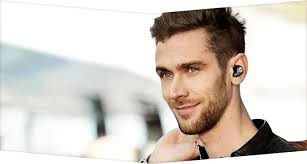
How to Use Bluetooth Headphones: A Comprehensive Guide
Are you one of the millions of people who use Bluetooth headphones? Do you struggle to connect them to your phone, TV, or computer? Look no further! This article will provide a comprehensive guide on how to use Bluetooth headphones, including tips and tricks for pairing, connecting, and troubleshooting.
What Are Bluetooth Headphones?
Bluetooth headphones are wireless earbuds or headsets that use radio waves to connect to devices such as phones, tablets, and computers. They offer greater convenience and flexibility than traditional wired headphones, allowing you to move around while listening to music or taking calls.
Benefits of Using Bluetooth Headphones
Using Bluetooth headphones offers several benefits, including:
- Convenience: No more tangled cords or lost earbuds!
- Flexibility: Move around freely while listening to music or taking calls.
- Portability: Take your headphones with you wherever you go.
How to Light Up Your Bluetooth Headphones
To light up your Bluetooth headphones, follow these steps:
- Locate the power button on your headphones.
- Press and hold the power button for 1-2 seconds until the LED indicator lights up.
- Release the power button, and your headphones should be powered on.
How to Contact Your Bluetooth Headphones
To contact your Bluetooth headphones, follow these steps:
- Locate the earbuds or headsets.
- Insert the left earbud into your left ear and the right earbud into your right ear.
- Adjust the fit as needed for comfort.
How to Load Your Bluetooth Headphones
To load your Bluetooth headphones, follow these steps:
- Connect the charging cable to the power source.
- Plug the other end of the charging cable into the charging port on the headphones.
- Wait for the LED indicator to light up, indicating that the headphones are charging.
How to Pair Your Bluetooth Headphones With Your Phone
To pair your Bluetooth headphones with your phone, follow these steps:
- Enable pairing mode on your headphones by pressing and holding the power button for 10 seconds.
- Open the Settings app on your phone.
- Select “Bluetooth” from the list of available settings.
- Tap on the name of your headphones in the list of available devices.
How to Pair Your Bluetooth Headphones With Your TV
To pair your Bluetooth headphones with your TV, follow these steps:
- Enable pairing mode on your headphones by pressing and holding the power button for 10 seconds.
- Open the Settings app on your TV.
- Select “Bluetooth” from the list of available settings.
- Tap on the name of your headphones in the list of available devices.
How to Pair Your Bluetooth Headphones With Your Computer
To pair your Bluetooth headphones with your computer, follow these steps:
- Enable pairing mode on your headphones by pressing and holding the power button for 10 seconds.
- Open the Settings app on your computer.
- Select “Bluetooth” from the list of available settings.
- Tap on the name of your headphones in the list of available devices.
Tips And Tricks
- Make sure to enable pairing mode on your headphones before attempting to pair them with your device.
- Use a charging cable that is designed specifically for your headphones.
- If you’re having trouble connecting your headphones, try restarting both your headphones and your device.
- Experiment with different earbuds or headsets to find the perfect fit.
Conclusion
Using Bluetooth headphones can be a convenient and enjoyable experience. By following these steps, you’ll be able to pair, connect, and troubleshoot any issues that may arise. Remember to experiment with different earbuds or headsets to find the perfect fit.
Frequently Asked Questions (FAQs)
- What Are Bluetooth Headphones?
Bluetooth headphones are wireless earbuds or headsets that use radio waves to connect to devices such as phones, tablets, and computers. - How do I Light up my Bluetooth Headphones?
To light up your Bluetooth headphones, locate the power button, press and hold it for 1-2 seconds, and release. - How do I Contact my Bluetooth Headphones?
To contact your Bluetooth headphones, insert the earbuds into your ears, adjust the fit as needed, and make sure they’re properly seated. - How do I Load my Bluetooth Headphones?
To load your Bluetooth headphones, connect the charging cable to the power source, plug it into the charging port on the headphones, and wait for the LED indicator to light up. - How do I Pair my Bluetooth Headphones With my Phone?
To pair your Bluetooth headphones with your phone, enable pairing mode on the headphones by pressing and holding the power button for 10 seconds, open the Settings app on your phone, select “Bluetooth” from the list of available settings, and tap on the name of your headphones in the list of available devices. - How do I Pair my Bluetooth Headphones With my Tv?
To pair your Bluetooth headphones with your TV, enable pairing mode on the headphones by pressing and holding the power button for 10 seconds, open the Settings app on your TV, select “Bluetooth” from the list of available settings, and tap on the name of your headphones in the list of available devices. - How do I Pair my Bluetooth Headphones With my Computer?
To pair your Bluetooth headphones with your computer, enable pairing mode on the headphones by pressing and holding the power button for 10 seconds, open the Settings app on your computer, select “Bluetooth” from the list of available settings, and tap on the name of your headphones in the list of available devices.


