
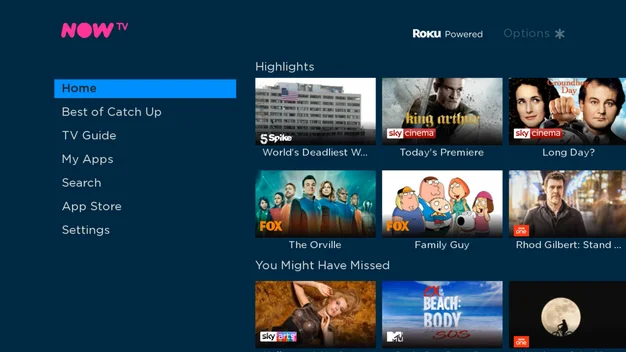
Now Tv: The Ultimate Guide to Recording on Your Computer, Smartphone, or Tablet
Are you ready to unlock the world of entertainment and sports with NOW TV? Look no further! This comprehensive guide will walk you through the process of recording on NOW TV, covering everything from creating an account to accessing your favorite content.
Table 1: Available Packs And Costs
| Pack | Description | Cost (€/month) |
|---|---|---|
| Pass Entertainment + Cinema | Access to cinema, series TV, and entertainment channels | 11.99 |
| Pass Sport | Access to sports events, including football and rugby | 14.99 |
| Pass Entertainment + Cinema Premium | Enhanced access to cinema, series TV, and entertainment channels | 14.99 (With premium option) |
Why Choose Now Tv?
NOW TV offers a wide range of benefits, including:
- Live Streaming: Access to live sports events and entertainment channels
- On-demand Content: Watch your favorite shows and movies at any time
- No Contracts: No long-term commitments or hidden fees
- Multiple Devices: Access NOW TV on multiple devices, including smartphones, tablets, and computers
Creating an Account on Now TV
To get started with NOW TV, you’ll need to create an account. Follow these simple steps:
- Go to the NOW TV website and click on “Discover” in the top right corner.
- Choose your preferred pack (Pass Entertainment + Cinema or Pass Sport).
- Fill out the registration form with your email address, name, surname, and fiscal code.
- Create a secure password for your account.
- Review the terms and conditions, then confirm your subscription.
Recording on Now TV With Vodafone
If you’re a Vodafone customer, you can access NOW TV as part of your package. Follow these steps:
- Check if you have the Vodafone TV bid that includes NOW TV.
- If not, subscribe to the Vodafone TV bid with or without fibre.
- Choose the NOW TV pack that suits your needs.
Recording Devices on Now TV
Want to record your favorite shows and movies? Follow these steps:
- Go to the NOW TV website and sign in to your account.
- Click on the menu icon and select “Download the player”.
- Download and install the NOW TV player on your computer or mobile device.
- Access the content you want to record and click on the recording button.
Frequently Asked Questions
- Q: How Much Does a Now TV Subscription Cost?
A: The costs vary depending on the pack you choose, ranging from 11.99€/Month for Pass Entertainment + Cinema to 14.99€/Month for Pass Sport. - Q: Can I Access Now TV on Multiple Devices?
A: Yes, you can access NOW TV on multiple devices, including smartphones, tablets, and computers. - Q: How do I Cancel my Subscription?
A: You can cancel your subscription at any time by contacting NOW TV customer support. - Q: Can I Record Content on Now Tv?
A: Yes, you can record content on NOW TV using the NOW TV player or app. - Q: Is There a Free Trial Available For Now Tv?
A: No, there is no free trial available for NOW TV. - Q: Can I Access Now TV Without a Contract?
A: Yes, NOW TV offers no-contract subscriptions, so you can cancel at any time. - Q: How do I Get Help With my Now TV Subscription?
A: You can contact NOW TV customer support for assistance with your subscription.
Conclusion
NOW TV is an exciting service that offers a wide range of entertainment and sports content. With this guide, you’ll be able to create an account, access your favorite content, and record shows and movies on multiple devices. Don’t miss out on the action – sign up for NOW TV today!


