
How to Use Photoshop on Your Phone: A Beginner’s Guide
Are you looking for a way to edit your photos like a pro, but don’t have access to a computer? Look no further! Adobe Photoshop Express is available on both Android and iOS/iPadOS devices, making it possible to use the popular photo editing app right from your phone.
Adobe Photoshop Express: The Mobile Version of Photoshop
Adobe Photoshop Express is a free app that offers many of the same features as the desktop version of Photoshop. With this app, you can edit your photos in real-time, apply filters and effects, and even create stunning collages. Let’s take a closer look at how to use Adobe Photoshop Express on your phone.
Getting Started With Adobe Photoshop Express
To get started, simply download the Adobe Photoshop Express app from the App Store or Google Play Store. Once you’ve installed it, follow these steps:
- Launch the app and tap on the “Get Started” button.
- Sign in with your Adobe ID, Google account, or Facebook account to access additional features.
- Tap on the “OK” button to grant the app permission to function correctly.
Using The Adobe Photoshop Express Interface
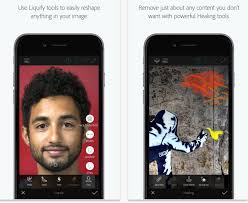
The Adobe Photoshop Express interface is intuitive and easy to use. To edit a photo:
- Tap on the camera icon to select an image from your gallery or take a new photo.
- Tap on the three-ring icon to apply a preset filter to your photo.
- Tap on the two-ring icon to apply additional effects to your photo.
- Tap on the scissors icon to crop your image.
- Tap on the settings icon to adjust the parameters of your photo.
- Tap on the patch icon to remove blemishes and defects from your image.
- Tap on the eye icon to automatically correct red-eye issues.
- Tap on the text icon to add captions or titles to your photos.
Alternative Photo Editing Apps For Your Phone
If you’re looking for alternative photo editing apps, there are many great options available. Some popular choices include:
- Snapseed: A powerful and user-friendly app that offers advanced editing features.
- Lightroom Mobile: A professional-grade app that allows you to edit and organize your photos on the go.
- Vsco: A popular app that offers a range of filters and effects for your photos.
Tips And Tricks For Using Adobe Photoshop Express
Here are some additional tips and tricks for using Adobe Photoshop Express:
- Use the “Quick Fix” feature to apply quick and easy edits to your photos.
- Experiment with different filters and effects to create unique looks for your photos.
- Use the “Collage” feature to combine multiple photos into one stunning image.
- Save your edited photos in a variety of formats, including JPEG and PNG.
Conclusion
Using Adobe Photoshop Express on your phone is easier than ever! With its intuitive interface and powerful features, you can edit your photos like a pro right from your device. Whether you’re looking for a quick fix or want to get creative with your photos, Adobe Photoshop Express has got you covered. So why not give it a try today?


