
Introducing Now Tv: The Ultimate Streaming Service
Are you tired of complicated streaming services that promise the world but deliver nothing? Look no further than NOW TV, the innovative streaming service that’s taking Italy by storm! In this article, we’ll dive into the world of NOW TV and explore its features, benefits, and how to get started.
What is Now Tv?
NOW TV is a streaming video service that offers access to the best programming Sky has to offer, live and on-demand. With NOW TV, you can enjoy all your favorite channels, sports events, and movies from the comfort of your own home, without any complicated contracts or equipment.
How Does Now TV Work?
NOW TV is easy to use and requires no complicated setup. Simply create an account, choose a package that suits your needs, and start streaming! With NOW TV, you can access:
- Live channels: Watch your favorite Sky channels live, including sports, news, and entertainment.
- On-demand content: Enjoy a vast library of movies, TV shows, and documentaries at any time.
- Catch-up TV: Missed a show? No problem! Catch up on all your favorite programs with NOW TV’s catch-up feature.
Requisiti Minimum e Dispositivi Supportati di Now
Before we dive into the details, let’s take a look at the minimum requirements to access NOW TV:
- A connection Internet of at least 2.5 Mbps in download for standard definition content.
- A connection Internet of at least 3.5 Mbps in download for HD content.
- A connection Internet of at least 10 Mbps in download for Full HD (1080p) content.
Dispositivi Supportati di Now
NOW TV is compatible with a wide range of devices, including:
- Computers: Windows 7 and successive or Mac equipped with macOS 11 and successive.
- Smartphones: IPhone and iPad equipped with iOS 13 or successive.
- Tablets: Android tablets (also on store alternative for all devices that do not own Google services integrated).
- Living room devices: Chromecast, Apple TV, Fire TV Stick/Cube, Vodafone TV, and more.
Now Smart Stick: The Ultimate Viewing Experience
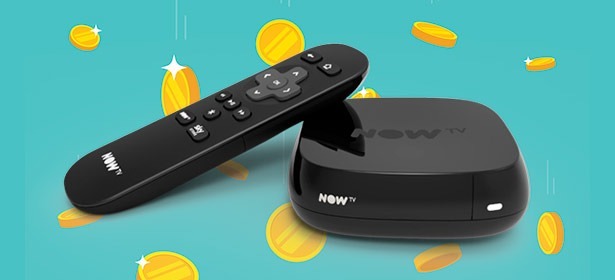
Take your viewing experience to the next level with NOW Smart Stick! This innovative device allows you to access all your favorite shows and movies directly on your television. With its sleek design and user-friendly interface, NOW Smart Stick is the perfect addition to any home entertainment system.
Prices And Passes
NOW TV offers a range of passes to suit every need and budget:
- Pass Entertainment + Cinema: 11.99 Euros/month or 9.99 Euros/month with a 12-month contract.
- Pass Sport: 14.99 Euros/month or 9.99 Euros/month with a 12-month contract.
- Pass Entertainment + Cinema Premium: 14.99 Euros/month or 11.99 Euros/month with a 12-month contract.
Vodafone TV Bids
Take advantage of Vodafone’s exclusive bids, which include:
- Vodafone TV Intrattenimento and NOW Entertainment: 5 Euros for the first month, then 12 euros/month.
- Vodafone TV Sport Plus and NOW Sport: 15 Euros/month with a discount of 3 euros on the fixed line monthly fee.
How to Get Started
Getting started with NOW TV is easy! Simply follow these steps:
- Create an account on the NOW website or mobile app.
- Choose your desired package and add it to your cart.
- Enter your payment details and complete the checkout process.
- Download the NOW app on your device and start streaming!
How to Use Now TV
Using NOW TV is a breeze! Simply follow these steps:
- Log in to your account using your email and password.
- Browse through the available content, including live channels and on-demand movies.
- Click on a show or movie you want to watch and select the “Start watching” button.
How to Gestire The Pass on Now
Managing your pass on NOW is easy! Simply follow these steps:
- Log in to your account using your email and password.
- Go to the “My Account” section and click on the “Your bid” tab.
- Select the pass you want to deactivate or modify.
How to Use Now TV on Smartphone And Tablet
Using NOW TV on your smartphone or tablet is easy! Simply download the app, log in to your account, and start browsing through the available content.
How to See Now on Television
Seeing NOW on television is a breeze! Simply follow these steps:
- Connect your NOW device (such as a Chromecast or Apple TV) to your television.
- Log in to your account using your email and password.
- Start streaming your favorite shows and movies directly on your television.
Conclusion
NOW TV is the ultimate streaming service for anyone looking for a hassle-free viewing experience. With its wide range of passes, user-friendly interface, and compatibility with multiple devices, NOW TV is the perfect choice for anyone who wants to enjoy their favorite shows and movies from the comfort of their own home.
Frequently Asked Questions
- What Are The Minimum Requirements to Access Now Tv?
The minimum requirements to access NOW TV include a connection Internet of at least 2.5 Mbps in download for standard definition content. - Which Devices is Now TV Compatible With?
NOW TV is compatible with computers, smartphones, tablets, and living room devices such as Chromecast, Apple TV, Fire TV Stick/Cube, and more. - What Are The Prices of The Different Passes Offered by Now Tv?
The prices of the different passes offered by NOW TV include:- Pass Entertainment + Cinema: 11.99 Euros/month or 9.99 Euros/month with a 12-month contract.
- Pass Sport: 14.99 Euros/month or 9.99 Euros/month with a 12-month contract.
- Pass Entertainment + Cinema Premium: 14.99 Euros/month or 11.99 Euros/month with a 12-month contract.
- What is Now Smart Stick And How Does it Work?
NOW Smart Stick is an innovative device that allows you to access all your favorite shows and movies directly on your television. Simply connect the device to your television, log in to your account using your email and password, and start streaming! - How do I Manage my Pass on Now Tv?
Managing your pass on NOW TV is easy! Simply follow these steps:- Log in to your account using your email and password.
- Go to the “My Account” section and click on the “Your bid” tab.
- Select the pass you want to deactivate or modify.
I hope this article has provided you with a comprehensive overview of NOW TV and its features. If you have any further questions, feel free to ask!


